
Disclosure: this article contains affiliate links. If you buy through them, Bright Technology may earn a small commission at no extra cost to you. As an Amazon Associate, we earn from qualifying purchases.
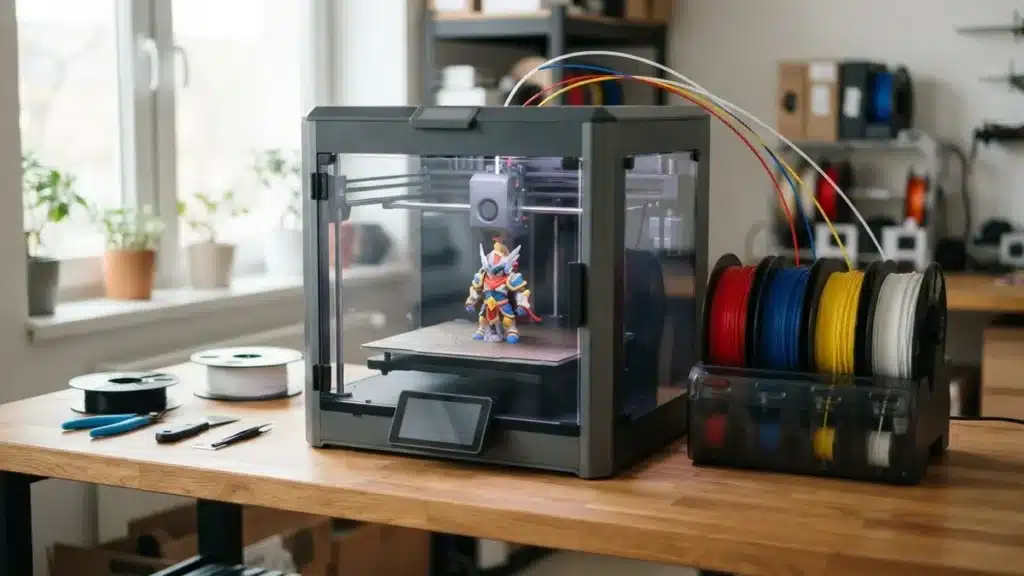
Choosing the best multicolor 3D printer in 2026 depends less on speed than on how the printer changes color: a single-nozzle feeder like Bambu Lab’s AMS, a dual-nozzle printer or a toolchanger with one hotend per color. That choice decides how much filament and time you waste on every color change.
- Multicolor 3D printers compared
- How multicolor systems work (and how much filament they waste)
- 1. Bambu Lab A1 Combo: best multicolor printer for beginners
- 2. Bambu Lab X2D Combo: most balanced for advanced users
- 3. Snapmaker U1: least filament waste for the money
- 4. Elegoo Centauri Carbon 2 Combo: enclosed multicolor at a low price
- 5. Anycubic Kobra X: cheapest multicolor 3D printer
- 6. Creality K2 Combo: Creality's most expandable option
- 7. Prusa CORE One+ INDX: professional, near-zero purge
- Which multicolor printer should you choose?
- Multicolor 3D printer FAQ
- Keep reading
Quick answer: for beginners, the Bambu Lab A1 Combo with AMS lite is the simplest affordable way to print in four colors. For an enclosed machine that also handles ABS and ASA, the Bambu Lab X2D Combo is the most balanced. If waste bothers you, a toolchanger like the Snapmaker U1 cuts purge by up to 85% according to the manufacturer, and the Anycubic Kobra X is the cheapest way in.
Multicolor 3D printers compared
| Model | Multicolor system | Colors (base / max) | Build volume (mm) | Price |
|---|---|---|---|---|
| Bambu Lab A1 Combo | AMS lite (single nozzle) | 4 / 4 | 256 × 256 × 256 | Check price |
| Bambu Lab X2D Combo | AMS 2 Pro + dual nozzle | 4 / 16+ | 256 × 256 × 256 | Check price |
| Snapmaker U1 | 4 swappable toolheads | 4 / 4 | 270 × 270 × 270 | Check price |
| Elegoo Centauri Carbon 2 Combo | Canvas (single nozzle) | 4 / 4 | 256 × 256 × 256 | Check price |
| Anycubic Kobra X | Built-in ACE GEN2 | 4 / 19 | 260 × 260 × 260 | Check price |
| Creality K2 Combo | CFS (single nozzle) | 4 / 16 | 260 × 260 × 260 | Check price |
| Prusa CORE One+ INDX | Bondtech INDX toolchanger | 4 or 8 | 248 × 205 × (reduced) | See Prusa |
How multicolor systems work (and how much filament they waste)
Every multicolor FDM printer solves the same problem: switching filament mid-layer. There are three approaches, each with a different cost in time and material.
Single-nozzle feeders: AMS, AMS lite, CFS, ACE and Canvas
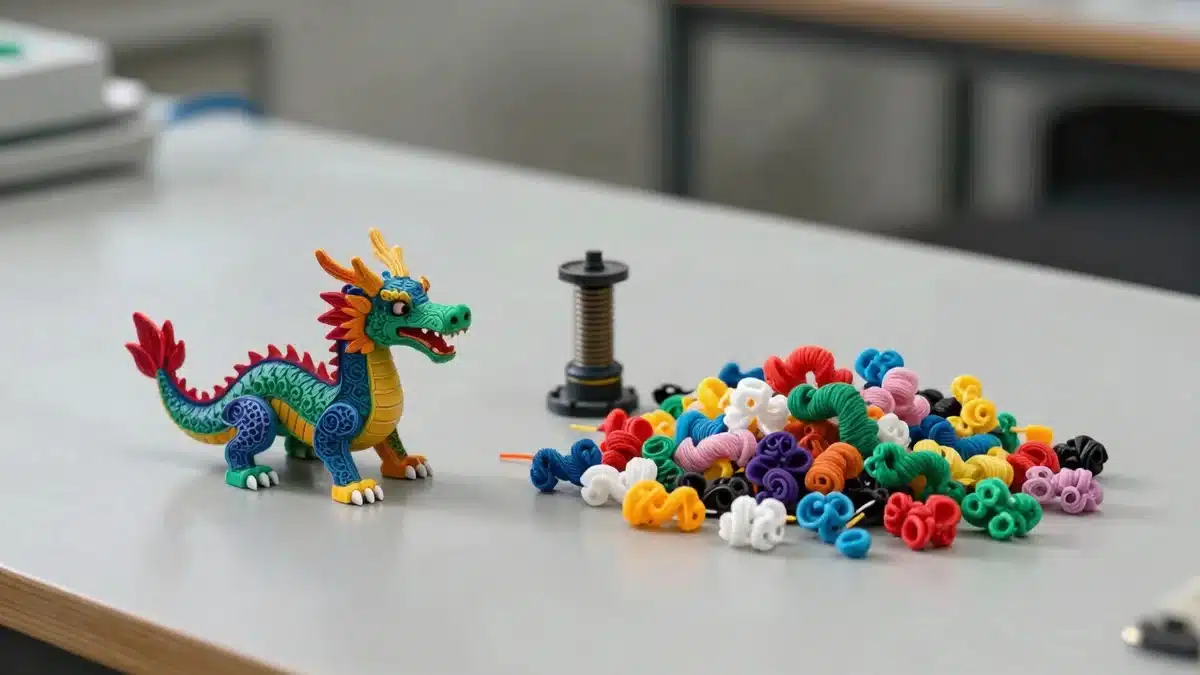
The most common and affordable system. A unit holding four spools (Bambu Lab AMS, Creality CFS, Anycubic ACE, Elegoo Canvas) cuts the filament, retracts it and loads the next one into the same nozzle, purging the old color each time. That purge is the big drawback: on complex parts it can account for 15–25% of filament and print time, and a model with about 30 g of visible filament can generate 40–60 g of extra waste.
Dual nozzle: the middle ground
Machines like the Bambu Lab X2D have two nozzles. Assign one color or the support material to the second nozzle and you eliminate many changes, saving a lot of filament on complex models.
Toolchangers: Snapmaker U1, Prusa INDX and Prusa XL
Each color has its own preheated toolhead, so the printer swaps tools instead of filament and there’s almost no purge. Snapmaker quotes changes in about 5 seconds and up to 85% less waste. The trade-off is price and color count: usually 4–8 colors versus 16 or 19 on chained feeders.
1. Bambu Lab A1 Combo: best multicolor printer for beginners
The A1 Combo is the most direct way into multicolor printing. It pairs the A1 with the four-spool AMS lite, offers a 256 mm cube build volume and up to 500 mm/s, and automates bed leveling, resonance and pressure-advance calibration plus one-touch filament loading.
It’s an open-frame printer, so stick to PLA, PETG and TPU. Ideal for beginners, figures, gifts and keychains. If you need more room, Bambu Lab’s A2L (330 × 320 × 325 mm) works with both AMS lite and AMS.
- Very affordable for 4 colors
- Fully automatic calibration
- Mature Bambu Studio profiles
- Open frame: not for ABS or ASA
- Single nozzle purges on every change
- Limited to 4 colors with AMS lite
2. Bambu Lab X2D Combo: most balanced for advanced users
Released in April 2026, the X2D combines a dual nozzle, an actively heated enclosed chamber and the new AMS 2 Pro (included in the Combo) in a 256 mm cube build volume.
Reserving the second nozzle for supports or a frequently used color sharply reduces changes. One AMS 2 Pro gives you 4 colors, expandable to 8, 12 or 16 with more units. Great for makers printing technical and decorative parts, multicolor ASA or ABS and small businesses.
- Dual nozzle cuts purge
- Actively heated enclosure
- Expandable to 16 colors
- More than double the A1 Combo’s price
- Auxiliary nozzle is slower (Bowden)
- Soft TPU needs specific filament
3. Snapmaker U1: least filament waste for the money
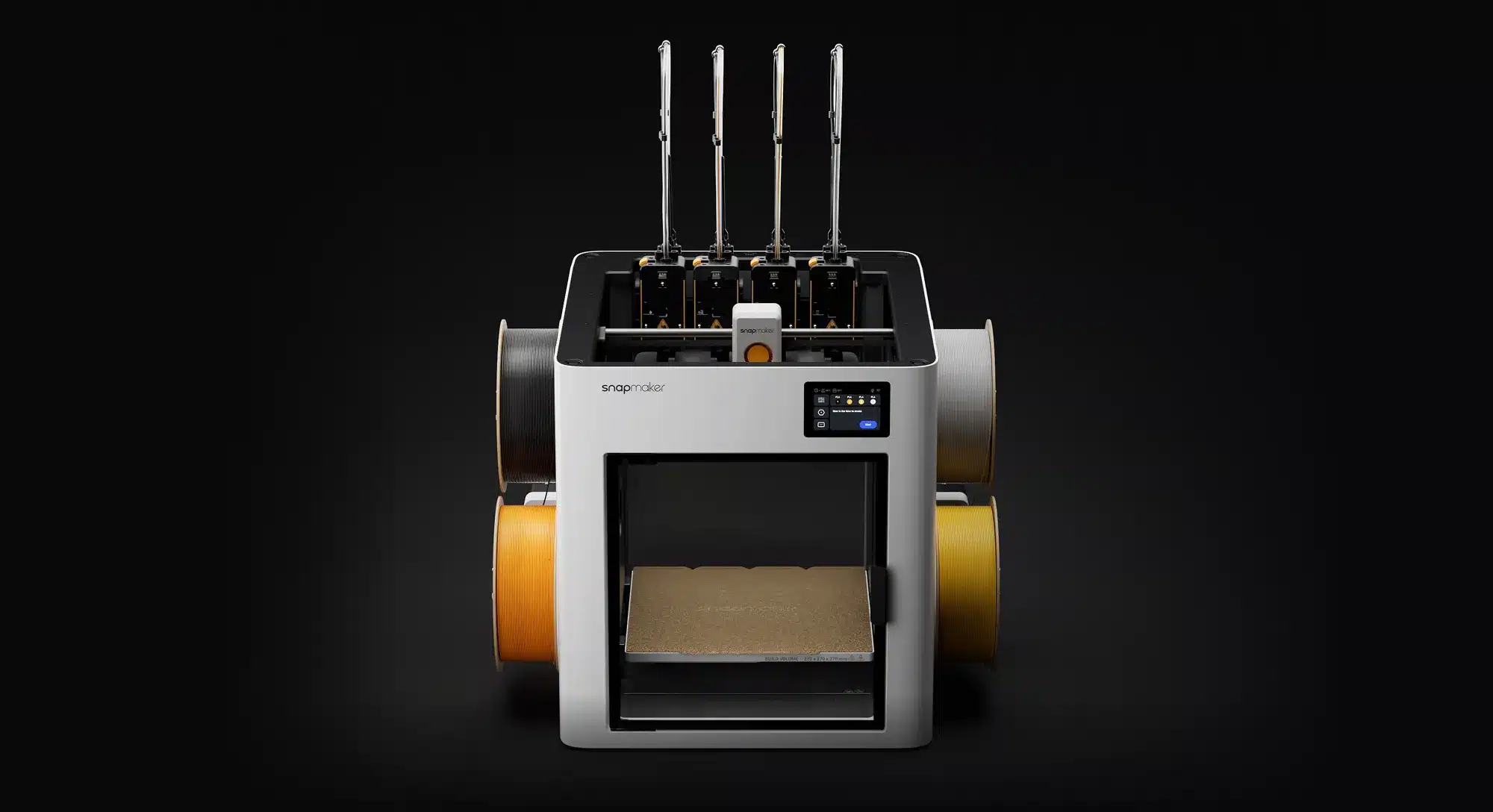
The U1 brought toolchanging to hobbyists after a hugely successful crowdfunding campaign, reaching stores in April 2026. It has four independent toolheads, a 270 mm cube build volume and CoreXY motion.
Because every color has its own nozzle, there’s no big purge tower or waste chute. Snapmaker promises up to 85% less waste and roughly 5-second changes, and you can combine very different materials in one part.
- Minimal purge with 4 toolheads
- Mixes different materials
- Slightly larger volume (270 mm)
- Max 4 colors, no expansion
- Lid for ABS/ASA sold separately
- Four nozzles to maintain
4. Elegoo Centauri Carbon 2 Combo: enclosed multicolor at a low price
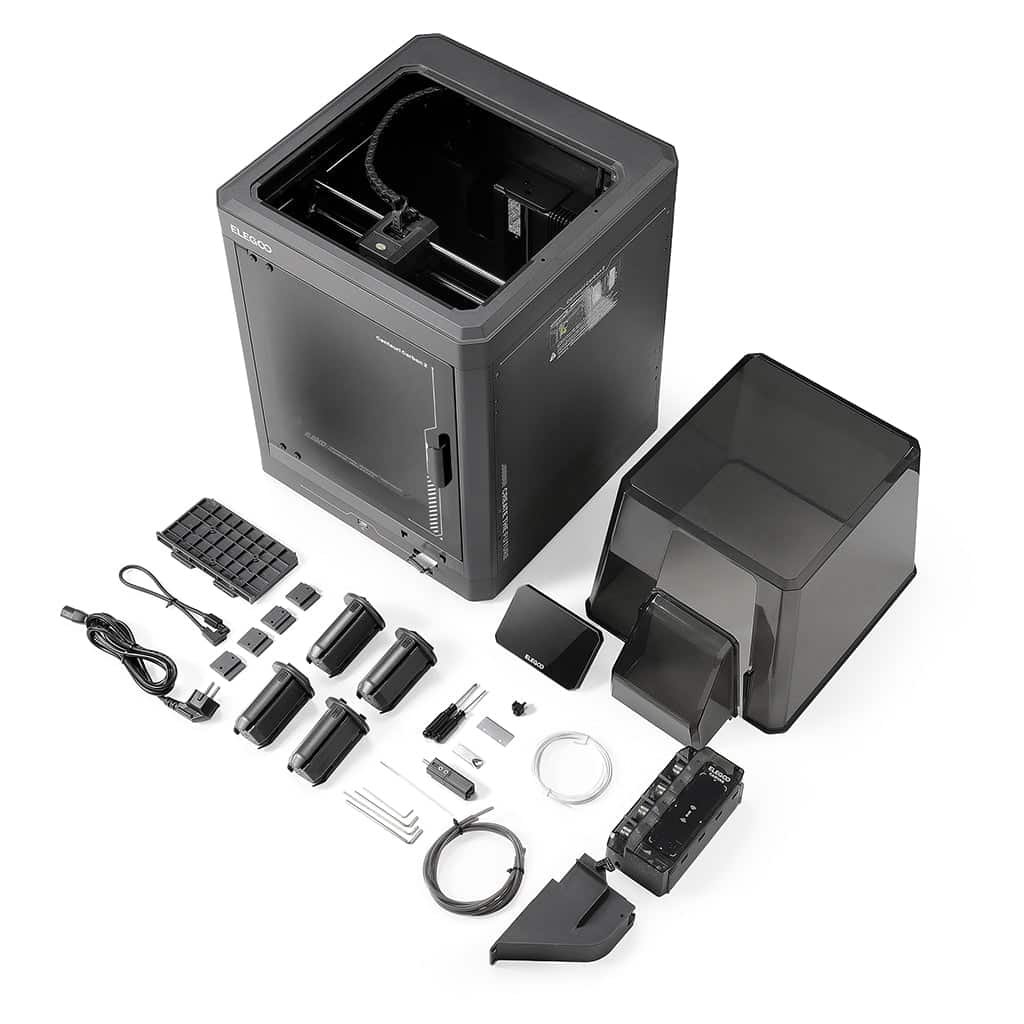
Launched in January 2026, it keeps the original Centauri Carbon’s base (256 mm cube, 500 mm/s, enclosed chamber) and adds the four-color Canvas system, with a hardened steel nozzle rated to 350 °C.
Canvas mounts the spools on the side and feeds them through PTFE tubes. It reads Elegoo spools via RFID to suggest settings; other brands need manual setup. A strong pick for PETG, ABS or carbon-fiber blends in multicolor on a budget.
- Enclosed for the price of an open printer
- Hardened nozzle up to 350 °C
- RFID suggests settings
- Limited to 4 colors
- RFID only with Elegoo spools
- No official waste figures
5. Anycubic Kobra X: cheapest multicolor 3D printer
The most affordable printer here and the only one with color changing built into the machine itself via ACE GEN2, so it prints four colors without buying anything else. Build volume is 260 mm cubed.
Anycubic claims ACE GEN2 cuts filament waste per change by 81%, without saying compared to what, so treat it as a marketing figure. It’s expandable to 19 colors with extra ACE units, ideal for tight budgets and students trying multicolor before investing more.
- Lowest price in this guide
- 4 colors built in
- Expandable to 19 colors
- Waste claim lacks a clear baseline
- Expansion is pricey
- Less polished ecosystem than Bambu Lab
6. Creality K2 Combo: Creality’s most expandable option
The CFS (Creality Filament System) is Creality’s answer to the AMS. The K2 Combo includes it with 4 colors, expandable to 16 with up to four units. The printer offers a 260 mm cube volume, up to 600 mm/s and a hardened steel nozzle for fiber-filled filaments.
Creality also sells the smaller Ender-3 V4 bundled with a 4-color CFS. Both use a single nozzle, so purge is similar to the AMS.
- Expandable to 16 colors
- Fast: up to 600 mm/s
- Hardened nozzle for fibers
- No heated chamber in this version
- Single-nozzle purge
- Software less refined than Bambu Studio
7. Prusa CORE One+ INDX: professional, near-zero purge
The CORE One+ with INDX (Bondtech’s toolchanger) is Prusa’s answer to waste-free multicolor printing. It uses induction-heated toolheads with no moving parts, in 4- or 8-tool versions, with a slightly reduced build volume versus the standard CORE One+.
Each tool change leaves a residue of about 13 mg, the size of a grain of rice. A PETG model with 537 changes generates under 7 g of waste, a fraction of what a single-nozzle printer would throw away. It’s aimed at workshops, print farms and professionals producing lots of multicolor parts who value open source.
See the Prusa CORE One+ INDX on Prusa’s site
- Minimal measured waste
- Up to 8 tools
- Works offline, open source
- Very expensive
- Slightly smaller volume
- No flexible TPU profile at launch
Which multicolor printer should you choose?
- Starting out with 4-color PLA: Bambu Lab A1 Combo.
- Lowest budget: Anycubic Kobra X, with multicolor built in.
- ABS, ASA or carbon fiber: Elegoo Centauri Carbon 2 Combo for price, Bambu Lab X2D Combo for performance.
- You hate wasting filament: Snapmaker U1, or the Prusa CORE One+ INDX for professional use.
- More than 8 colors: Creality K2 Combo (up to 16) or Anycubic Kobra X (up to 19).
- Selling parts: a low-purge machine pays off over time.
How to reduce waste on any multicolor printer
- Group colors by height: one change per layer purges far less than alternating colors within each layer.
- Enable “purge into infill” and “purge into supports” in your slicer.
- Order changes from light to dark where possible; black to white needs much more purge. Tune purge volumes per color pair.
- Calibrate flow and temperature for each filament.
Multicolor 3D printer FAQ
The Bambu Lab A1 Combo: it includes the 4-color AMS lite and calibrates itself. The Anycubic Kobra X is even cheaper if budget comes first.
With a single nozzle (AMS, CFS, ACE or Canvas), purge can be 15–25% of filament on complex parts. Dual nozzles reduce it a lot, and toolchangers like the Snapmaker U1 or Prusa INDX nearly eliminate it.
The Automatic Material System: a four-spool unit that loads and swaps filament automatically. The AMS lite is open and made for the A series; the AMS 2 Pro is enclosed, dries filament and chains up to 16 colors on machines like the X2D.
AMS-style feeders are cheaper and support more colors but purge on every change. Toolchangers cost more and usually top out at 4–8 colors, but they save filament and time and combine different materials better.
Yes, with an enclosed printer such as the Elegoo Centauri Carbon 2 Combo or Bambu Lab X2D Combo. The open-frame A1 Combo isn’t recommended for them, and the Snapmaker U1 needs its optional top lid.
Keep reading
- Best 3D Printers for Beginners in 2026: 8 Easy Picks
- Best Professional 3D Printers of 2026: Top Picks for Business
- Best FDM 3D Printers of 2026: 8 Filament Printers Compared
- Best Resin 3D Printers of 2026: 8 Top Models Compared
Official sources: Bambu Lab A1 specs · Bambu Lab Wiki: reducing waste during filament changes · Snapmaker U1 · Anycubic Kobra X · Elegoo Centauri Carbon 2 Combo