
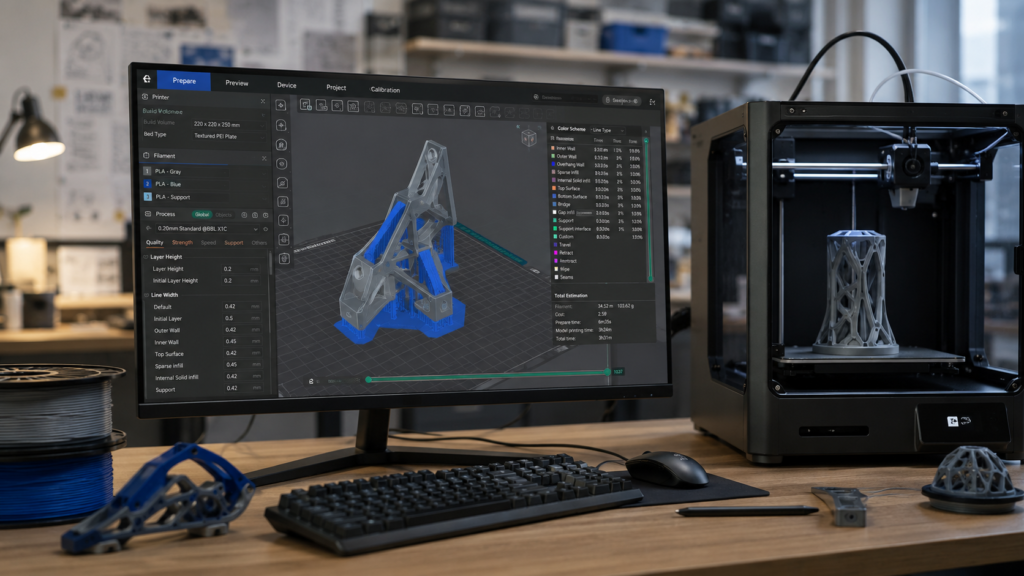
The best 3D printing software depends on which stage of the workflow you’re in. You need a design (CAD) program to create models, a slicer to turn them into printer instructions (G-code), and optionally remote control software to start, monitor and manage prints. Picking the right tool at each step makes a big difference to quality, speed and frustration.
Quick answer: beginners should design in Tinkercad and slice with UltiMaker Cura or their printer’s own slicer. Makers and engineers should step up to Fusion 360 for CAD and OrcaSlicer for slicing. Bambu Lab owners get the smoothest experience with Bambu Studio, Prusa owners with PrusaSlicer, and resin printers use Chitubox or Lychee Slicer. For remote control, use your printer’s official app or OctoPrint.
What is 3D printing software?
- Design (CAD) software: creates 3D models of mechanical parts, prototypes, figures, industrial components and decorations.
- Slicer software: slices a 3D model into layers and generates the instructions your printer follows, controlling quality, speed, supports and material use.
- Remote control software: monitors cameras, manages multiple printers, sends alerts and tracks statistics.
Best 3D design software
Fusion 360: best CAD software for 3D printing
Fusion 360 combines parametric CAD, simulation, manufacturing tools and rendering in one package, which makes it a favorite of makers, engineers, product designers and advanced hobbyists. It’s ideal for mechanical parts, robotics, prototypes and products. A free license exists for personal, hobby use with some limitations; the learning curve is real but well worth it.
Blender: best free software for artistic modeling
Blender is a free, open-source powerhouse used in animation, games and film. For 3D printing it excels at sculpting characters, miniatures and organic, artistic models. It isn’t designed for precise mechanical parts, and the interface takes time to learn.
Tinkercad: best for beginners
Tinkercad runs in your browser and builds models by combining simple shapes. It’s free and perfect for beginners, kids, classrooms and occasional makers who have never designed in 3D, though it quickly becomes limiting for complex parts.
FreeCAD: best free alternative for technical design
FreeCAD is free, open-source parametric CAD for technical design and basic engineering. It’s powerful but less polished than commercial tools.
SolidWorks: the professional industry standard
SolidWorks is the reference for professional engineers, manufacturers, industrial companies and R&D departments doing advanced mechanical design. It’s expensive and overkill for hobbyists.
| Program | Best for | Level | Free? |
|---|---|---|---|
| Tinkercad | First designs, education | Beginner | Yes |
| Fusion 360 | Mechanical parts, products | Intermediate to advanced | Free personal license |
| Blender | Characters, miniatures, sculpting | Intermediate to advanced | Yes |
| FreeCAD | Technical parts on a budget | Intermediate | Yes |
| SolidWorks | Professional engineering | Advanced | No |
Best slicer software
The slicer has a direct impact on print quality, speed, filament use, reliability and finish.
OrcaSlicer: the advanced users’ favorite
OrcaSlicer is a free, open-source slicer with excellent built-in calibration tools, wide printer support and advanced controls. It’s popular with makers, enthusiasts, Bambu Lab owners and Klipper users. Beginners may find its number of options overwhelming at first.
UltiMaker Cura: the world’s most popular slicer
UltiMaker Cura is free, easy to use, works with almost any FDM printer and has a gigantic community. It’s ideal for beginners, home users, schools and occasional makers.
Bambu Studio: ideal for Bambu Lab printers
Bambu Studio is built for Bambu Lab’s A1, P1 and X1 series, with remote management, monitoring, simplified settings and excellent multicolor support. It’s the smoothest choice if you own a Bambu printer.
PrusaSlicer: the Prusa community standard
PrusaSlicer is reliable, well documented and excellent for Prusa owners, and it also supports many other printers. A great pick for advanced makers who value consistency.
Chitubox: the most popular resin slicer
Chitubox supports most consumer resin printers, including Elegoo, Anycubic, Creality and Phrozen. Its free version suits beginners, model makers and miniature printers.
Lychee Slicer: the premium resin alternative
Lychee Slicer stands out for smart support generation, project organization and a professional workflow, making it a favorite of advanced resin users and miniature painters. Advanced features require a paid plan.
| Slicer | Type | Level | Free? | Best for |
|---|---|---|---|---|
| OrcaSlicer | FDM | Intermediate to advanced | Yes | Maximum control and calibration |
| UltiMaker Cura | FDM | Beginner to intermediate | Yes | General use |
| Bambu Studio | FDM | Beginner to advanced | Yes | Bambu Lab printers |
| PrusaSlicer | FDM | Intermediate | Yes | Prusa printers |
| Chitubox | Resin | Beginner | Free version | Most resin printers |
| Lychee Slicer | Resin | Intermediate to advanced | Free version | Advanced supports |
Remote control and monitoring software
Prints can take hours, overnight or even days, so remote monitoring is worth having.
- Bambu Handy: start prints, watch the camera, check stats, manage filament and get alerts on Bambu Lab printers.
- Prusa Connect: control multiple Prusa printers, monitor jobs and manage print queues.
- Creality Cloud: model library, remote management, community and monitoring for Creality printers.
- OctoPrint: free, open-source and hugely flexible, usually running on a Raspberry Pi with plugins for almost anything. Setup takes some tinkering.
Which software should you use?
| Your level | Design | Slicer | Remote management |
|---|---|---|---|
| Beginner | Tinkercad | Cura or your printer’s slicer | Official app |
| Experienced maker | Fusion 360 or Blender | OrcaSlicer | OctoPrint or official app |
| Professional | Fusion 360 or SolidWorks | OrcaSlicer, PrusaSlicer or Lychee | Fleet tools such as Prusa Connect |
Common mistakes
- Starting with software that’s too complex, like Fusion 360, Blender or SolidWorks, before learning the basics.
- Assuming all slicers are the same. They differ in quality, speed and material use.
- Using downloaded profiles without understanding them, which leads to poor quality, failures and adhesion problems.
- Not updating your software.
- Choosing a program because it’s trendy rather than because it fits your printer and goals.
Bottom line
Start with Tinkercad to design, move to Fusion 360 for more advanced projects, slice with OrcaSlicer or Cura (or your printer’s own slicer), and use OctoPrint or your printer’s app for remote management. That combination covers almost every 3D printing workflow.
3D printing software FAQ
It depends on your needs. Fusion 360 for design plus OrcaSlicer for slicing is one of the most complete combinations.
Usually a design program (or a downloaded model) and a slicer. Remote control software is optional.
UltiMaker Cura, or the official slicer for your printer, such as Bambu Studio or PrusaSlicer.
For advanced users, often yes: it has more options and better built-in calibration tools.
There is a free license for personal, hobby use with some limitations.
The program that converts a 3D model into layer-by-layer instructions (G-code) your printer can follow.