

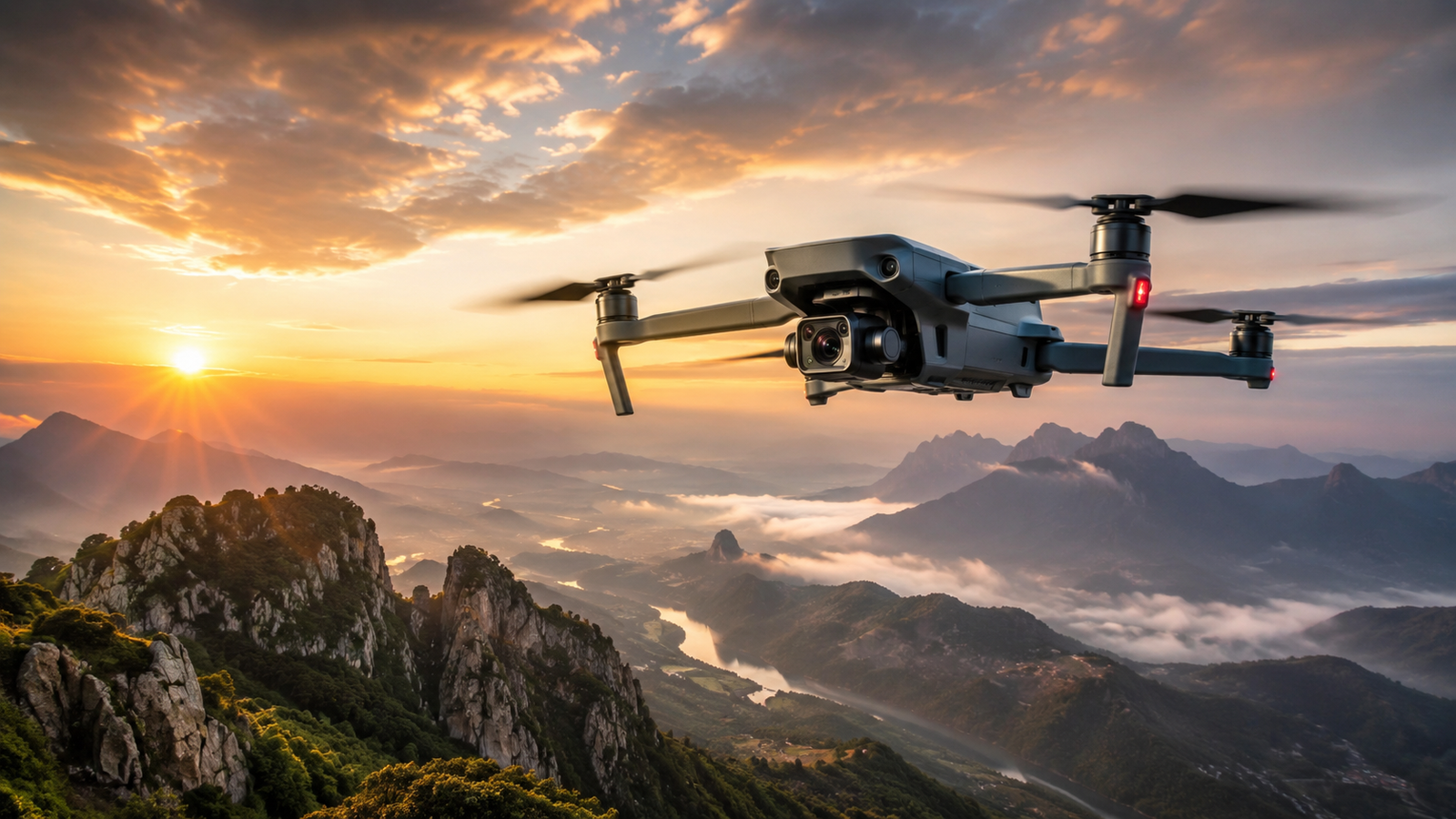
This guide covers everything about drones you need to know to get started in 2026. Drones have become accessible technology for hobbyists, photographers, content creators and businesses that need technical work done from the air. You can use one to shoot video, take photos, inspect infrastructure, monitor crops, build maps, race on FPV courses or simply learn to fly.
Before you buy, it helps to understand how drones work, which types exist and what rules apply. Below you will find the basics: main components, uses, categories, buying criteria and the essentials before your first flight.
Quick answer: for most beginners, the best first drone is a camera drone with GPS, obstacle sensing and Return to Home, ideally under 250 g for fewer requirements. Before flying in the US, take the free TRUST test, register the drone with the FAA if it weighs 250 g or more, and check the airspace with an app such as B4UFLY.
What is a drone?
A drone is an unmanned aircraft that can be controlled remotely or perform certain functions through automatic navigation systems. The term covers everything from small toy quadcopters to camera drones, FPV racers and large agricultural or industrial machines. Most consumer drones are multirotors with four propellers, called quadcopters.
Most current models combine motors, propellers, sensors, a flight controller and positioning systems. Depending on the design, they target recreation, photography, FPV flying or professional work. You will also see the term UAV (unmanned aerial vehicle), especially in technical and professional contexts.
How do drones work?
A drone stays in the air thanks to several components working together:
- Motors and propellers: generate the force to take off, stay stable and move.
- Flight controller: processes the pilot’s commands and the data from the sensors.
- GPS and positioning systems: hold the drone’s location and enable features like automatic return home.
- Sensors: gyroscope, accelerometer, barometer and compass help calculate orientation and altitude, and vision sensors or LiDAR on some models detect nearby obstacles.
- Camera and video link: capture images and show the flight on the controller or your phone.
- Battery: powers the flight and the electronics.
A quadcopter flies by changing the speed of each motor. Two propellers spin clockwise and two counterclockwise to cancel out rotation. Speeding up all four makes the drone climb; changing the speed of specific pairs tilts it forward, backward or sideways, or rotates it. The flight controller reads its sensors hundreds of times per second to keep everything stable. For a deeper look at each component, read our guide on what a drone is and how it works.
Types of drones
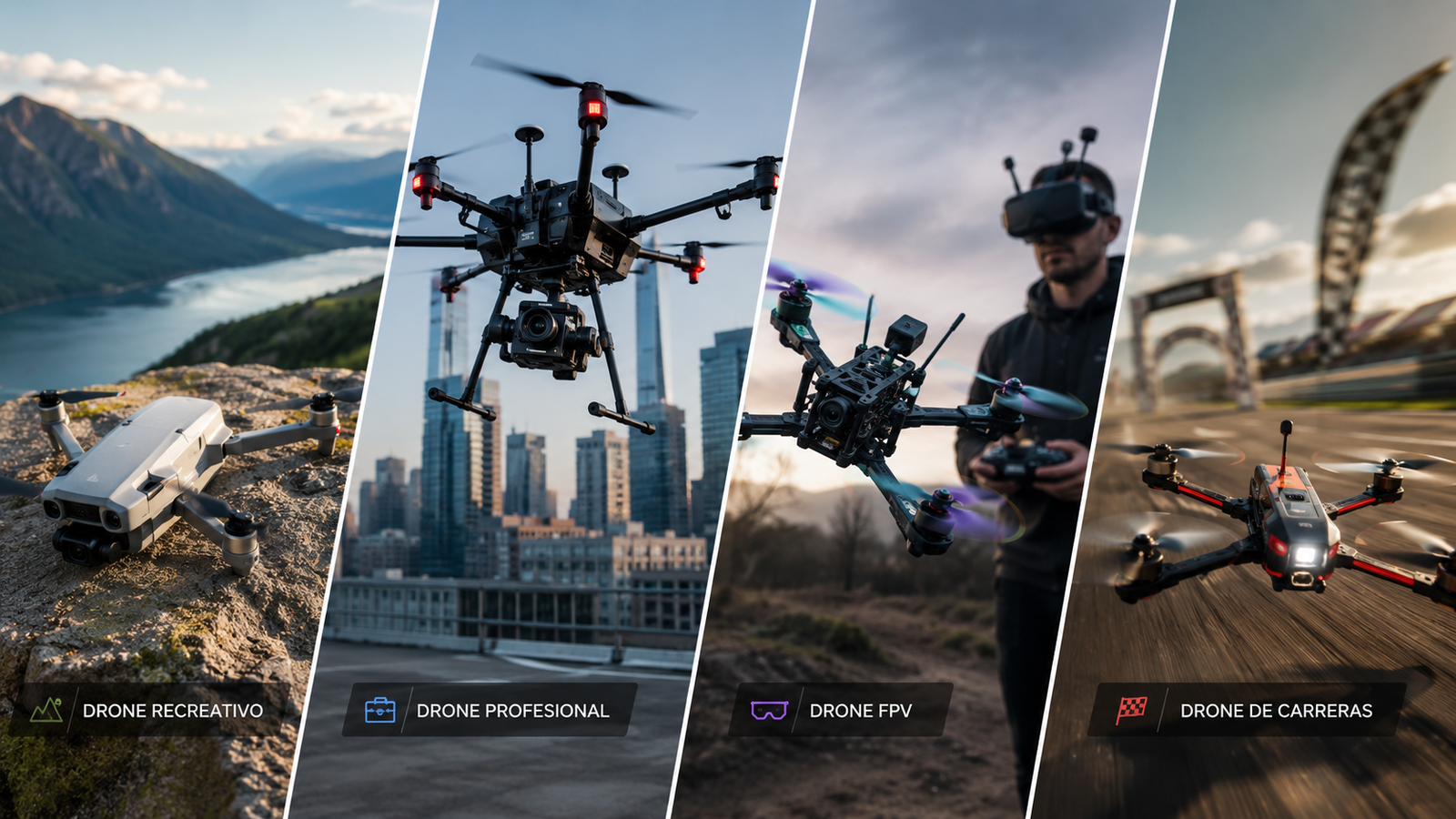
Not every drone is built for the same goal. Some prioritize ease of use, others image quality, and others speed or the precision needed for technical work.
| Drone type | Main use | Recommended for |
|---|---|---|
| Recreational | Learning and fun flights | Beginners |
| Camera drone | Photography, video and travel | Hobbyists and creators |
| Professional | Film production and technical work | Professionals and businesses |
| FPV | Immersive flying and dynamic footage | Pilots with some experience |
| Racing | Competition and speed | Advanced FPV pilots |
| Agricultural / industrial | Monitoring, measuring, inspection, spraying and delivery | Companies and specialists |
These categories can overlap. A professional drone may carry an advanced camera, and an FPV model can be used for fun or for video production. See our full guide to types of drones for differences, pros, limits and specific uses.
What are drones used for?
What a drone can do depends on its camera, sensors, flight time, navigation system and software.
Photography, video and content creation
Camera drones capture landscapes, buildings, events and travel scenes from angles that are hard to get with a regular camera. Typical uses include:
- Film and video production
- Real estate photography
- Documentaries
- Social media content
- Travel videos
- Following sports activities
Result quality does not depend on resolution alone. Sensor size, stabilization, dynamic range and pilot experience all matter.
Agriculture, mapping and inspection
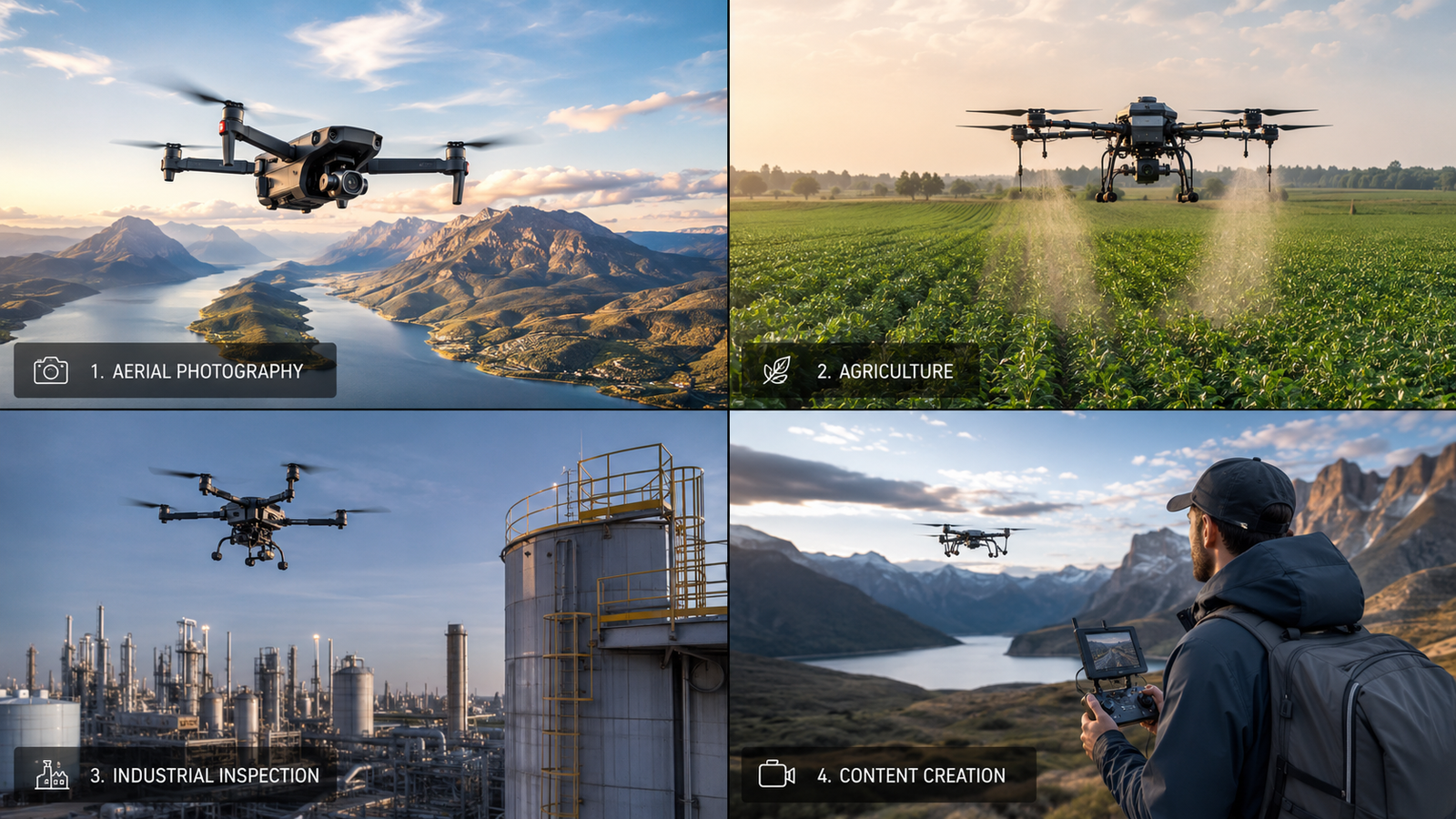
In professional settings, drones can gather data and reach places that are hard or dangerous to access. Applications include:
- Crop monitoring
- Maps and 3D models
- Roof and building inspection
- Wind turbine and power line checks
- Construction site tracking
- Search and emergency operations
These jobs often use thermal cameras, multispectral sensors, RTK systems or other specialized tools.
Fun, learning and competition
Many people buy a drone just to enjoy flying and learn a new skill. Recreational drones usually include assisted modes that make first flights easier, while FPV models offer a more direct, faster and more immersive experience. If that sounds appealing, read what an FPV drone is.
Pros and limitations of drones
Before buying, know both what drones can do and where they fall short.
- Unique aerial perspectives
- Access to hard-to-reach places
- Lower risk in some inspections
- Routes and tasks can be automated
- Models for every level and budget
- Recreational and professional uses
- Flight time limited by battery and conditions (usually 20-45 minutes)
- Wind, rain and extreme temperatures limit use
- Restricted airspace zones
- Advanced models need training and practice
- Batteries, propellers and accessories add cost
- A setup mistake can mean lost control or damage
How to choose a drone for your needs
The best drone is not necessarily the most expensive one. The right choice depends on what you want to do, your experience and your budget. Before buying, compare ease of flying, weight and size, camera quality, stabilization, stated flight time and batteries included, transmission range, collision sensors, automatic functions, spare-part availability and the legal requirements that apply to you.
Drone for beginners
To learn, a stable model with GPS, Return to Home and assisted flight modes is usually best. Look for easy-to-find spare parts and a simple app. Obstacle detection adds safety, but it does not replace the pilot’s attention. Our roundup of the best drones for beginners lists models for learning step by step.
Drone for photography and video
For content creation, pay attention to:
- Sensor size and quality
- 3-axis gimbal stabilization
- Video resolution and frame rate (4K or higher)
- Subject tracking modes
- RAW photos
- Color profiles, such as 10-bit
- Flight time
- Portability
Drone for professional use
Professional work can demand more precision, reliability and compatibility with specialized cameras or sensors. Important factors are:
- Safety and redundancy
- Positioning accuracy
- Interchangeable cameras or specific sensors
- Mission planning
- Data management
- Technical support
- Flight time and durability
Drone for FPV flying
FPV drones are made for speed, agility and a first-person flying experience. They take more practice than a regular drone and may require goggles, a radio controller, extra batteries and basic setup or repair skills. Start with a simulator and a tiny whoop before moving to a 5-inch quad or a DJI FPV drone with goggles, and decide whether you want an easy starter system, a cinematic model or a racing drone.
What you need before your first flight
Before taking off for the first time:
- Read the manual and update the firmware if needed.
- Fully charge the drone, controller and batteries, and check the propellers and battery condition.
- Set up the app and controller correctly, and calibrate the compass if the app asks.
- Check whether you can fly in your chosen area and review the weather: avoid strong wind, rain and low temperatures.
- Wait for the drone to lock its position before takeoff.
- Set the Return to Home altitude above local obstacles.
- Practice first in a large, open area away from people, buildings and power lines.
- Keep the drone in sight during the flight.
- Land before the battery is completely drained.
Our step-by-step guide on how to fly a drone walks you through takeoff, control, orientation and landing.
Basic drone rules in the US
Buying a drone does not mean you can fly it anywhere. Requirements vary with the aircraft, the type of operation, the pilot’s training and the location, and you must also respect privacy, airspace restrictions and safe distances. In the US, the basics are:
- Recreational pilots must pass the free TRUST test.
- Register any drone weighing 250 g or more with the FAA and mark the registration number on it.
- Fly at or below 400 ft and keep the drone within visual line of sight.
- Avoid flying over people and moving vehicles.
- Check airspace with B4UFLY or another approved app before each flight; controlled airspace near airports requires LAANC authorization.
- Flying for money or business requires a Part 107 Remote Pilot Certificate, and most drones must also meet Remote ID rules.
In the UK and EU, camera drones generally require operator registration even under 250 g, and heavier drones need an online pilot test. Rules change, so always check the current official information before each flight, and do not rely on the age, price or size of the drone alone.
Bottom line
Drones can be used to learn to fly, capture images, create content or do professional work. The key is choosing the right category and understanding its limits before you buy. A beginner should prioritize stability and ease of use. A content creator needs a good camera and stabilization. A professional should weigh reliability, precision and specialized tools.
Once your needs are clear, compare the best drones on the market to find models for different profiles.
Drone FAQ
An unmanned aircraft controlled remotely or by automatic navigation systems. Drones are used for both fun and professional applications.
No. Modern drones include many assistance systems that make learning much easier. Most people can fly basic flights after a few hours of practice.
Recreational pilots need the free TRUST certificate, and drones of 250 g or more must be registered with the FAA. Commercial flying requires an FAA Part 107 certificate.
It depends on budget and use, but models with GPS, obstacle sensing and Return to Home, ideally under 250 g, are usually the best choice to start.
FPV drones are flown while watching a live feed from the drone’s camera through goggles, which gives a much more immersive experience.
Most current drones fly 20 to 45 minutes per battery. Professional models often last longer.
Yes. Many drones now carry high-quality cameras that shoot 4K or higher, which is why they are widely used in photography and video production.
Near airports without authorization, over critical infrastructure, in many national parks and in other restricted areas. Always check the airspace before flying.
No. Lower weight removes some requirements, but airspace restrictions, privacy laws and operating rules still apply.
It depends on the model and settings. Many GPS drones hover, land or return to the takeoff point, but these functions must be set up and checked before flying.
Keep reading
- Drone Photography and Video: How to Shoot Like a Pro
- How to Get Into FPV: Simulator, Gear and First Steps
- How to Fly a Drone for the First Time: Beginner’s Guide
- Types of Drones: Classification, Uses and Differences
Official sources: FAA – Recreational flyers · FAA – Remote ID