

Disclosure: this article contains affiliate links. If you buy through them, Bright Technology may earn a small commission at no extra cost to you. As an Amazon Associate, we earn from qualifying purchases.




The best resin 3D printer for most people in 2026 is the Elegoo Saturn 4 Ultra, but the right pick depends on what you print: tabletop miniatures, large display pieces, jewelry masters, dental models or production parts for a business.
Resin 3D printers cure liquid photopolymer with UV light, layer by layer. The result is a level of detail and surface finish that filament (FDM) printers can’t match, which is why resin dominates the miniature, dental and jewelry worlds. Below we compare eight current models on resolution, build volume, speed, automation and ecosystem, then match each one to a type of user.
- Best resin 3D printers compared
- How these resin printers were chosen
- What is a resin 3D printer?
- Resin vs. filament: which should you buy?
- How to choose the best resin 3D printer
- The 8 best resin 3D printers of 2026
- 1. Elegoo Saturn 4 Ultra: best resin 3D printer overall
- 2. Elegoo Mars 5 Ultra: best resin 3D printer for beginners
- 3. Anycubic Photon Mono M7 Pro: fastest resin 3D printer
- 4. Phrozen Sonic Mighty Revo 14K: best for miniatures
- 5. UniFormation GK3 Ultra: best for large prints
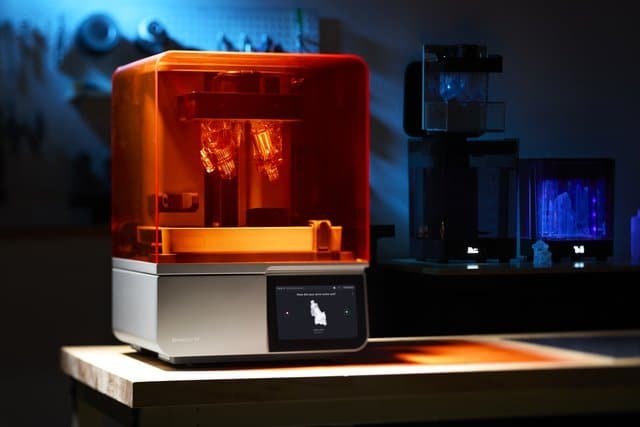
- 6. Formlabs Form 4: best professional resin 3D printer
- 7. HeyGears Reflex RS: best for continuous production
- 8. Creality Halot Mage S: best advanced budget pick
- Which resin 3D printer should you choose?
- Pros and cons of resin 3D printing
- Bottom line: what is the best resin 3D printer?
- Resin 3D printer FAQ
- Keep reading
Quick answer: the best all-round resin 3D printer in 2026 is the Elegoo Saturn 4 Ultra. Beginners should start with the Elegoo Mars 5 Ultra, miniature painters chasing maximum detail should look at the Phrozen Sonic Mighty Revo 14K, the Anycubic Photon Mono M7 Pro is the pick for speed, and the Formlabs Form 4 is the safe choice for a business or dental lab.
Best resin 3D printers compared
| Model | Best for | Resolution | Build volume | Strength | Weakness | Price |
|---|---|---|---|---|---|---|
| Elegoo Saturn 4 Ultra | Best overall | 12K | 218 × 123 × 220 mm | Auto-leveling, fast | No built-in resin heater | Check price |
| Elegoo Mars 5 Ultra | Beginners | 9K | 153 × 77 × 165 mm | Very easy to use | Small build plate | Check price |
| Anycubic Photon Mono M7 Pro | Speed | 14K | 223 × 126 × 230 mm | Very fast layers | Costs more than rivals | Check price |
| Phrozen Sonic Mighty Revo 14K | Miniatures | 14K (16.8 × 24.8 µm) | 223 × 126 × 235 mm | Extreme detail | Steeper learning curve | Check price |
| UniFormation GK3 Ultra | Large prints | 16K (20 × 26 µm) | 300 × 160 × 300 mm | Huge volume, resin heating | Big and heavy (30 kg) | Check price |
| Formlabs Form 4 | Business, dental | LFD, 50 µm | 200 × 125 × 210 mm | Reliable pro ecosystem | Expensive cartridges | Check price |
| HeyGears Reflex RS | Hands-off workflow | 8K (29.7 µm) | 222 × 122 × 228 mm | Heavy automation | Lower resolution on paper | Check price |
| Creality Halot Mage S | Advanced value | 14K | 223 × 126 × 230 mm | Sharp detail for the money | Smaller community | Check price |
How these resin printers were chosen
Printers are ranked on quality (resolution, XY pixel size, light uniformity), reliability on long prints, speed, software ecosystem (Chitubox, Lychee, Photon Workshop, PreForm), value and the type of user, based on manufacturer specifications and published owner feedback rather than hype.
What is a resin 3D printer?
A resin 3D printer builds objects from liquid photosensitive resin that hardens under UV light (usually 405 nm). Instead of melting plastic and depositing it layer by layer like a filament printer, it selectively cures a whole layer at once. That is why it is the go-to technology for miniatures, jewelry, dentistry and precision engineering.
How MSLA printing works
- A vat with a transparent film at the bottom holds the liquid resin.
- A monochrome LCD screen projects the shape of each layer, masking the UV light.
- UV light hardens only the areas that need it.
- The build plate rises progressively and the object hangs upside down from it.
- The process repeats layer by layer.
Labels like 12K, 14K or 16K refer to screen resolution: more pixels means finer detail, though the XY pixel size in microns is the more honest number to compare.
SLA vs. DLP vs. MSLA (LCD) printers
| Technology | Light source | Typical use |
|---|---|---|
| SLA | UV laser that traces each layer | Professional and industrial machines |
| DLP | Projector that flashes a whole layer | Professional printers, dental and jewelry |
| MSLA / LCD | UV LED array behind a monochrome LCD mask | Most desktop and hobby resin printers |
Seven of the eight printers below are MSLA; the Formlabs Form 4 uses its own Low Force Display (LFD) variant. If you were searching for the best DLP or laser resin printer, desktop MSLA machines now match them on detail for far less money, while professional systems are chosen for materials and support.
Resin vs. filament: which should you buy?
Choose resin if detail and smooth surfaces matter more than size and running costs. Choose filament if you print large functional parts and want less mess.
- Resin wins on: fine detail, smooth surfaces, small text and textures, dimensional accuracy on small parts.
- Filament wins on: cost per part, build volume, cheaper materials and almost no post-processing.
Many makers own both. See our guide to the best FDM 3D printers and our breakdown of 3D printing materials.
How to choose the best resin 3D printer
Resolution and XY pixel size
For miniatures, busts and jewelry, prioritize resolution over size. Top machines work at 12K to 16K, and XY pixels under about 25 µm are where detail becomes hard to tell apart by eye.
Build volume
A bigger plate lets you print taller statues or batch a squad of minis, at the cost of more resin and a heavier machine. Mid-size printers around 220 × 125 × 220 mm suit most hobbyists.
Speed and monochrome LCD
Monochrome LCDs cure faster, last longer and use less power, so it is hard to recommend a printer without one.
Resin heating and automation
Cold resin is thick and prints fail more often below about 20 °C (68 °F). Resin heating, auto-leveling, auto-refill and failure detection are worth paying for if you print often.
Software and ecosystem
Chitubox and Lychee Slicer cover most consumer machines, while Formlabs uses PreForm and Anycubic offers Photon Workshop. See our overview of 3D printing software.
Space and ventilation
Liquid resin irritates skin and eyes and smells. Plan for a ventilated room, nitrile gloves, safety glasses, isopropyl alcohol and a wash and UV curing station.
The 8 best resin 3D printers of 2026
1. Elegoo Saturn 4 Ultra: best resin 3D printer overall
If you want one resin printer that handles almost everything, this is it. The Saturn 4 Ultra pairs a generous build volume with a 12K mono screen and automation that used to be reserved for far pricier machines.
Its 19 × 24 µm pixels are fine enough for 28 mm miniatures, while the 218 × 123 × 220 mm volume fits busts, cosplay props and batches of tabletop units. Auto-leveling and failure detection take the guesswork out of early prints, and Elegoo has one of the biggest communities in resin printing.
Key specs
- Build volume: 218 × 123 × 220 mm
- Screen: 12K monochrome LCD
- XY resolution: 19 × 24 µm
- Minimum layer height: 0.01 mm
- Resin: standard 405 nm UV resins
- Auto-leveling: yes
- Connectivity: USB and network
- Excellent detail for the price
- Generous build volume
- Auto-leveling and smart detection
- Huge community and profile library
- No built-in resin heater
- Uses more resin than compact models
- Still needs washing and curing gear
2. Elegoo Mars 5 Ultra: best resin 3D printer for beginners
The Mars line has introduced thousands of people to resin printing, and the Mars 5 Ultra keeps that formula: compact, simple and forgiving.
Its 9K screen still produces crisp tabletop miniatures and figures, while auto-leveling and error detection protect beginners from the most common failed prints. The smaller 153 × 77 × 165 mm plate is the main compromise: tall statues must be split into parts.
If you are not sure resin printing is for you, this is the lowest-risk way to find out. See also our list of the best beginner 3D printers.
Key specs
- Build volume: 153 × 77 × 165 mm
- Screen: 9K monochrome LCD
- Minimum layer height: 0.01 mm
- Resin: standard 405 nm UV resins
- Auto-leveling: yes
- Connectivity: USB and network
- Very easy first setup
- Sharp detail on minis and figures
- Compact footprint for a desk or shelf
- Large Elegoo community
- Small build volume
- Not ideal for intensive production
- Large models must be split
3. Anycubic Photon Mono M7 Pro: fastest resin 3D printer
Resin printers used to be slow. The Photon Mono M7 Pro is one of the models that changed that, with an optimized light source and a 14K screen that keep layer times short without giving up detail.
That makes it a strong fit for anyone printing a lot: small shops selling miniatures, print-on-demand businesses and prototype work with tight deadlines. Built-in resin heating and a print-monitoring system add reliability on long runs,.
Key specs
- Build volume: 223 × 126 × 230 mm
- Screen: 14K monochrome LCD
- Minimum layer height: 0.01 mm
- Resin: standard 405 nm UV resins
- Auto-leveling: yes
- Connectivity: USB and Wi-Fi
- Very short layer times
- 14K detail
- Smart monitoring for long prints
- Wide resin range and abundant documentation
- Costs more than beginner resin printers
- May be overkill for occasional users
- Needs room for resin and post-processing
4. Phrozen Sonic Mighty Revo 14K: best for miniatures
Phrozen built its reputation among miniature painters and digital sculptors, and the Sonic Mighty Revo continues that tradition. Its 10.1-inch 14K screen (13,320 × 5,120 pixels) delivers XY pixels of 16.8 × 24.8 µm, among the finest in this guide.
Expect sharper faces, textures and armor detail with less visible layering, which is why it is a favorite for Warhammer-style minis, collectible figures and scale models.
Dual linear rails and a ball screw keep the Z-axis steady, and a three-point piezoelectric sensor tracks the print through the Phrozen GO app. Phrozen quotes an average of 450 layers per hour. It rewards users willing to fine-tune supports and exposure.
Key specs
- Build volume: 223 × 126 × 235 mm
- Screen: 10.1-inch 14K mono LCD
- XY resolution: 16.8 × 24.8 µm
- Layer thickness: 0.01–0.30 mm
- Print monitoring: 3-point piezoelectric sensor
- Connectivity: USB and Wi-Fi
- Works with Chitubox and Lychee
- Outstanding fine detail
- Large enough to batch several minis
- Rigid Z-axis with dual rails
- Print monitoring via app
- Works with the main slicers
- Not the easiest for first-timers
- Costs more than entry-level models
- Heavy at 18 kg
5. UniFormation GK3 Ultra: best for large prints
The GK3 Ultra is built for people who have outgrown mid-size printers. Its 13.5-inch 16K screen covers a 300 × 160 × 300 mm volume, so full statues, helmets and big batches of minis fit in one job.
Its calling card is consistency: a robust frame, advanced optics and even exposure give stable, repeatable results, with clean surfaces that reduce sanding.
The workflow helps too: automatic resin heating to 25 °C, an auto resin feeding system with residue detection, and a tool-free quick-release plate and vat. Connectivity covers USB, Wi-Fi and Ethernet. At around 30 kg, it needs a sturdy dedicated spot.
Key specs
- Build volume: 300 × 160 × 300 mm
- Screen: 13.5-inch 16K mono LCD
- XY resolution: 20 × 26 µm
- Resin heating: automatic, to 25 °C
- Auto resin feeding: yes, with residue detection
- Connectivity: USB, Wi-Fi and Ethernet
- Works with Chitubox and Lychee
- Very large build volume
- Consistent quality on long prints
- Resin heating and auto-feed
- A pro-grade alternative to Formlabs on price
- Heavy and bulky
- Uses a lot of resin per vat
- Smaller brand and community than Elegoo or Anycubic
6. Formlabs Form 4: best professional resin 3D printer
The Form 4 plays in a different league. It uses Formlabs’ Low Force Display (LFD) technology with a 60-LED backlight and is built around a complete professional ecosystem rather than raw resolution or price.
You are not just buying a printer: you get PreForm software, certified material management, wash and cure stations, remote management and specialist support.
Formlabs rates it at up to 100 mm per hour with Fast Model Resin and about 40 mm per hour on average across materials, and its catalog covers dental, biocompatible, engineering, high-temperature, flexible and casting resins.
Key specs
- Technology: LFD (Low Force Display)
- Build volume: 200 × 125 × 210 mm
- XY resolution: 50 µm
- Speed: up to 100 mm/h (Fast Model Resin)
- Software: Formlabs PreForm
- Connectivity: Wi-Fi, Ethernet and USB
- Remote printing: yes
- Very reliable, repeatable results
- Huge range of engineering and dental resins
- Professional support and software
- Fast for a pro machine
- High purchase price
- Cartridge resins cost more
- Not aimed at casual users
7. HeyGears Reflex RS: best for continuous production
The Reflex RS bets on automation instead of chasing resolution. HeyGears adds automatic pre-processing, model repair and auto-supports, force sensors that detect residue as small as 0.2 mm, floating-screen auto-leveling and automatic resin refill.
On paper its 10.3-inch 8K screen (29.7 µm pixels) is less sharp than 14K rivals, but HeyGears claims ±15 µm accuracy and a C5-grade Z-axis, and its software compensates for different angles, holes and edges.
It suits dental clinics and studios that would rather design than troubleshoot. An optional heated resin tank is sold separately.
Key specs
- Technology: LCD (MSLA)
- Build volume: 222 × 122 × 228 mm
- Screen: 10.3-inch 8K
- XY resolution: 29.7 µm
- Accuracy: ±15 µm
- Connectivity: USB and Wi-Fi
- Remote management: yes
- Extensive automation
- Residue detection and auto-refill
- Accurate, rigid Z-axis
- Easy-to-use software
- 8K resolution trails 14K rivals
- Heated tank is an extra
- More closed ecosystem
8. Creality Halot Mage S: best advanced budget pick
Creality is best known for filament printers, but the Halot Mage S shows it can compete in resin too. Its 14K screen and 223 × 126 × 230 mm volume match pricier rivals on the spec sheet.
It is a good fit for experienced hobbyists and small businesses that want 14K detail and a mid-size plate without paying for top-tier automation. The resin community around Creality is smaller than Elegoo’s or Anycubic’s, so expect to tune settings yourself more often.
Key specs
- Build volume: 223 × 126 × 230 mm
- Screen: 14K monochrome LCD
- Minimum layer height: 0.01 mm
- Resin: standard 405 nm UV resins
- Connectivity: USB and network
- 14K resolution for the money
- Mid-size build volume
- Well-known brand
- Works with the main slicers
- Less automation than premium models
- Takes experience to get the most out of it
- Smaller resin community
Which resin 3D printer should you choose?
| If you want… | Choose | Why |
|---|---|---|
| Your first resin printer | Elegoo Mars 5 Ultra | Simple setup, auto-leveling and a huge community |
| The best value | Elegoo Saturn 4 Ultra | Best mix of size, detail and automation |
| The best miniatures | Phrozen Sonic Mighty Revo 14K | Finest pixels in this guide |
| Speed | Anycubic Photon Mono M7 Pro | Short layer times for high-volume printing |
| Large statues and cosplay | UniFormation GK3 Ultra | 300 mm class volume with resin heating |
| Dental, engineering or business use | Formlabs Form 4 | Certified materials and professional support |
| Hands-off production | HeyGears Reflex RS | Automation from model repair to resin refill |
| Advanced value | Creality Halot Mage S | 14K detail without premium extras |
Pros and cons of resin 3D printing
Pros
- Far finer detail and less visible layering than filament
- Smoother surfaces that need little sanding
- Excellent dimensional accuracy for miniatures, jewelry and dental parts
- Many resin types: standard, ABS-like, flexible, heat-resistant, clear, water-washable, dental and jewelry
Cons
- Every print needs washing, support removal and UV curing
- Resin costs more than PLA or PETG
- Requires ventilation, gloves and eye protection
- Some standard resins are more brittle than filament materials
Bottom line: what is the best resin 3D printer?
For most people, the Elegoo Saturn 4 Ultra is the best resin 3D printer in 2026: detailed, automated and big enough to grow into. Start with the Mars 5 Ultra if budget or space is tight, step up to the Phrozen Sonic Mighty Revo 14K for show-quality minis, and choose the Formlabs Form 4 when the printer has to earn money every day. Calibrate and tune your settings with our 3D printer calibration guide, and compare other categories in our roundup of the best professional 3D printers.
Resin 3D printer FAQ
For most users it is the Elegoo Saturn 4 Ultra, thanks to its 12K screen, generous build volume and auto-leveling. Beginners on a tighter budget should look at the Elegoo Mars 5 Ultra.
The Phrozen Sonic Mighty Revo 14K has 16.8 × 24.8 µm pixels, among the finest available, which shows on faces, cloth and armor. The Saturn 4 Ultra is a close, cheaper alternative.
Resin printers use UV light to harden liquid resin and give more detail and smoother surfaces. Filament printers melt plastic and deposit it layer by layer; they are usually cheaper to run and offer larger build volumes.
They describe the pixel count of the LCD screen that projects each layer. More pixels on the same screen mean smaller XY pixels and finer detail, so compare the pixel size in microns, not just the K number.
SLA traces each layer with a UV laser, DLP flashes a whole layer with a projector, and MSLA shines an LED array through a monochrome LCD mask. MSLA powers most desktop resin printers.
Liquid resin needs precautions: wear nitrile gloves, ventilate the room and use eye protection when needed. Fully cured parts are far safer.
Most people start with standard resin, ABS-like resin or water-washable resin, which balance ease of use and good results.
There are models for nearly every budget. Entry-level machines like the Mars 5 Ultra are the most affordable, while professional systems like the Form 4 cost far more. Also budget for resin, isopropyl alcohol and a wash and cure station.
A slicer that adds supports and exports the printer’s file format. The most popular are Chitubox, Lychee Slicer, Photon Workshop and Formlabs PreForm.
Yes, especially for miniatures, figures, jewelry, scale models, detailed prototyping and professional uses. The detail you get is still hard to match with other technologies.