
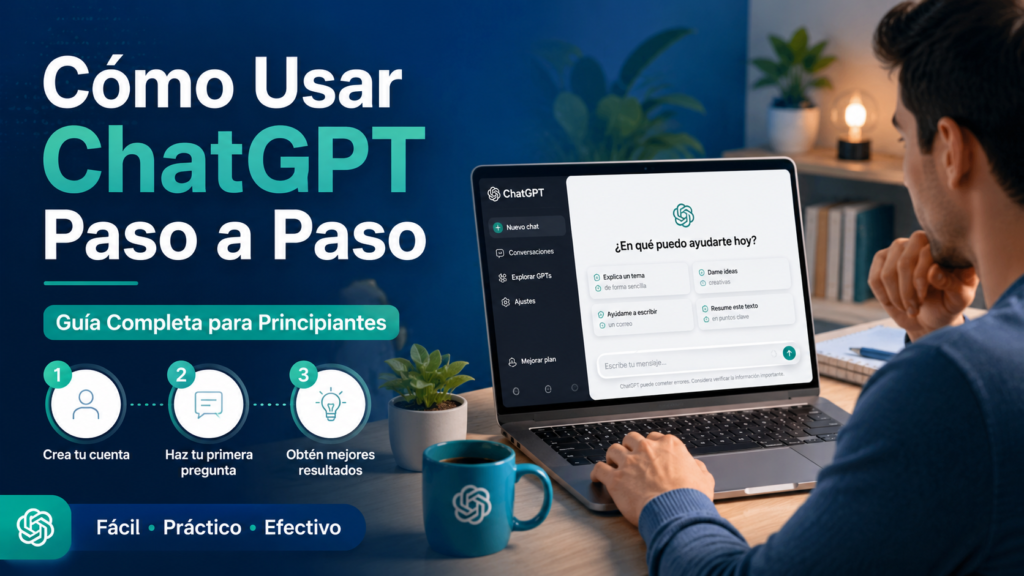
Want to learn how to use ChatGPT properly? It’s easy to start, but the difference between average and genuinely useful answers comes down to how you ask. This step-by-step guide for beginners covers creating an account, the interface, writing better prompts and using ChatGPT to study, work, create content, learn and code, plus ready-to-copy prompts.
- What is ChatGPT?
- What is ChatGPT used for?
- How to start using ChatGPT
- The secret to using ChatGPT well: prompts
- How to use ChatGPT to study
- How to use ChatGPT for work
- How to use ChatGPT to create content
- How to use ChatGPT to learn new skills
- How to use ChatGPT to code
- Mistakes to avoid
- Advanced ChatGPT prompts
- How to get the most out of ChatGPT
- Bottom line
- How to use ChatGPT FAQ
- Keep reading
Quick answer: sign up at chatgpt.com, start with simple tasks and give clear instructions: who it should act as, what you need, the context and the format you want. Keep refining in the same conversation, and always check important facts before relying on them.
What is ChatGPT?
ChatGPT is an AI assistant developed by OpenAI. You type questions or instructions in plain language and it replies in seconds: explaining, writing, summarizing, translating, analyzing files, generating images or writing code. It is available on the web and as apps for phones and computers, with a free plan and paid plans for heavier use.
What is ChatGPT used for?
- Studying: explanations, summaries, practice questions and language practice.
- Working: emails, reports, meeting notes, data analysis and planning.
- Creating content: articles, social posts, scripts and product descriptions.
- Programming: writing, explaining and debugging code.
- Productivity: organizing tasks, planning your week and brainstorming.
How to start using ChatGPT
Step 1: Create an account
Go to chatgpt.com or download the official app, then sign up with an email address or a Google, Microsoft or Apple account. The free plan is enough to get started.
Step 2: Get familiar with the interface
You’ll see a message box at the bottom, your past conversations in the sidebar and options to attach files, use voice or start a new chat. Each conversation keeps its own context, so related questions belong in the same chat.
Step 3: Start with simple tasks
Ask it to explain a concept, summarize a text you paste or draft a short email. Simple tasks help you understand how it responds before moving on to bigger projects.
The secret to using ChatGPT well: prompts
A prompt is the instruction you give ChatGPT. The quality of the answer depends heavily on the quality of the prompt.
Weak prompt: “Tell me about marketing.”
Strong prompt: “Act as a digital marketing consultant. Explain three low-cost strategies to get customers for a small bakery in a mid-size town. Use a table with the strategy, estimated cost and first steps.”
The basic rule
The more specific you are about what you need, who it’s for, the level of detail and the format, the better the answer.
A simple formula for effective prompts
Act as [role]. Help me [goal]. Keep in mind [context]. Deliver it as [table, list, guide, etc.].
Example: “Act as an English teacher. Help me improve my conversation skills. I’m at an intermediate level. Correct my mistakes and explain the corrections simply.”
How to use ChatGPT to study
Ask it to explain a topic at your level, turn notes into summaries and outlines, create practice quizzes with explained answers or quiz you one question at a time. Use it to understand, not to skip learning, and check facts against your course materials.
How to use ChatGPT for work
Draft and polish emails, summarize long documents, turn meeting notes into action items, analyze spreadsheets you upload and prepare outlines for reports or presentations. Never paste confidential company data unless your organization allows it.
How to use ChatGPT to create content
Generate ideas, outlines, first drafts, headlines, social posts and video scripts. Always review, fact-check and add your own voice and experience before publishing.
How to use ChatGPT to learn new skills
Ask for a step-by-step learning plan, beginner exercises or a role-play: a language partner, a job interviewer or a negotiation counterpart. Ask it to adapt the difficulty as you improve.
How to use ChatGPT to code
Describe what you want the code to do, paste error messages to get fixes, ask it to explain unfamiliar code line by line or to suggest tests. Run and review everything it writes before using it in production.
Mistakes to avoid
- Asking overly generic questions: vague prompts produce vague answers.
- Not giving context: explain your situation, audience and goal.
- Accepting every answer as correct: ChatGPT can make mistakes or invent information; verify important facts.
- Not using the conversation: ask follow-ups, request changes and refine instead of starting over.
Advanced ChatGPT prompts
Copy and adapt these:
Prompt for studying
“Act as a university professor. Explain [topic]. Then create a summary, an outline and a multiple-choice quiz with explained answers.”
Prompt for SEO content
“Act as an expert SEO consultant. Create a complete structure for an article about [topic]. Include H1, H2 and H3 headings, FAQs, secondary keywords and internal linking opportunities.”
Prompt for productivity
“Act as a productivity coach. Analyze my current situation and propose a weekly plan to improve my organization and time management.”
Prompt for digital marketing
“Act as a digital marketing specialist. Design a complete strategy to win customers in the [industry] sector. Include SEO, social media, email marketing and advertising.”
Prompt for generating ideas
“Act as an innovation expert. Generate 50 business ideas related to [topic]. Rank them by difficulty, initial investment and growth potential.”
How to get the most out of ChatGPT
- Upload files (PDFs, spreadsheets, images) and ask questions about them.
- Use voice mode to practice languages or think out loud.
- Ask it to search the web when you need current information and sources.
- Save instructions you repeat often with custom instructions or a custom GPT.
- Ask it to critique its own answer or offer alternatives.
Bottom line
Learning how to use ChatGPT is mostly about learning how to ask. Start with simple tasks, give context and a clear format, refine in conversation and verify important information. Used this way, it becomes a powerful assistant for studying, working and creating.
How to use ChatGPT FAQ
Create an account at chatgpt.com or in the app, then type questions or instructions in plain language. Start with simple tasks to get familiar with how it responds.
Yes. The free plan covers many core features and is enough for most beginners. Paid plans add higher limits and more advanced models and tools.
Say exactly what you need, who it’s for, the level of depth and the output format. The more context you give, the better the answers.
The instructions you give the AI. They can be a simple question or a detailed description of a task, and writing good ones is the key skill for using ChatGPT well.
Yes. It can make mistakes or generate incorrect information, so verify important facts before using them in professional, academic or financial contexts.
No. It works in natural language, so anyone can use it without technical knowledge.
It depends on your needs. Occasional users are usually fine with the free plan; students, creators, professionals and businesses who use it heavily may benefit from a paid plan.