
Disclosure: this article contains affiliate links. If you buy through them, Bright Technology may earn a small commission at no extra cost to you. As an Amazon Associate, we earn from qualifying purchases.
- What you need to film with a drone legally
- Before takeoff: set up your camera
- The best light for aerial photography
- Composition for drone photography
- How to take stunning drone photos
- How to shoot cinematic drone video
- The best drone camera movements
- Recommended video settings
- What ND filters are and why you should use them
- Video settings by situation
- How to edit drone photos and video
- Common drone photo and video mistakes
- Which drone to choose for filming
- Bottom line
- Drone photography and video FAQ
- Keep reading
Drone photography and videography puts shots within anyone’s reach that once required helicopters or cranes. But a good drone doesn’t guarantee good footage: the difference between amateur and professional aerial video lies in light, camera settings, movement and editing. This guide covers all four.
Quick answer: shoot during golden hour, use a flat color profile (D-Log M or similar) if you’ll edit, follow the 180° shutter rule with ND filters, move the drone slowly and in one direction per shot, and never film people without their permission. Before takeoff, check the airspace with an FAA-approved app such as B4UFLY.
You’ll learn what you need to fly legally, how to set up the camera, which movements work best, which settings to use in each situation and how to edit your footage.
What you need to film with a drone legally
Before you think about shots, make sure you can fly. In the US, recreational pilots need at minimum:
- To pass the free TRUST (The Recreational UAS Safety Test) and carry proof of completion.
- To register any drone of 250 g or more with the FAA and mark the registration number on it.
- To check airspace before every flight with B4UFLY or another approved app, and get LAANC authorization for controlled airspace near airports.
- To fly at or below 400 ft, keep the drone in visual line of sight and avoid flying over crowds.
If you film for a client, sell footage or use it to promote a business, it’s commercial work and you need a Part 107 Remote Pilot Certificate. Aerial filming doesn’t exempt you from privacy laws either: avoid recording identifiable people, license plates or the inside of homes without permission. In the UK and EU, camera drones generally require operator registration even under 250 g.
Before takeoff: set up your camera
One of the most common mistakes is focusing only on the flight. Much of the result depends on your initial settings. Before takeoff, check:
- Video resolution and frame rate
- Photo format
- White balance (set it manually so it doesn’t shift mid-shot)
- ISO
- Shutter speed
- Color profile
If your drone allows it, shoot photos in RAW (DNG), which gives far more flexibility when editing. For video, profiles such as D-Log M preserve more detail in highlights and shadows.
The best light for aerial photography
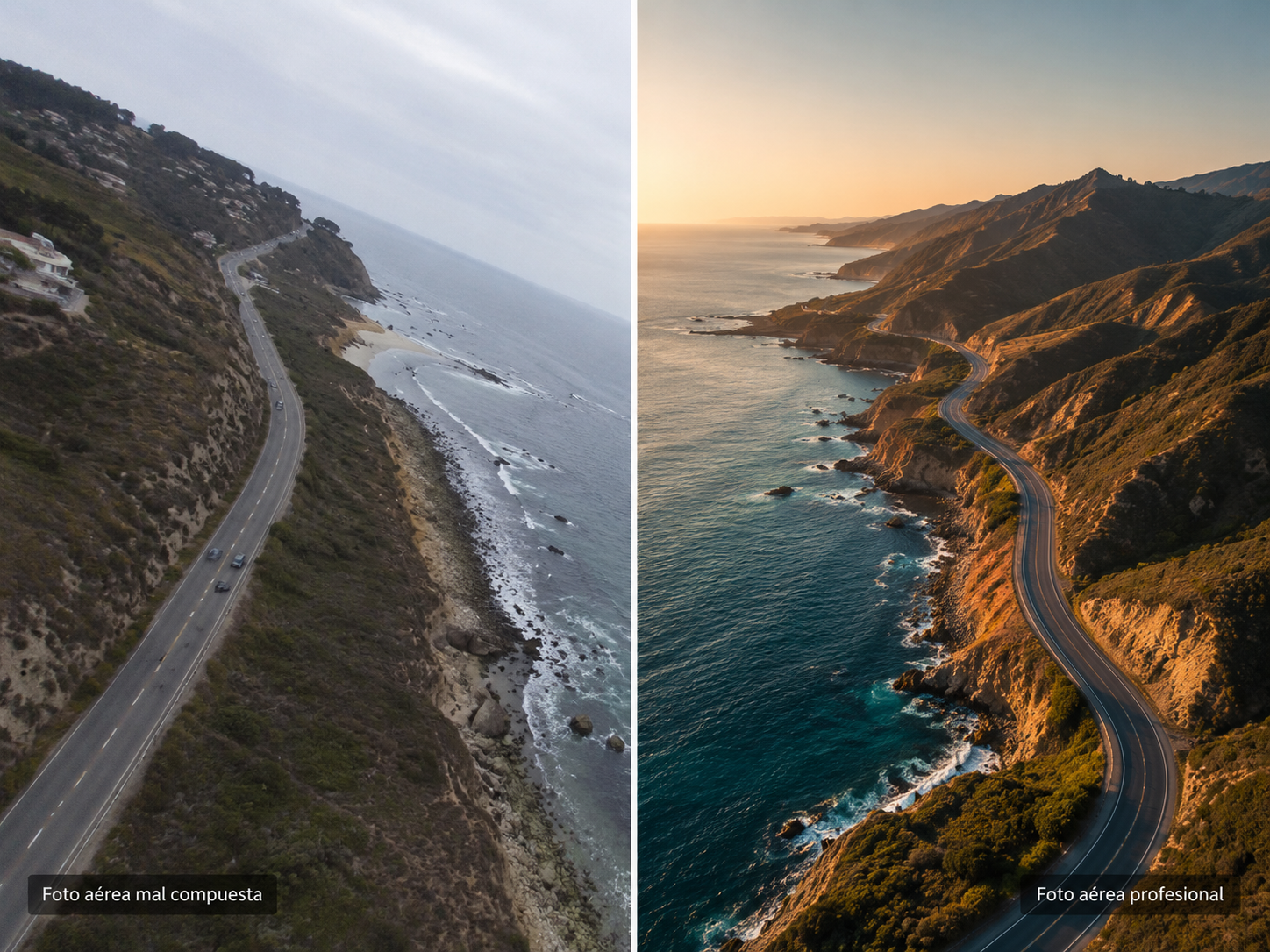
Light is probably the most important factor in any kind of photography, and drones are no exception.
Golden hour
Golden hour falls shortly after sunrise and before sunset. It gives you soft shadows, warm colors, more depth and more attractive scenes. It’s one of the best times for stunning drone photos.
Avoid midday
Midday light is usually harsh, causing heavy shadows, lost detail and flat colors. Whenever possible, plan your sessions outside those hours.
Composition for drone photography
A great camera doesn’t help much if the composition is weak. Composition is what turns an ordinary photo into a striking one.
Use the rule of thirds
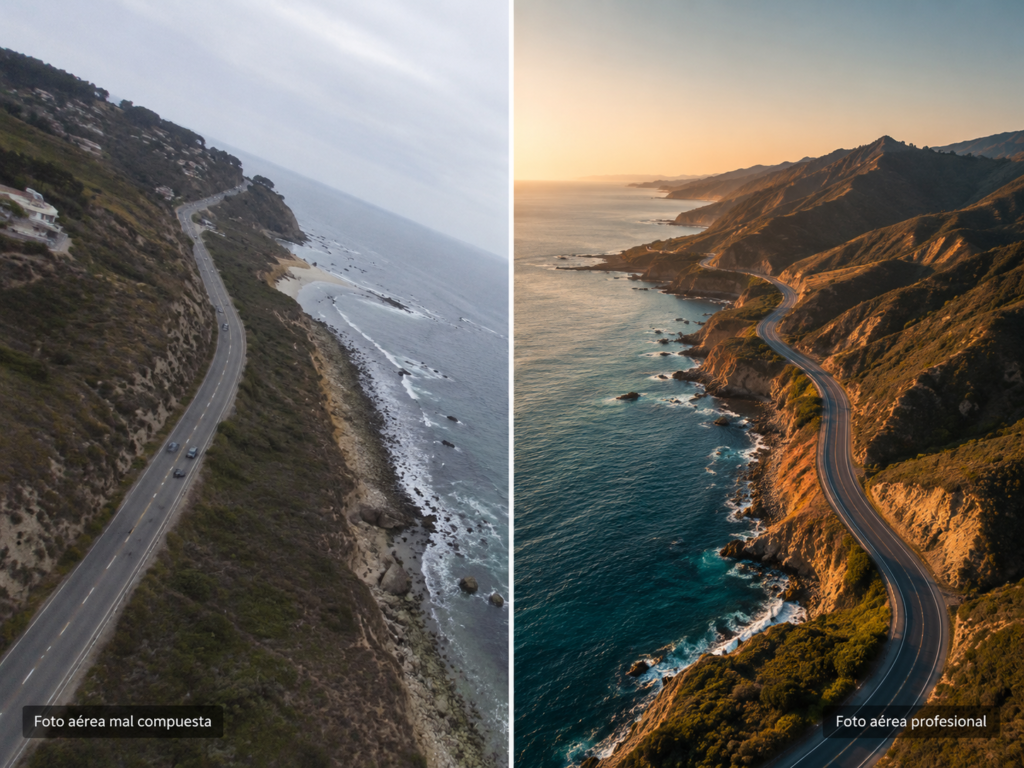
The rule of thirds works just as well from the air. Avoid always placing your main subject in the center; spreading visual elements across the frame makes images more engaging.
Look for patterns and symmetry
Drones show the world from unusual perspectives. From above, roads, fields, buildings and coastlines create fascinating visual patterns that work especially well in aerial photography.
Play with altitude
Many beginners always fly at the same height, but changing altitude can transform the result. Experiment with low shots, mid heights and straight-down top views: each conveys something different.
How to take stunning drone photos
Top-down shots
Images taken straight down create surprising perspectives. They’re ideal for beaches, forests, roads and farmland.
Use leading lines
Roads, paths and rivers guide the viewer’s eye through the frame, a technique used constantly in professional photography.
Include a sense of scale
People, cars or buildings help convey the size of the landscape, adding depth and impact.
How to shoot cinematic drone video
Aerial video is one of the main reasons people buy a drone, but there’s a big gap between filming from the air and getting cinematic footage. Most professional-looking aerial video shares one trait: smooth, slow, controlled movement.
A classic beginner mistake is moving the drone too fast, which produces jittery, uncomfortable footage. The best results come from gradual, carefully planned moves. Lowering the stick sensitivity or using Cine mode helps a lot.
The best drone camera movements
Reveal shot
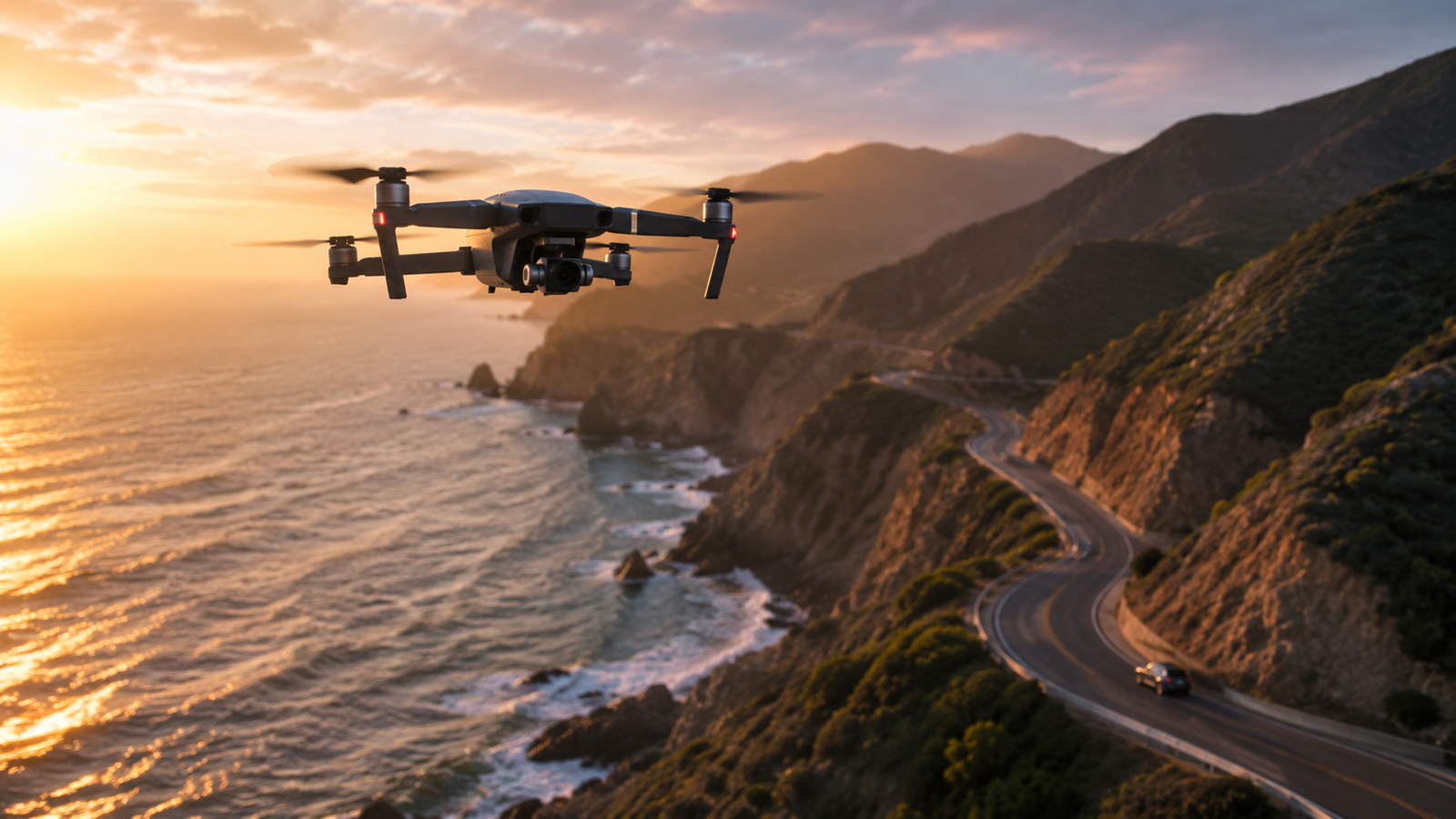
One of the most used moves in film and content creation. Start with the subject partly hidden behind a tree, rock, building or mountain, then reveal the scene gradually. It creates a sense of discovery and works especially well for landscapes.
Orbit
The drone circles the subject while keeping it framed. It’s ideal for houses, monuments, vehicles and people, and adds energy and depth.
Dolly in
Fly slowly toward the subject. It’s one of the best moves for building tension and highlighting what matters.
Pull away
The opposite: the drone moves away and gradually reveals more of the surroundings. It works especially well to end a sequence.
Follow shot
The drone tracks cars, cyclists, hikers or boats. Many modern drones include subject tracking that makes this much easier; just stay aware of obstacles and keep the drone in sight.
Recommended video settings
Shoot in 4K whenever possible
Even if you export in 1080p, 4K gives you more detail, room to crop and stabilize, and better final quality.
Use advanced color profiles
Profiles such as D-Log M, D-Cinelike or other log modes give far more flexibility in color grading, ideally recorded in 10-bit. They’re available on models such as the DJI Mini 4 Pro, Air 3 and Mavic 3 series. If you won’t grade your footage, a standard profile looks better straight out of the camera.
Keep ISO as low as possible
High ISO creates digital noise. Whenever the light allows, use low values; it noticeably improves image quality.
What ND filters are and why you should use them
ND (neutral density) filters are among the most used accessories in professional drone filming. They work like sunglasses for the camera, reducing the light reaching the sensor. That lets you use the right shutter speed, get more natural motion and achieve cinematic motion blur. That’s why many creators consider them an almost mandatory purchase for quality video.
Video settings by situation
The standard film reference is the 180° shutter rule: shutter speed should be about double the frame rate. At 24 fps, 1/50 s; at 30 fps, 1/60 s; at 60 fps, 1/120 s. Motion then looks natural, with slight blur instead of a choppy effect. In bright sun that shutter speed overexposes, which is where ND filters come in.
| Situation | Frame rate | Shutter | Suggested ND filter |
|---|---|---|---|
| Sunny day, cinematic video | 24 or 30 fps | 1/50 or 1/60 s | ND32 or ND64 |
| Overcast day | 24 or 30 fps | 1/50 or 1/60 s | ND8 or ND16 |
| Sunrise or sunset | 24 or 30 fps | 1/50 or 1/60 s | None or ND4 |
| Slow motion | 60 fps | 1/120 s | One or two stops less than at 24–30 fps |
| Photography | N/A | Whatever exposure requires | None |
Filter values are a guide: they depend on your camera’s aperture and the actual light. Adjust using the histogram until there are no blown-out areas.
How to edit drone photos and video
Editing is where good images become excellent ones. You don’t need extreme adjustments; small corrections are usually enough.
Photo editing
Tools such as Adobe Lightroom, Photoshop or Luminar Neo cover the usual adjustments: contrast, exposure, shadows, highlights, white balance and sharpening.
Video editing
Popular options include DaVinci Resolve (with a capable free version), Adobe Premiere Pro and Final Cut Pro. You can color-grade, stabilize shots, add music, create transitions and change speed for much more professional results.
Common drone photo and video mistakes
- Flying too fast: excessive speed ruins many shots; slow moves look better.
- Always filming from the same height: varying altitude adds visual richness.
- Ignoring the light: even the best drone produces mediocre results in bad light.
- Neglecting composition: many pilots focus only on flying, but composition matters just as much.
- Skipping editing: even small adjustments can transform the final result.
Which drone to choose for filming
For video, what matters most is sensor size and a 10-bit color profile, which gives more room when editing. Drones under 250 g are the most practical because they come with fewer requirements: in the US, no registration for purely recreational flying, although the TRUST test still applies.
Bottom line
Learning drone photography and video goes far beyond mastering the flight. The real difference between amateur footage and a professional production lies in planning, composition, light and editing. Today’s drones give you tools that were reserved for expensive productions just a few years ago. With practice, patience and the tips in this guide, your aerial images will keep getting better, and every flight is a chance to develop your own visual style.
Drone photography and video FAQ
Golden hour, shortly after sunrise and before sunset, usually offers the best light for aerial photography.
If your drone supports it, RAW gives you much more editing latitude and usually better final results.
Combine smooth, slow movements, good planning, the 180° shutter rule with ND filters and post-production color grading.
Filters that reduce the light reaching the camera so you can use slower shutter speeds and get more natural, cinematic motion.
For recreational flying, you need the free TRUST certificate and registration for drones of 250 g or more. If you film for pay or for a business, you need an FAA Part 107 certificate.
4K whenever possible, even if the final project will be exported at a lower resolution.
Use golden hour, shoot RAW, improve your composition, look for original perspectives and edit your images afterward.
Keep reading
- How to Get Into FPV: Simulator, Gear and First Steps
- How to Fly a Drone for the First Time: Beginner’s Guide
- DJI Neo 3: Release Date, Price and Everything We Know
- DJI Avata 360: Specs, Price and Who It’s For
Official sources: FAA – Recreational flyers · FAA – Part 107