
Disclosure: this article contains affiliate links. If you buy through them, Bright Technology may earn a small commission at no extra cost to you. As an Amazon Associate, we earn from qualifying purchases.
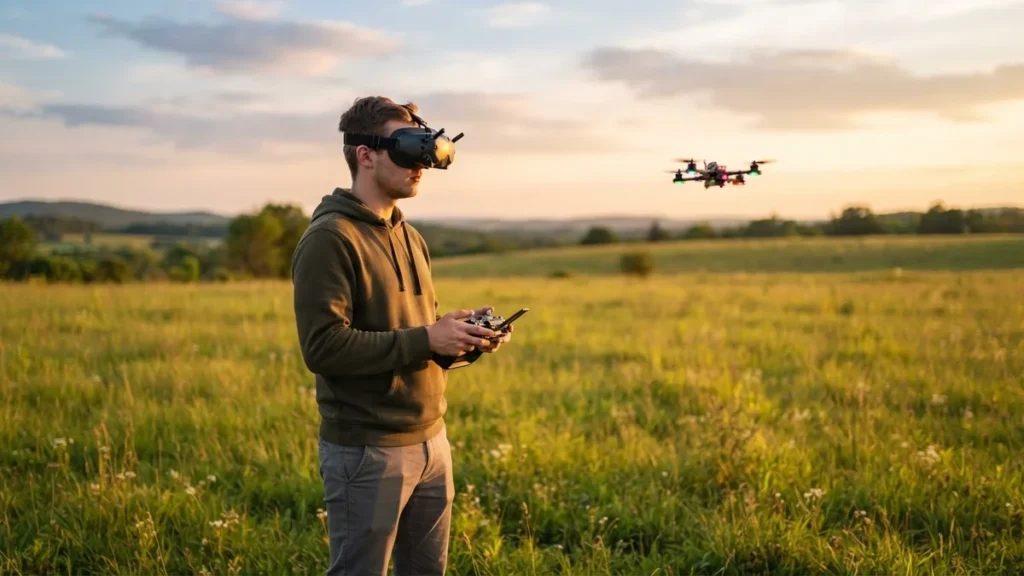
Wondering how to get into FPV? The short answer: simulator first, then a small cheap drone, and only later the drone of your dreams. FPV drones are flown through goggles with little or no automatic assistance, so they’re harder to learn than a regular camera drone, but the right order makes it far cheaper and less frustrating.
Quick answer: start with an FPV simulator (Liftoff, VelociDrone, Uncrashed or the DRL Simulator) and a USB radio with ExpressLRS that you’ll later use with a real drone. Practice in Acro mode until you can fly figure-eights without crashing. Then move to a bind-and-fly tiny whoop to learn without fear of breaking things, or a DJI drone with goggles if you mainly want immersive video without the learning curve.
Three ways into FPV
| Path | What you need | Learn Acro? | Best for |
|---|---|---|---|
| Simulator | PC or Mac, simulator, USB radio | Yes, from day one | Everyone: it’s the first step |
| Tiny whoop (BNF) | 65–75 mm whoop, radio, analog goggles, 1S batteries | Yes | Learning to really fly, indoors or in the yard |
| DJI with goggles | DJI ready-to-fly FPV combo | Only in Manual mode | Immersive video without the learning curve |
Most pilots eventually go through all three.
Step 1: Start with an FPV simulator
A simulator is the cheapest, fastest way to learn. A crash in the sim is fixed with a button press; in real life it costs propellers, arms or a camera. FPV drones are almost always flown in Acro mode with no self-leveling, and that muscle memory only comes from hours of practice.
The four most popular simulators
- Liftoff: FPV Drone Racing: the most complete for freestyle, with many maps and configurable drones. Windows, macOS and Linux; needs a dedicated GPU.
- VelociDrone: the reference for racing, with very accurate physics, online leagues and many tracks. Sold on its official site.
- Uncrashed: FPV Drone Simulator: very realistic environments, aimed at freestyle and cinematic flying.
- The Drone Racing League Simulator (DRL): the cheapest and simplest, with DRL’s official courses.
Liftoff, Uncrashed and DRL are sold on Steam. If you buy only one, pick Liftoff or Uncrashed for freestyle and VelociDrone for racing.
Which radio to use in the simulator
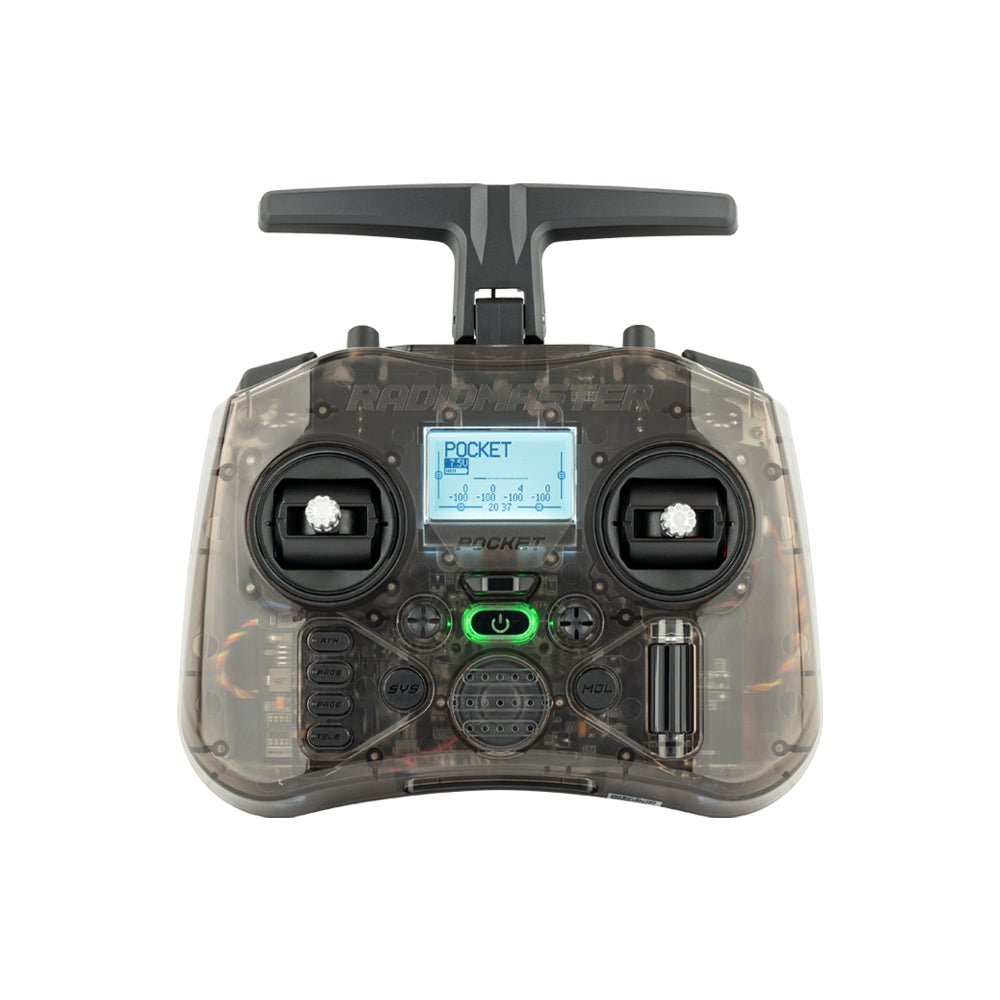
Don’t use a game console controller: its sticks are short and its throttle springs back to center, while an FPV throttle stays where you leave it. The ideal is an FPV radio with USB: EdgeTX radios such as the RadioMaster Pocket show up as a joystick on your computer, so you practice with the same radio you’ll fly with. RadioMaster lists the Pocket from $59.99 ($71.50 with ExpressLRS). In the US, choose the FCC (non-LBT) ELRS version; in Europe, the LBT version.
How much to practice before flying for real
There’s no official number. A good sign you’re ready is being able to do these without crashing:
- Take off, hold a steady altitude and land on a spot
- Fly figure-eights around two obstacles at constant speed
- Fly a simple track in both directions
- Pass through a gate-sized gap without braking hard
Step 2: Understand flight modes
| Mode | Self-levels | Allows flips | Use |
|---|---|---|---|
| Angle | Yes, always | No | First flights and takeoffs; limits tilt |
| Horizon | Yes, near center stick | Yes, at full stick | Transition between Angle and Acro |
| Acro (Rate) | No | Yes | True FPV: full control |
In Angle, releasing the stick levels the drone, but you can’t tilt far. In Acro, the drone holds whatever angle you leave it at. No classic FPV mode holds position like a GPS drone: if you drop the throttle, the drone falls.
DJI uses different names. On the Avata series and Neo 2, Normal mode resembles Angle with extra help, Sport is faster and Manual (M) equals Acro; manual mode requires the DJI FPV Remote Controller 3. Our advice: learn Acro in the simulator from day one, and use Angle or Normal only for your first real flights.
Step 3: Choose your first drone
Tiny whoop (BNF): best for learning
A tiny whoop is a 65–75 mm drone with ducted propellers that weighs under 30 g and barely hurts anything when it crashes. You can fly it in the house, garage or yard. They’re usually sold as BNF (bind-and-fly): ready to go, but you supply your own radio, goggles and batteries. If you practiced with an ELRS radio in the sim, you just bind it.
One example is the BetaFPV Air65: 17.3 g, 65 mm wheelbase, analog camera and video, 2.4 GHz ELRS receiver and 1S batteries, listed by BetaFPV at $80.99 without battery or radio.
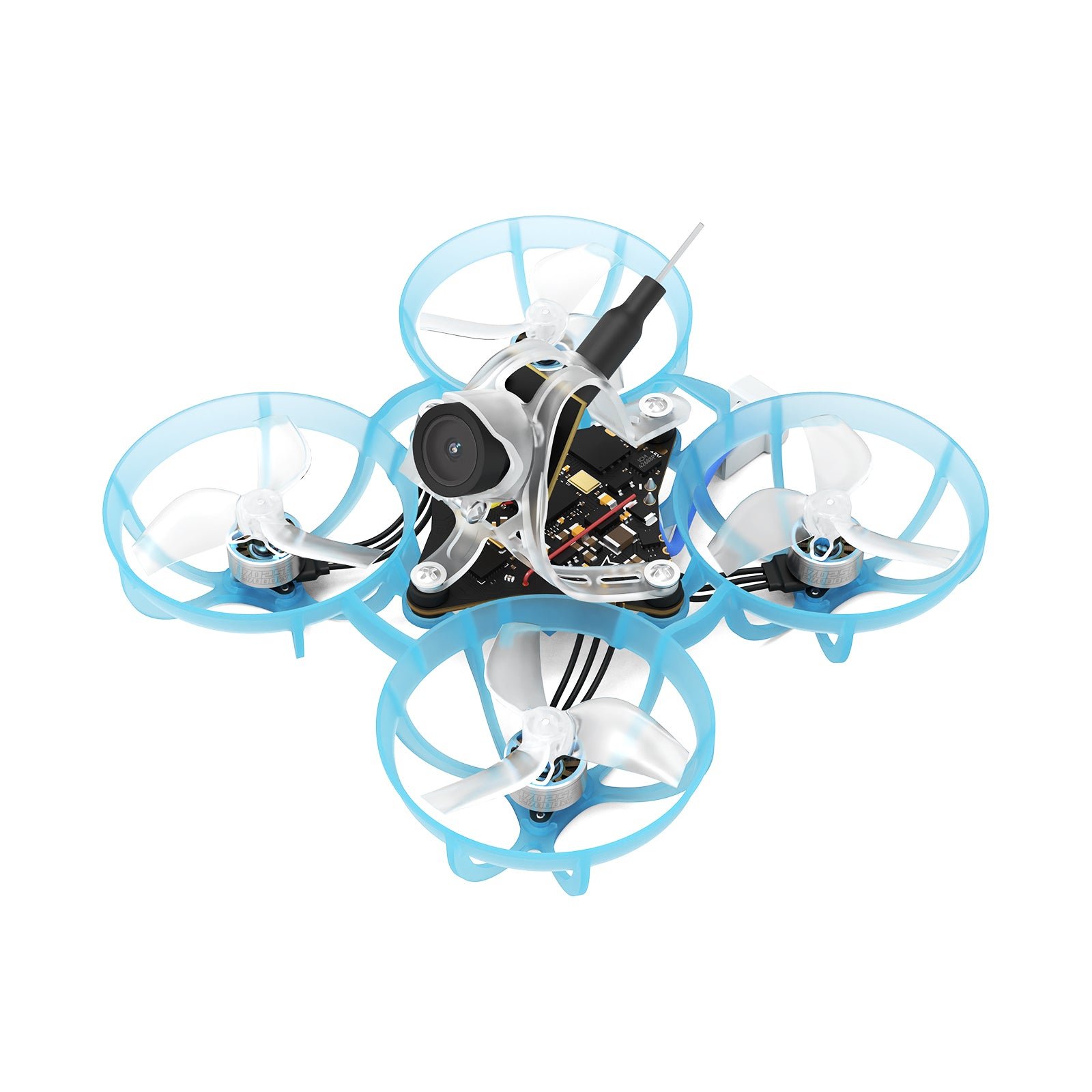
Ready-to-fly (RTF) kits such as the BetaFPV Cetus X, with a LiteRadio 3, VR03 analog goggles and four batteries, include everything. They’re convenient, but their radio and goggles are quickly outgrown.
DJI ready to fly: the easiest
If you mainly want immersive video rather than acrobatics, a DJI drone with goggles is the simplest route: it comes configured, with stabilization, emergency braking and Return to Home.
- DJI Neo 2 Motion Fly More Combo: includes the drone, DJI Goggles N3, RC Motion 3 and extra batteries. Under 250 g, with obstacle sensing and forward LiDAR; since a November 2025 firmware update it can fly in manual mode with the FPV Remote Controller 3 (sold separately).
- DJI Avata 360 Motion Fly More Combo: a 455 g cinewhoop that records 8K 360° video, with Goggles N3 and RC Motion 3.
- DJI Avata 2: DJI’s most FPV-focused option, with manual mode and more speed.
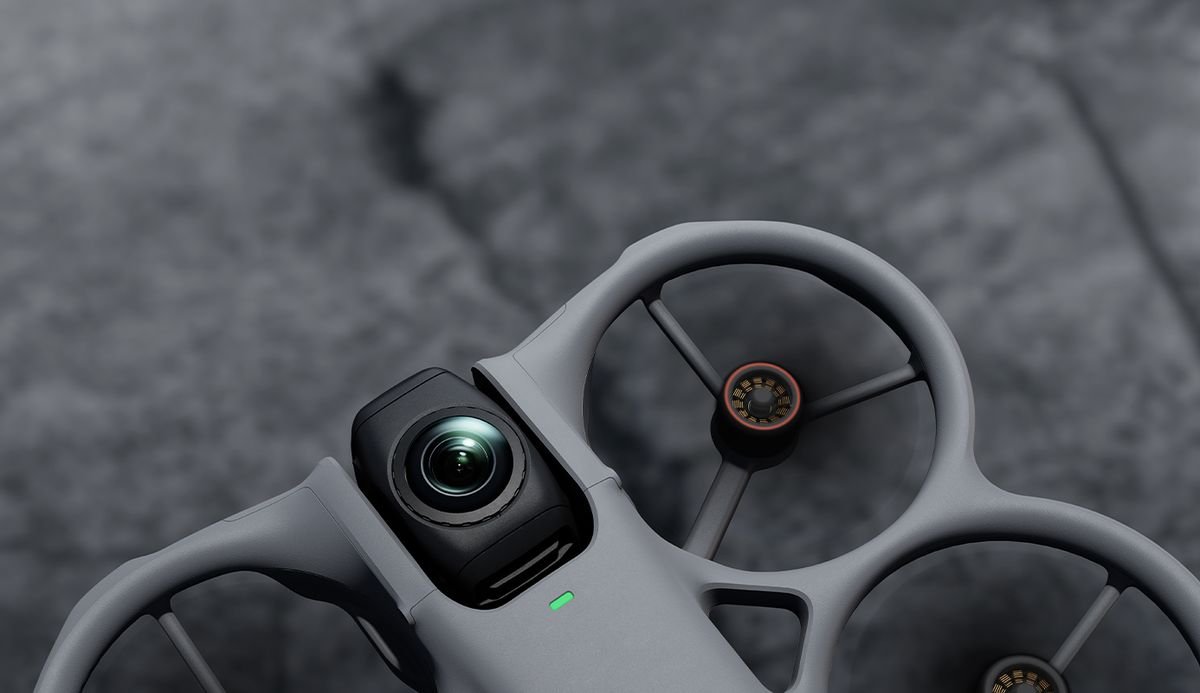
The downside is the cost of crashes: one repair can cost more than an entire tiny whoop, so the simulator is worth it even if you go DJI. In the US, newer DJI models may not be officially available because of regulatory restrictions. If you love speed and competition, the next step is a 5-inch racing quad.
Step 4: Analog or digital goggles
- Analog: low resolution but very cheap with minimal latency, compatible with almost every tiny whoop. Look for a model with a DVR to review your flights.
- Digital: sharp HD video but more expensive, and each system only works with its own drones (DJI Goggles N3 or Goggles 3 with DJI, other digital ecosystems with theirs).
A legal note for the US: most analog 5.8 GHz FPV video transmitters operate under amateur radio rules, so you technically need an FCC Technician-class amateur radio license to use them. Certified digital systems such as DJI’s don’t require one. In Europe, license-free 5.8 GHz video is limited to 25 mW.
Step 5: Batteries and safe charging
Classic FPV drones use powerful but delicate LiPo batteries. Tiny whoops use single-cell (1S) packs that last 3–5 minutes, so have at least 6–8 batteries and a multi-charger.
- Always charge under supervision, ideally in a fireproof LiPo bag.
- Don’t fully drain them: land when the voltage alarm sounds.
- If you won’t fly for a few days, leave them at storage voltage (about 3.8 V per cell).
- Retire any swollen or damaged battery.
DJI intelligent batteries handle charging and storage automatically.
Step 6: FPV rules
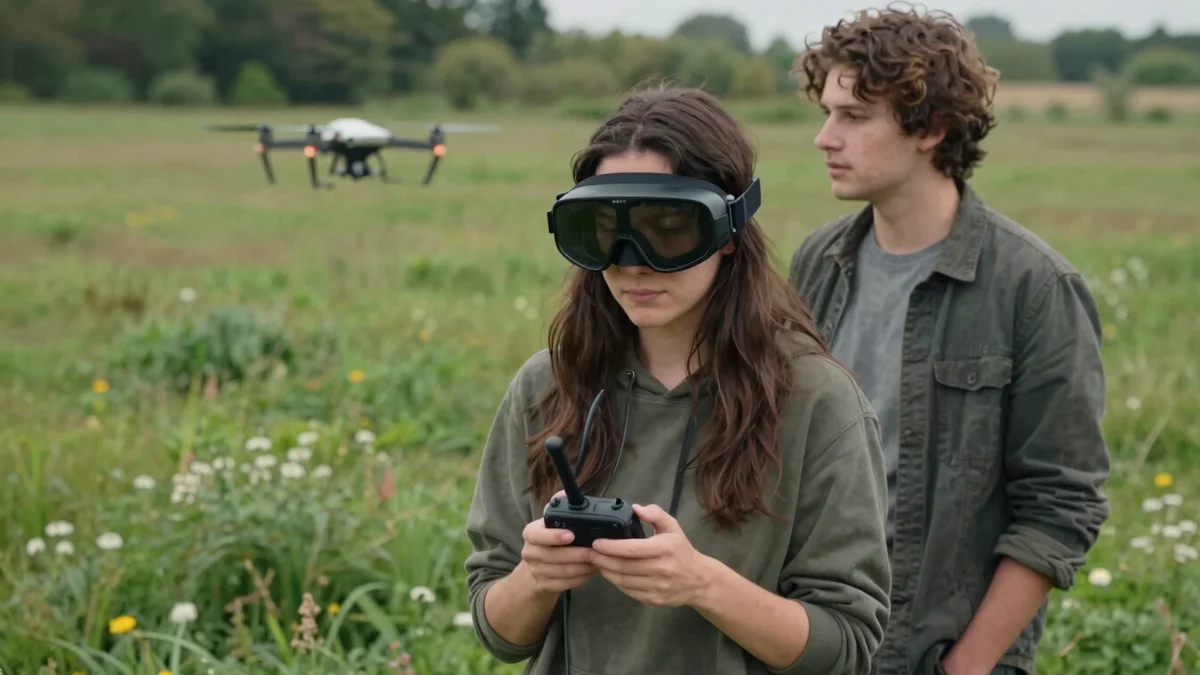
Flying FPV with goggles is legal, with conditions. In the US, the FAA requires a visual observer next to you who keeps the drone in sight, because you can’t see it directly while wearing goggles. Recreational pilots must also pass the free TRUST test, register drones of 250 g or more and mark the registration number on them, stay at or below 400 feet and check airspace with an approved app such as B4UFLY.
In the UK and EU, open-category rules also require a visual observer when flying FPV, plus operator registration for camera drones in most cases. Flying a tiny whoop inside your home falls outside airspace rules; as soon as you go outside, they apply.
How much does it cost to get into FPV?
| Level | What’s included | Relative cost |
|---|---|---|
| Simulator only | Simulator + USB ELRS radio | Lowest |
| Basic tiny whoop | ELRS radio + BNF whoop + simple analog goggles + 8 1S batteries and charger | Low to moderate |
| RTF kit | Complete kit with drone, radio, goggles and batteries | Low to moderate |
| Entry DJI | DJI Neo 2 Motion Fly More Combo | Moderate |
| Advanced DJI | DJI Avata 360 Motion Fly More Combo | High |
What to choose
- Learn real FPV (freestyle or racing): simulator + ELRS radio from day one, then a BNF tiny whoop with analog goggles.
- Try it cheaply: an inexpensive simulator such as DRL or Uncrashed plus a USB radio.
- Immersive travel or sports video: a DJI Neo 2 Motion Fly More Combo, under 250 g with goggles included.
- 360° or cinematic video: the DJI Avata 360, or the Avata 2 for purer FPV. Use the simulator first so your first crash isn’t an expensive one.
- Racing: VelociDrone, a tiny whoop to practice indoors and later a 5-inch racing quad.
Getting into FPV: FAQ
You can, but it’s not recommended. In Acro mode the drone doesn’t self-level, and first flights almost always end in crashes. A simulator lets you practice for hours without breaking props, arms or cameras.
Liftoff or Uncrashed for freestyle, VelociDrone for racing. The DRL Simulator is the cheapest option.
It works, but it won’t prepare you for a real drone. The sticks are short and the throttle springs back to center. A USB FPV radio is much better and you’ll use it with your drone later.
Yes, but you need a visual observer beside you who keeps the drone in sight. In the US you also need the TRUST test, registration for drones of 250 g or more, and to follow airspace rules.
For most analog 5.8 GHz video transmitters, yes: they operate under amateur radio rules and require an FCC Technician license. Certified digital systems like DJI’s don’t.
If you want to really learn to pilot FPV, a tiny whoop: it’s cheap, tough and flies indoors. If you want immersive video without learning Acro, a DJI drone with goggles is much simpler.
Keep reading
- Drone Photography and Video: How to Shoot Like a Pro
- How to Fly a Drone for the First Time: Beginner’s Guide
- DJI Neo 3: Release Date, Price and Everything We Know
- DJI Avata 360: Specs, Price and Who It’s For
Official sources: FAA – Recreational flyers · VelociDrone · BetaFPV Air65 · RadioMaster Pocket