

- Best professional 3D printers compared
- What is a professional 3D printer?
- How to choose a professional 3D printer
- The best professional 3D printers of 2026
- 1. Bambu Lab X1E: best value professional 3D printer
- 2. Prusa XL: best for multi-material projects
- 3. UltiMaker S7: best for engineering and product design
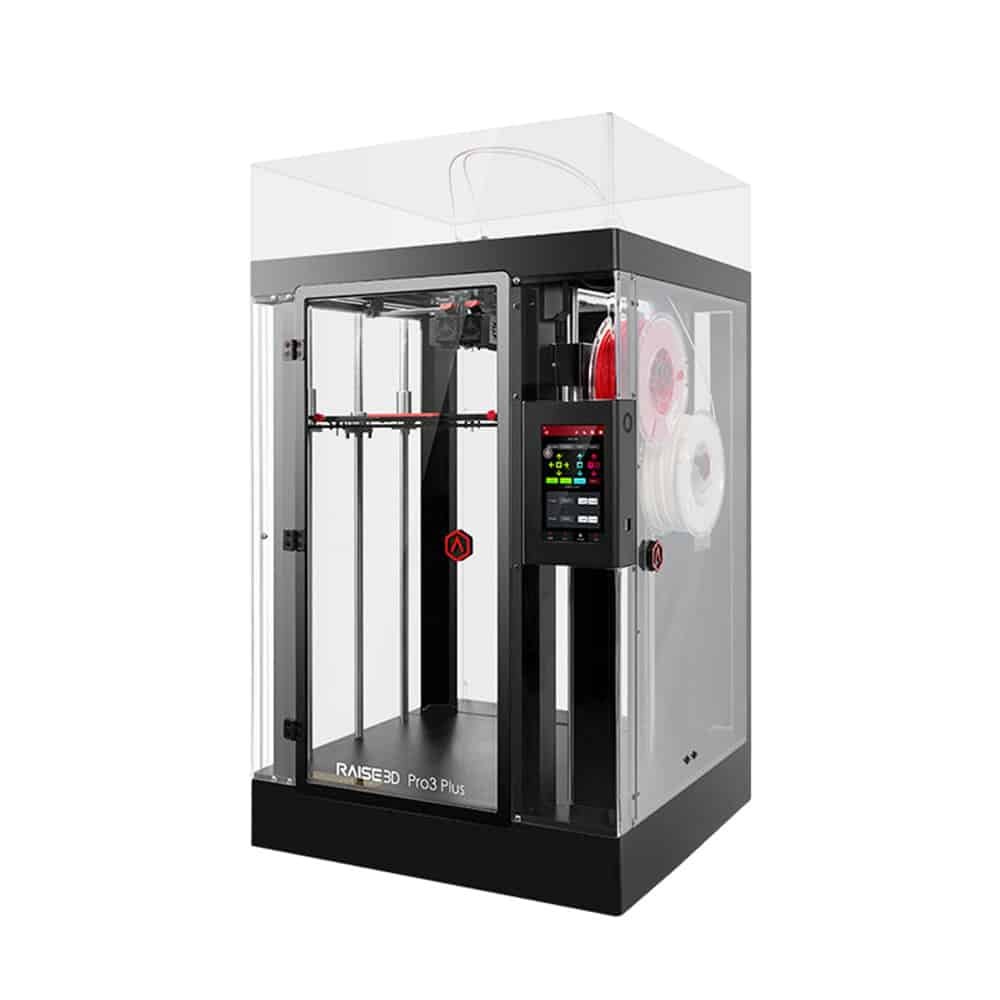
- 4. Raise3D Pro3 Plus: best large-format professional printer
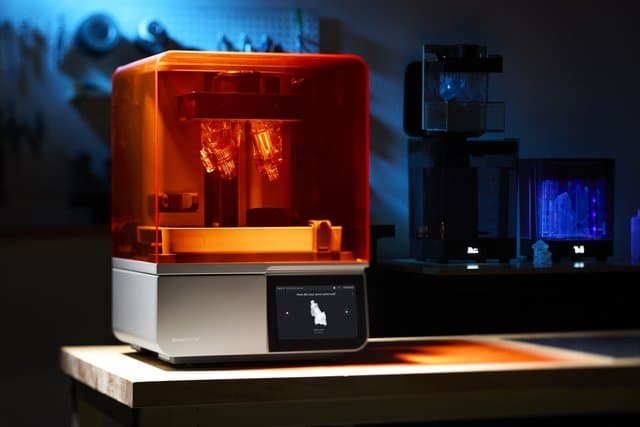
- 5. Formlabs Form 4: best professional resin printer
- Which professional 3D printer should you buy?
- Benefits of professional 3D printers
- Is a professional 3D printer worth it?
- Bottom line
- Professional 3D printer FAQ
- Keep reading
The best professional 3D printer isn’t the most expensive one; it’s the one that fits your workflow, whether that’s rapid prototyping, short production runs, engineering-grade parts, high-precision resin or large-format printing. This guide compares the professional machines that make the most sense for businesses, engineers and design studios in 2026.
Quick answer: the Bambu Lab X1E offers the best mix of speed, ease of use and technical-material support for most businesses. Choose the Prusa XL for multi-material work, the UltiMaker S7 for engineering departments, the Raise3D Pro3 Plus for tall large-format parts and the Formlabs Form 4 when precision matters more than size.
Best professional 3D printers compared
| Model | Best for | Technology | Build volume | Strength | Weakness |
|---|---|---|---|---|---|
| Bambu Lab X1E | Small businesses, light engineering | FDM CoreXY | 256 × 256 × 256 mm | Heated chamber, ecosystem | Mid-size volume |
| Prusa XL | Multi-material, large parts | FDM toolchanger | 360 × 360 × 360 mm | Up to 5 toolheads | High price when fully equipped |
| UltiMaker S7 | Engineering teams | FDM dual extrusion | 330 × 240 × 300 mm | Reliability, Cura ecosystem | Expensive |
| Raise3D Pro3 Plus | Large format | FDM dual extrusion | 300 × 300 × 605 mm | Print height | Size and price |
| Formlabs Form 4 | Dental, jewelry, precision | Resin (LFD) | 200 × 125 × 210 mm | Precision and ecosystem | Consumable costs |
What is a professional 3D printer?
A professional 3D printer is built for precision, stability and productivity over long print sessions. Compared with consumer machines, it has sturdier mechanics, better thermal control, wider material support and stronger software and service.
Companies use them for functional prototypes, end-use parts, short production runs, mechanical engineering, architecture, medical and dental work, technical education, automotive and aerospace. The upfront cost is higher, but so are throughput, accuracy and uptime.
How to choose a professional 3D printer
Build volume
Small technical parts don’t need a huge machine. Architecture, automotive and industrial fixtures benefit from large-format printers that avoid splitting parts.
Materials
Material support often matters more than size. Look for compatibility with PETG, ABS, ASA, TPU, nylon, carbon-fiber and other composites, plus soluble supports if you print complex geometries.
Precision
In jewelry, dental and technical prototyping, a few microns can decide whether a part works. If surface detail is critical, consider resin.
Speed
CoreXY motion and modern electronics let current machines print several times faster than older designs without losing quality, which directly affects productivity.
Reliability and support
In a business, downtime costs money. A printer that needs constant recalibration ends up more expensive than its price tag suggests, so weigh reliability and service heavily.
The best professional 3D printers of 2026
1. Bambu Lab X1E: best value professional 3D printer
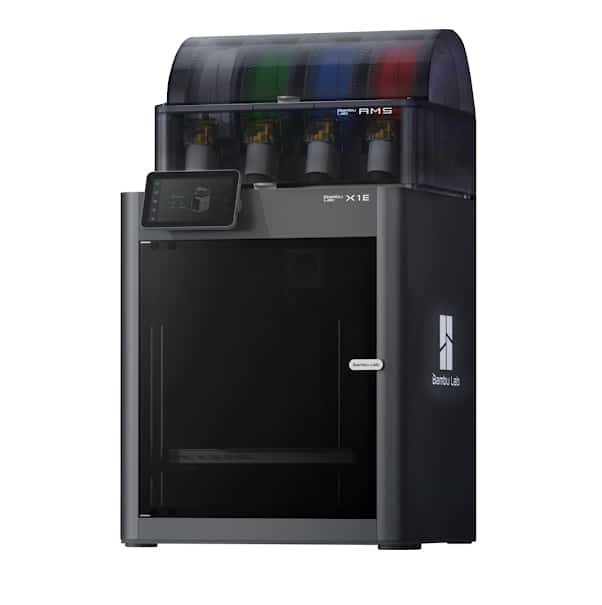
For most companies, engineering studios and prototyping teams, the X1E is the easiest professional printer to recommend. It inherits the speed, accuracy and ease of use of Bambu Lab’s consumer flagship and adds enterprise features.
Setup is minimal, CoreXY motion produces parts in a fraction of the time of traditional machines, and the chamber heated up to 60 °C handles demanding materials such as ASA and carbon-fiber-reinforced nylon. Remote monitoring and smart error detection keep long jobs on track.
Key specs
- Build volume: 256 × 256 × 256 mm
- Max speed: up to 500 mm/s
- Hotend up to 320 °C; bed up to 110 °C
- Heated, enclosed chamber
- Materials: PLA, PETG, ABS, ASA, TPU, PA-CF
- Wi-Fi, Ethernet and cloud
See the Bambu Lab X1E on the manufacturer’s site
- Excellent value
- Very fast
- Outstanding print quality
- Complete ecosystem
- Smaller volume than some industrial machines
- Less modular than some rivals
2. Prusa XL: best for multi-material projects
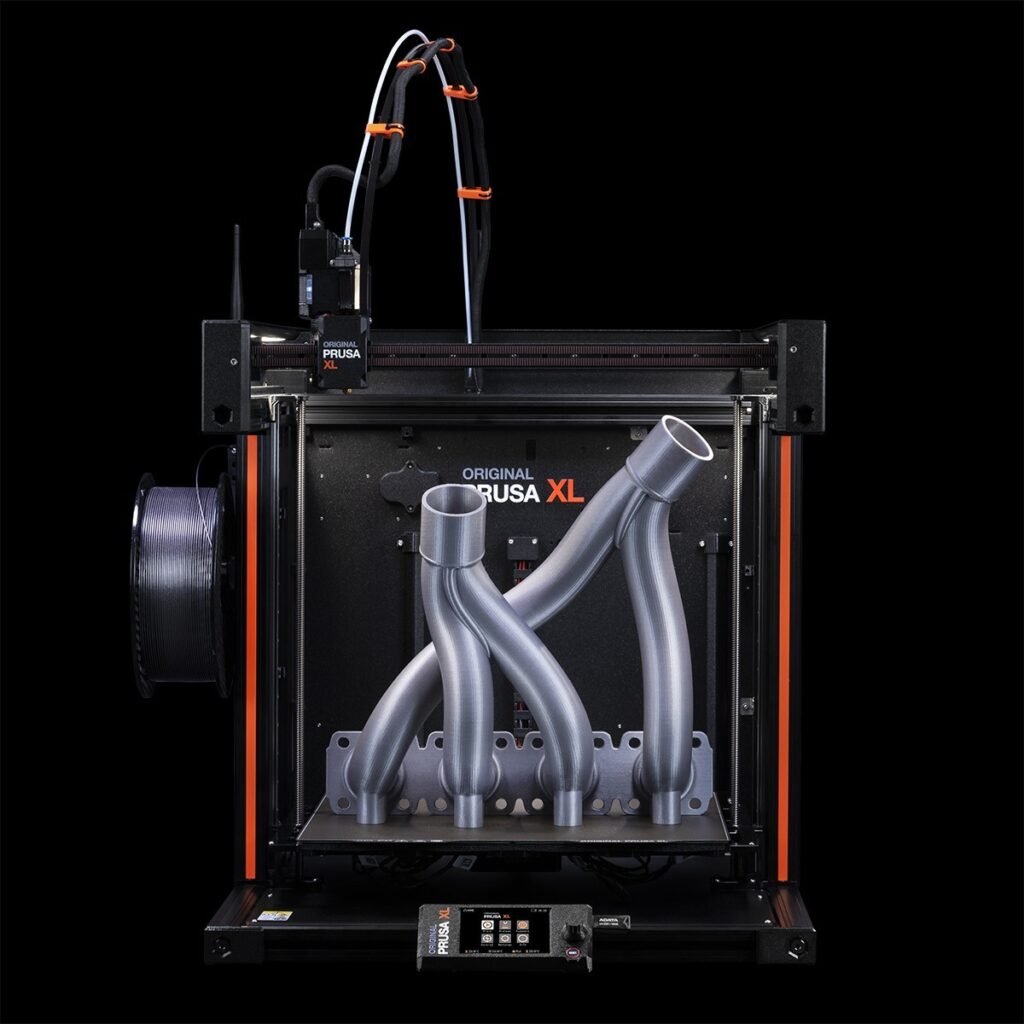
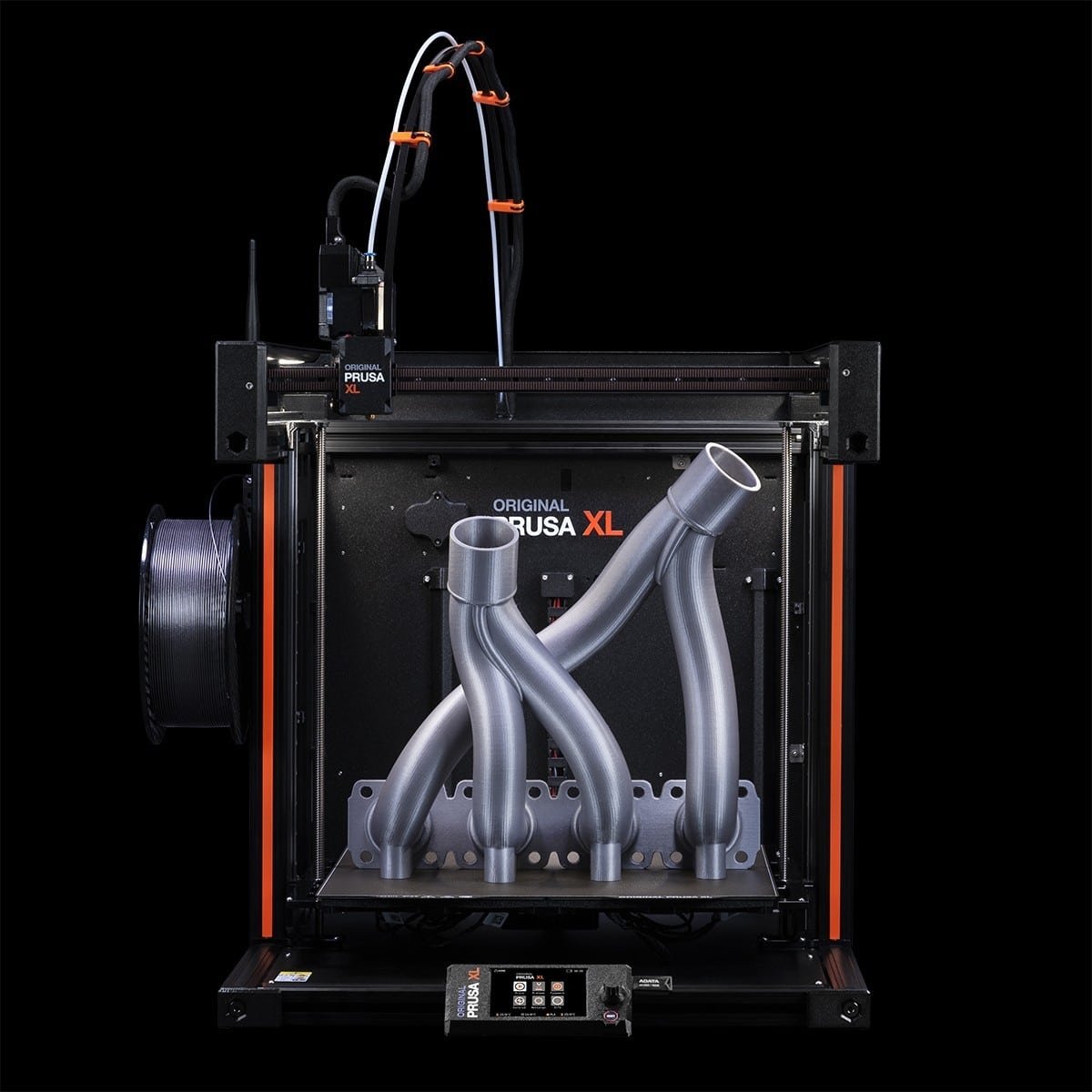
The Prusa XL bets on versatility. Its toolchanger supports up to five independent printheads, so you can combine structural materials with soluble supports or print several colors with minimal waste.
The 360 × 360 × 360 mm volume suits architecture, industrial design and large functional prototypes, and Prusa’s documentation, updates and support are among the best in the industry.
Key specs
- Build volume: 360 × 360 × 360 mm
- Toolchanger: up to 5 heads
- Automatic leveling
- Materials: PLA, PETG, ABS, ASA, TPU, nylon
- Ethernet, USB and local network
- Enclosure available as an option
See the Prusa XL on the manufacturer’s site
- Unique multi-tool system
- Large build volume
- Huge community
- Excellent support
- Multi-head configurations get expensive
- Steeper learning curve
3. UltiMaker S7: best for engineering and product design
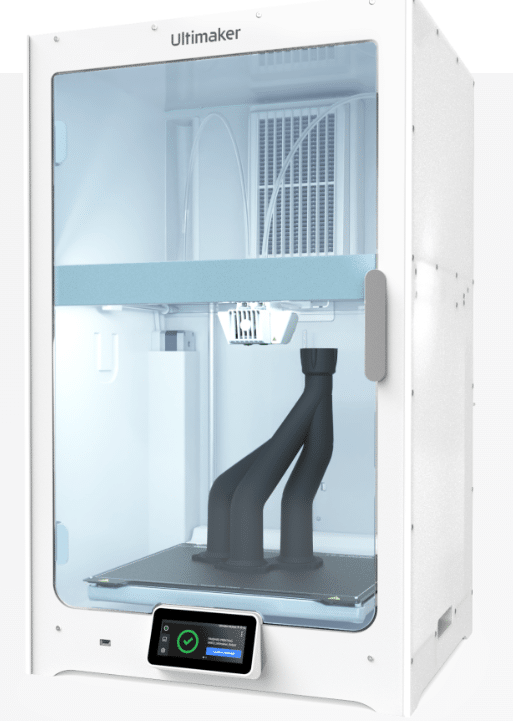
UltiMaker remains one of the most respected names for printers that run every day for years. The S7 is built for companies that need stability, precision and smooth integration into their development process.
Dual extrusion enables soluble supports for complex geometries, the enclosed build space keeps temperatures stable for nylon, ABS and composites, and UltiMaker Cura is one of the world’s most widely used slicers.
Key specs
- Build volume: 330 × 240 × 300 mm
- Dual extrusion
- Hotend up to 340 °C; bed up to 140 °C
- Enclosed build chamber
- Materials: PLA, PETG, ABS, nylon, TPU, carbon fiber
- Wi-Fi, Ethernet, USB and cloud
See the UltiMaker S7 on the manufacturer’s site
- Extremely reliable
- Strong enterprise support
- Wide material range
- Mature professional ecosystem
- High price
- Slower than newer CoreXY designs
4. Raise3D Pro3 Plus: best large-format professional printer
If you produce large prototypes, fixtures or functional parts, the Pro3 Plus is one of the most complete options. Its 605 mm print height lets you produce tall parts in one piece instead of gluing sections together.
The enclosed frame keeps temperatures stable for ABS, ASA, nylon and carbon-fiber composites, while professional dual extrusion, remote monitoring and safety systems protect long jobs.
Key specs
- Build volume: 300 × 300 × 605 mm
- Dual extrusion
- Hotend up to 300 °C; bed up to 120 °C
- Enclosed chamber
- Materials: PLA, PETG, ABS, ASA, TPU, nylon, carbon fiber
- Wi-Fi, Ethernet, USB
See the Raise3D Pro3 Plus on the manufacturer’s site
- Large build volume
- Excellent dimensional accuracy
- Professional dual extrusion
- Technical materials
- Needs a lot of space
- Significant investment
5. Formlabs Form 4: best professional resin printer
Where precision beats volume, the Form 4 is a benchmark. Its resin process reproduces geometries that filament printers can’t, with surfaces that need little finishing.
It’s a favorite in dentistry, medicine, jewelry and precision engineering, backed by a complete ecosystem of certified resins, PreForm software and dedicated wash and cure stations.
Key specs
- Technology: resin, Low Force Display
- Build volume: 200 × 125 × 210 mm
- Layer height down to 25 microns
- Wide catalog of engineering and dental resins
- Wi-Fi, Ethernet and USB
- Remote management
See the Formlabs Form 4 on the manufacturer’s site
- Professional surface finish
- Exceptional detail
- Ideal for dental and jewelry
- Complete workflow ecosystem
- Needs washing and curing
- Higher material costs
Also worth a look: Abax Titan 300 and 500
These European-built FDM machines focus on continuous production rather than prototyping. Build volumes of 310 × 310 × 300 mm and 310 × 310 × 500 mm, a robust enclosed frame, power-loss recovery and filament runout detection make them suited to factories that print functional parts around the clock. Availability outside Europe is limited.
Which professional 3D printer should you buy?
| If you need… | Choose |
|---|---|
| The best balance of performance and cost | Bambu Lab X1E |
| Reliable engineering prototypes | UltiMaker S7 |
| Tall parts and short production runs | Raise3D Pro3 Plus |
| Dental, jewelry or precision parts | Formlabs Form 4 |
| Several materials in one part | Prusa XL |
| Continuous industrial production | Abax Titan 500 |
Benefits of professional 3D printers
- Higher precision: consistent, repeatable parts for clients and functional prototypes.
- Faster production: modern machines finish complex jobs far quicker than a few years ago.
- Technical materials: nylon, ASA, polycarbonate, carbon- and glass-fiber composites.
- Fewer failures: rigid mechanics, monitoring and automation reduce wasted prints.
- Fast payback: savings on outsourced prototypes and shorter development cycles.
Is a professional 3D printer worth it?
If you only print occasionally, a good consumer machine will do. But if you prototype constantly, make products for clients, develop technical parts or want to cut outsourcing costs, a professional printer can be one of the best investments your business makes.
Bottom line
The Bambu Lab X1E currently offers the best combination of performance, speed, ease of use and productivity. For maximum precision, the Formlabs Form 4 remains the reference; for engineering, the UltiMaker S7 is a safe bet; and for large parts, the Raise3D Pro3 Plus is hard to beat.
Professional 3D printer FAQ
The Bambu Lab X1E is one of the most balanced choices for performance, speed, ease of use and value. The best pick still depends on your materials, part size and precision needs.
Prices vary widely by technology. Professional desktop machines cost several times more than consumer printers, while industrial systems can cost tens of thousands of dollars. Factor in materials, maintenance and support.
Professional printers target businesses, design studios and advanced prototyping. Industrial printers are designed for intensive, continuous production.
Depending on the model: PLA, PETG, ABS, ASA, TPU, nylon, polycarbonate, carbon-fiber composites and engineering or dental resins.
Resin delivers finer detail and accuracy for small parts; filament is cheaper per part and better for larger functional components.