
Top 9 Mejores Impresoras 3D 2022



COMGROW CREALITY LD002R

ANYCUBIC 4 MAX PRO 2.0


Te presentamos un artículo cargado de información útil sobre todo lo que necesitas saber antes de elegir una Impresora 3D de forma clara, directa y concisa, ahorrándote tiempo y dinero.
A nadie le gusta perder y tirar el dinero en algo que no ha merecido la pena o no se ha informado bien antes de comprarlo. Por lo tanto, esta guía de compra de las mejores impresoras 3D pretende ayudarte a aclararte en tus decisiones de compra.
Y hay tantísimas cosas del mundo de las impresoras 3D, filamentos, boquillas, extrusores, que tipo de material necesito etc. Preguntas y preguntas que aquí encontrarás respuesta.
-
Top 9 Mejores Impresoras 3D 2022
- ¿Qué tengo que tener en cuenta antes de comprar una Impresora 3D?
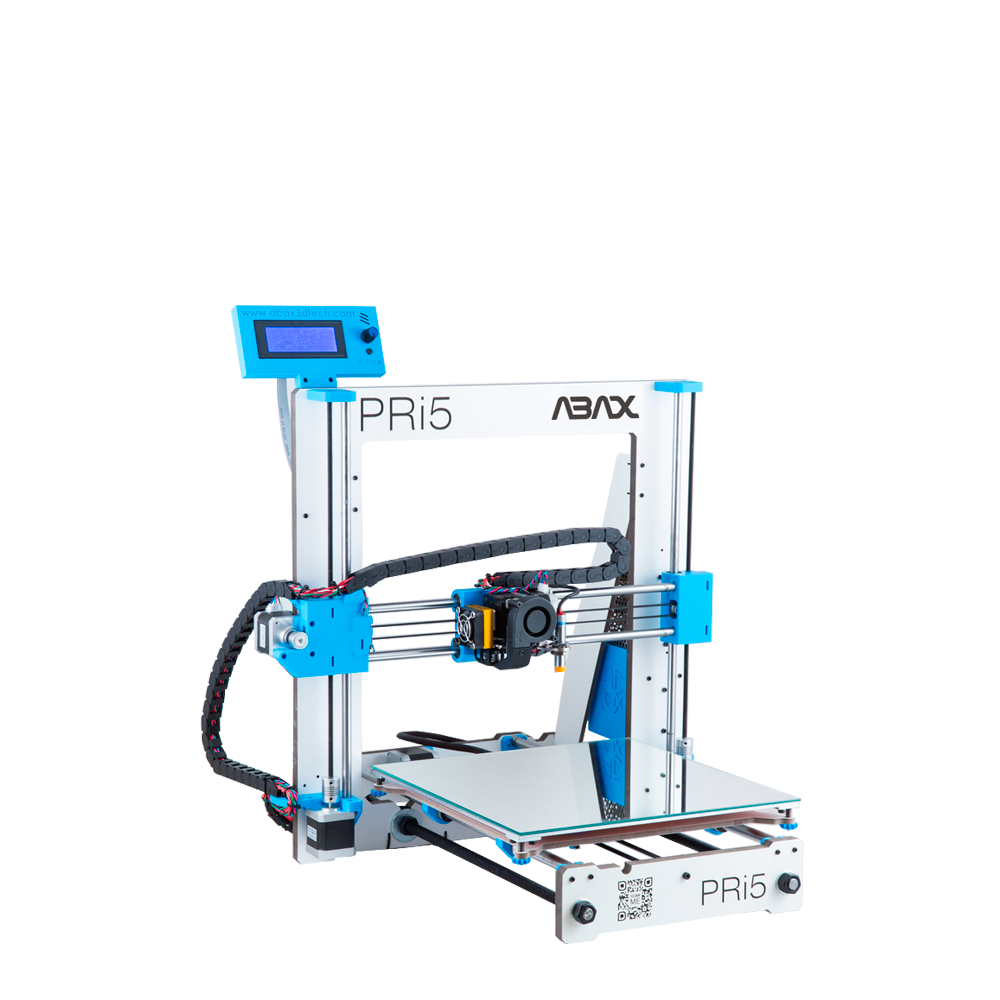
- Impresora 3D Pri 3 y Pri 5 de Abax – Ideal para principiantes
- MEJOR IMPRESORA 3D MÁS BARATA – CREALITY ENDER 3
- MEJOR IMPRESORA 3D DE RESINA MÁS BARATA – CREALITY LD002R UV
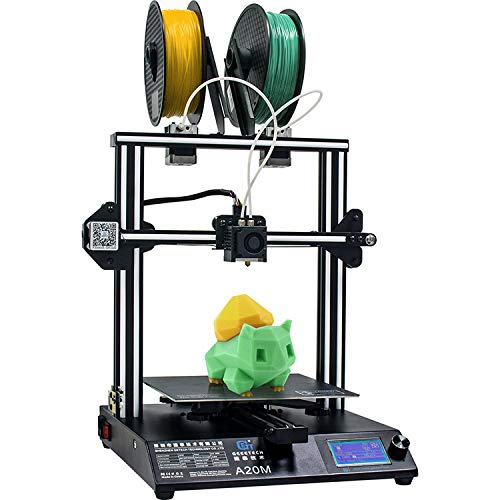
- Mejor Impresora 3D de Doble Extrusor – Geeetech A20M
- Mejor Impresora 3D para Colegios (Educación) – Anycubic 4 Max Pro 2.0
- Mejor Impresora 3D para niños – Flash Forge Finder
- Mejor Impresora 3D de Gran Tamaño – Anycubic Chiron
- La mejor impresora 3D 2022 – Ultimaker S5
¿Qué tengo que tener en cuenta antes de comprar una Impresora 3D?
Tienes que tener en cuenta varios factores antes de comprar una Impresora 3D: el primero, el tipo de uso que le vas a dar, lo segundo el presupuesto y tercero, el tipo de impresora que quieres.
El presupuesto es vital, a cuanto más dinero inviertas mayor calidad de impresión y durabilidad. Por eso te mostraremos las Impresoras 3D más baratas y económicas tanto las más caras.
En el artículo anterior te explicamos los tipos de Impresora 3D. Échale un vistazo para recordar más detalles.
Difirentes tipos o posibles usos de Impreroas 3D
- La quieres para niñ@s o principiantes.
- Quieres una Impresora 3D barata y apañada para ir probando
- A lo mejor, quieres de un tipo de diseño o estructura, de Filamentos (FDM), de material de Resina (SLA) o Tipo Delta.
- Para empresa o impresión a gran escala, tipo Impresora 3D profesional
- O simplemente quieres imprimir en varios colores a la vez, con una impresora de doble extrusor.
Por eso, te vamos aconsejar en relación a los tres tipos de usuarios que hay dentro del mundo de la impresión 3d. El principiante, el avanzado y el experto.
Para principiantes, si te gusta la impresión 3d y quieres iniciarte sin romperte mucho la cabeza y gastarte mucho presupuesto, te recomendamos que te inicies por la Creality Ender 3, porque es considerada la mejor Impresora 3D más económica y fiable por menos de 200 €. Otra opción para principiantes, sería la Ceality LD 002r, como una de las mejores impresoras 3D de resina más baratas, con un precio similar al anterior.
Para usuarios usuarios intermedios, ya sea porque entiendas un poco o quieras ir directamente más al detalle. Entonces te recomendamos la Geeetech A 20M, como la mejor impresora 3D con doble extrusor y con un excelente rendimiento. Con una alta calidad precio bastante aceptable por menos de 450 €.
Por último, si te consideras un usuario experto o trabajas a nivel profesional como empresa de impresión 3D, te podemos recomendar la Anycubic Chiron, considerada la mejor impresora 3D de gran tamaño, con la que podrás imprimir objetos gigantes a un buen precio/calidad de mercado.
Para terminar, la guinda del pastel que toda empresa busca, desea o le gustaría tener trabajando para ella. La Ultimaker 3 o la S5, considerada la mejor impresora 3d del año 2020 y por lo tanto todavía del año 2022. Capaz de funcionar las 24h y con una tecnología de detención de fallos que, con su precio y calidad la convierten en una de las mejores.
Si todavía tienes dudas o quieres saber más, te dejamos nuestro Top 7 de las mejores Impresoras 3D 2022al detalle con los mejores videos y reseñas realizadas por los propios usuarios:
Impresora 3D Pri 3 y Pri 5 de Abax – Ideal para principiantes
De la Mano de la empresa madrileña de Abax, te presentamos las mejores impresoras 3D para uso personal y principiantes del momento. De fabricación propia de la misma casa. Abax nos trae dos de las impresoras 3D más punteras en ingeniería española del momento. Ambas impresoras presentan detalles que no pasan desapercibidas. ¿Empezamos?
Dos de sus puntos fuertes se encuentran en los Husillos ubicados en la base de la estructura de la impresora, que están conformados para evitar holguras y para redirigir de forma lineal los rodamientos de la propia estructura. Esto te evitará tener que estar apretando tornillos cada dos por tres. Y lo mejor de todo, te bríndará una precisión de nivel profesional.
Otro factor cable, es su auto nivelación de ajuste automático con respecto a la base de la cama y la boquilla de impresión. Esto es posible gracias al firmware de creación propia de Abax.
Cuenta con una estructura rígida y estable que te proporcionará una experiencia de impresión más que precisa. El Hotend te permitirá llegar a temperaturas de 265° (aunque siempre recomendamos evitar llegar al máximo). El extrusor potente también es creación propia de la casa.
La pantalla LCD de bastante calidad te permitirá usar su interfaz de navegación con claridad, con el que podrás conectar tus archivos vía USB o con tarjetas SD. Además tiene una base a modo de cama caliente que tiene una fijación por imanes, lo nunca visto antes desde luego, que te permitirá extraerla para limpiarla o manipularla sin problemas. Se base de la cama se calienta a 100° en 90 segundos. ¿Algo más?
Pues sí, con estas dos impresoras 3D podrás realizar impresiones FDM de una alta calidad y precisión con la que podrás elegir diferentes modelos de impresoras 3D. Ya sea la Pri 3 o la Pri 5, que varían únicamente en el volumen de impresión y tamaño. También podrás solicitar el color de la impresora, si la quieres en Blanco-Azul, Blanco-Naranja o Blanco-Rojo. Si la quieres montada y calibrada o la quieres recibir y montar tu misma a lo DIY y disfrutar mejor de la experiencia si eres un apasionado de verdad.
Cabe destacar que aunque sea una impresora más bien orientada para uso personal, también se podría utilizar sin ningún problema para uso profesional por las altas calidades a nivel de detalle que presenta.
Lo mejor de todo, como no podía ser de otra manera, lo dejamos para el final. Y es que una vez adquieras una impresora 3D de esta categoría de la empresa de Abax, te aseguras un servicio técnico de atención al usuario de calidad, es decir, un acompañamiento de 360° como lo llaman ellos, en el que te podrán asesorar, estar a tu disposición en caso de de dudas o ante cualquier problema técnico de impresión. Ellos estarán ahí en cualquier momento para ti.
Cuentan con más de 30 años de experiencia en el sector y una de mis cosas favoritas, una granja de 40 impresoras 3D a tu disposición. Además ofrecen unos servicios de impresión 3D y consultoría en impresión 3D por si quieres informarte más
Carácteristicas técnicas de Pri 3
- Resolución mínima: 300 µm
- Resolución máxima: 50 µm
- Nº de extrusores: 1 con posibilidad de un segundo extrusor
- Volumen de impresión: 230 x 230 x 200 mm
- Materiales compatibles: PLA, PETG, PETG-CF, TPU, PVA, PP, HIPS.
- Formato de archivo compatible: *.gcode
- Peso de la impresora: 7,2 kg
- Impresión por: tarjeta SD y USB

Carácteristicas técnicas de Pri 5
- Resolución mínima: 300 µm
- Resolución máxima: 50 µm
- Nº de extrusores: 1 con posibilidad de un 2 extrusor
- Volumen de impresión: 310 x 310 x 300 mm
- Materiales compatibles: PLA, PETG, PETG-CF, TPU, PVA, PP, HIPS
- Formato de archivo compatible: *.gcode
- Peso de la impresora: 10,2 kg
- Impresión por: vía tarjeta SD y USB

Video Reseña de PRI3
Video Reseña de PRI5
- Gran calidad/precio
- Opciones avanzadas para su categoría
- Buena Impresora 3D de uso personal y profesional
- Excelente servicio técnico
- Complicada si no entiendes de impresoras 3D y la quieres montar tu mismo (no recomendado)
- Extrusor difícil de manejar y acceder (debido a que está cubierto y protegido)
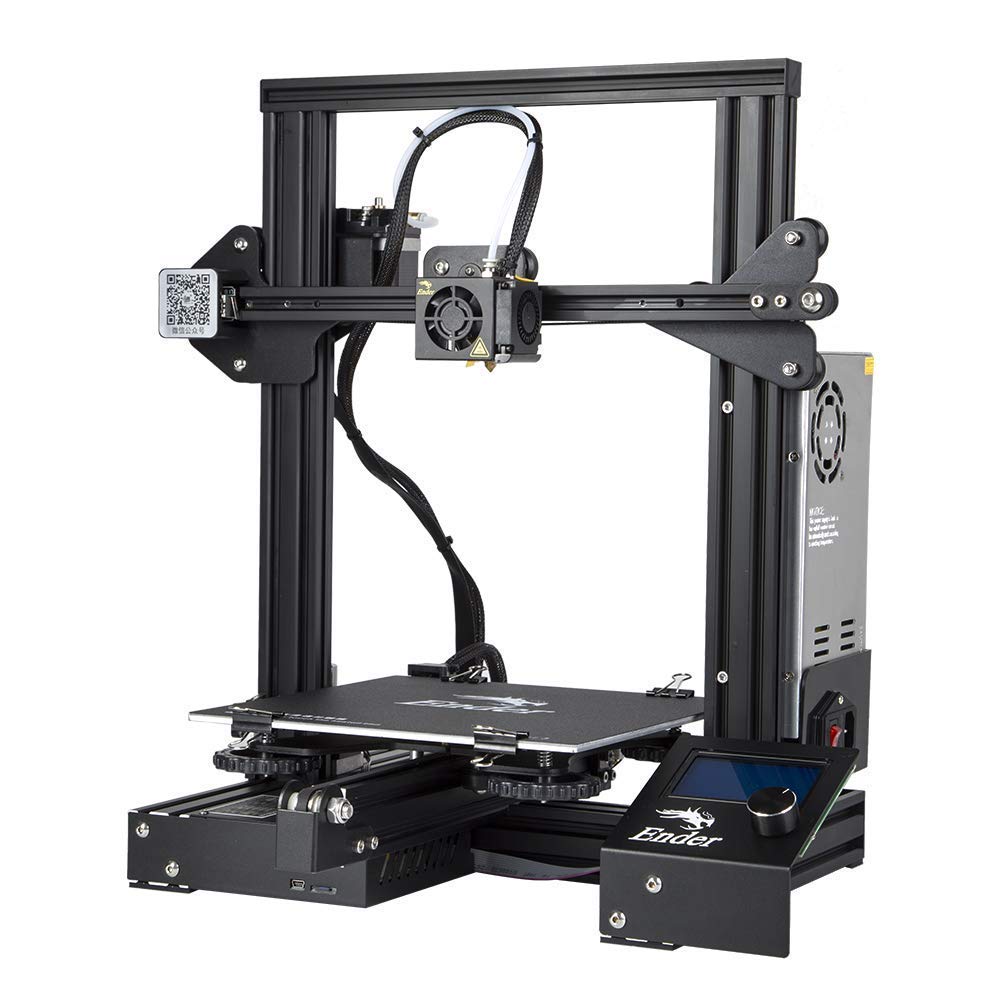
MEJOR IMPRESORA 3D MÁS BARATA – CREALITY ENDER 3


Cabe resaltar el extrusor de buena calidad, característico de la gama Creality, que disminuirá en gran medida el peligro de obstrucciones y mala extrusión, aspecto elemental para que la impresión tenga buena calidad. La cama caliente coge su temperatura casi al momento de impresión. A demás tiene la alternativa de reanudar la impresión en caso de corte de energía.
La interfaz de usuario es bastante fácil de calibrar, siendo capaz de imprimir a velocidades bastante altas sin demasiada dificultad (60-70 mm/s) y dejándonos una buena área de impresión para futuros proyectos.
Los posibles materiales para la Creality Ender 3 de impresión son: PLA, ABS, TPU y PLA Flexible. La respuesta al PLA es muy buena, pero ¡Ojo! con el ABS porque puede darte problemas de Warping si no tienes cuidado. El volumen de impresión es el habitual en esta gama: 220 x 220 x 250 mm.
El software que dispone la impresora es CURA para Windows, lo tienes para descargar desde la página del software la versión para Mac, aunque también de dejamos otros softwares de interés que podrás usar, como: EasyPrint 3D, RepetierHost, Simplify3D.
Carácteristicas técnicas de la CREALITY ENDER 3
- Altura mínima de capa: 0,1 mm
- Altura máxima de capa: 0.3 mm
- Nº de extrusores: 1
- Volumen de impresión: 220 x 220 x 250 mm
- Velocidad de impresión máxima: 80 [mm/s]
- Materiales compatibles: ABS, PLA y PLA Flexible, TPU.
- Formato de archivo compatible: STL, G-Code, OBJ
- Peso de la impresora: 7,8 kg
- Voltaje útil: 24 V
- Impresión por tarjeta SD: Si
- Gran calidad/precio
- Lista para su impresión en poco tiempo
- Mejor Impresora 3D más económica
- Excelente organización de cableado y cajetín electrónico
- Bobina de filamento en la parte superior propensa a vibraciones
- Extrusor difícil de manejar y acceder
- Recomendación de Teflón por PTFE
VIDEO RESEÑA Y COMPARATIVA DE LA CREALITY ENDER 3
MEJOR IMPRESORA 3D DE RESINA MÁS BARATA – CREALITY LD002R UV


En el Top 6 nos encontramos con una de las mejores Impresoras 3D de Resina o SLA más baratas del mercado, es ideal para usuarios que quieran iniciarse con una impresora 3d de resina. Considerada una de las mejores valoradas en cuanto a impresoras 3D de resina por su estructura mecanizada, con un sistema de sujeción y nivelación ajustable en 2 ejes con un par de tornillos, en comparación con otras como la ELegoo Mars o la Anycubic Photon que cuentan con un eje más fino, dándole a la Creality LD002R más fuerza y robustez.
Cuenta con la cama de la superficie escamada para mejorar la adherencia, calidad de impresión 3d 2k y una doble ventilación en la superficie de atrás interna, para ayudar a eliminar los olores que se desprenden de la impresión, con una bolsa de carbón activado.
Cuenta con un tipo de tecnología llamado Sistema de Alisamiento o Anti-alising que te permitirá una impresión de mayor calidad sin dejar rastros de pixeles o capa, facilitando la reducción de los bordes. Convirtiéndolo en uno de los mejores sistemas en corrección al detalle y preciso, incluso con trabajos complejos.
En cuanto a la interfaz de usuario es fácil de usar gracias a su mejora en alta resolución y UI de impresión en tiempo real. 3.5” de pantalla táctil.
Rápida de calibrar y usar, con un sistema fácil y rápido de nivelación. Te mostraremos un video muy intuitivo de la casa Creality que se lo mostrarán fácilmente.
A TENER EN CUENTA CON LA CREALITY LD 002R
Las piezas de impresión en Resina tendrás que limpiarlas una vez fabricadas, te recomendamos que lo hagas con agua o alcohol isopropílico (según fabricante de Resina) y después las seques a los rayos ultravioleta del sol.
Como opción a su limpieza de creación de objetos te podemos recomendar el sistema de lavado que ha fabricado Anycubic, llamado Wash and Cure que te hará todo el trabajo mencionado anteriormente.
CARÁCTERISTICAS TÉNICAS DE LA CREALITY LD002R UV
- Altura de la capa: 0.02-0.05 mm
- Volumen de impresión: 20-30 mm/h
- Velocidad de impresión máxima: 4s/capa
- Materiales compatibles: Resina fotosensible
- Formato de archivo compatible: STL/CTB
- Peso de la impresora: 7Kg
- Conectividad: USB

- Pantalla 5.5” LCD 2K
- Tecnología Anti-Asiling
- Bastante rápida la nivelación y la impresión para su precio
- Precisión de 0.01-0.05 mm
- No incluye resina
- Filtro bien pero mejorable
VIDEO RESEÑA Y COMPARATIVA DE CREALITY LD002R UV
Mejor Impresora 3D de Doble Extrusor – Geeetech A20M

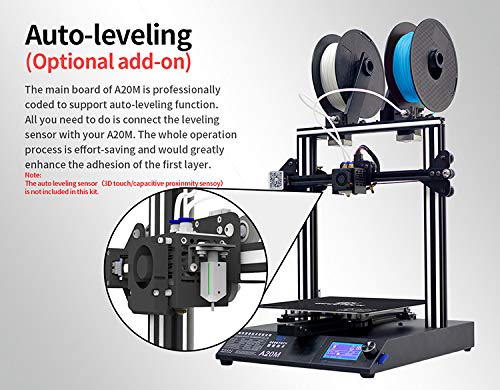

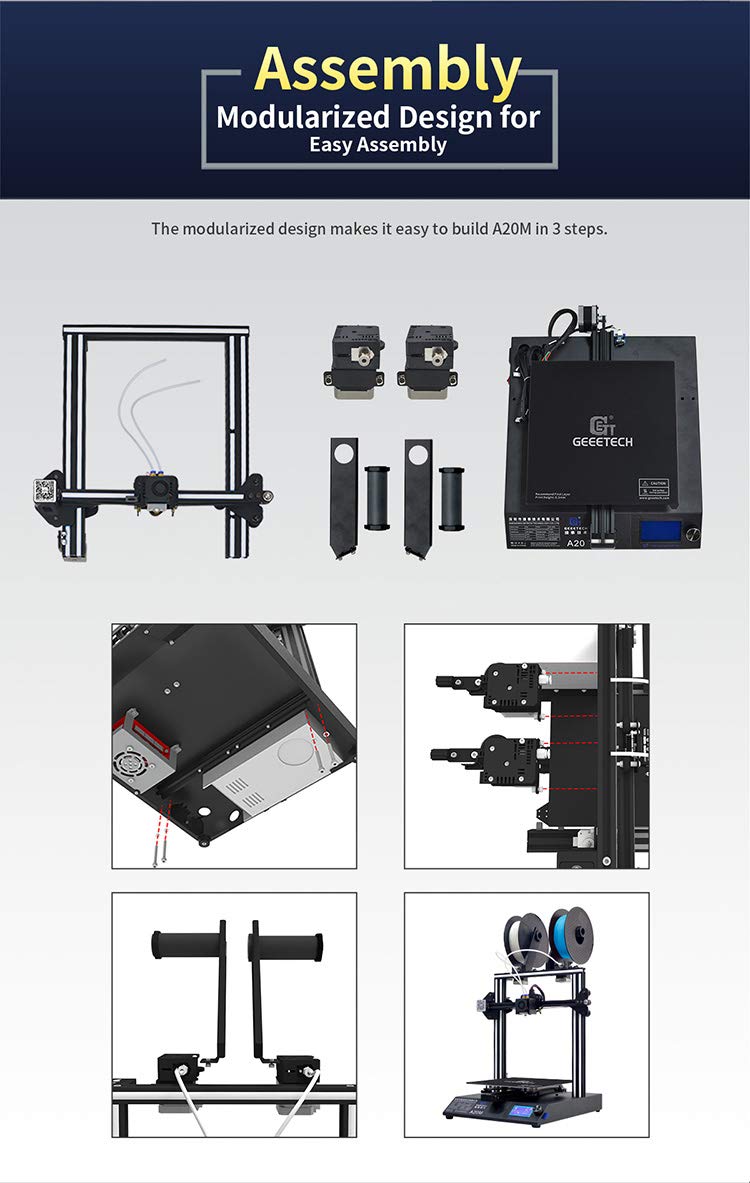
En el Top 5, la Geeetech A20M, una de las mejores del mercado en calidad precio por su doble extrusor, con la que podrás realizar creaciones con buenos acabados, de dos colores y la mezcla creada por ambos. Cuenta con el sistema multiextrusión, un cabezal y dos extrusores lo que te facilitará mejor ajuste de nivelación de la cama caliente.Con mayor volumen de impresión 255 x 255 x 255 mm, supera su antecesora, la Geeetech A10M, mejorada y con un precio más elevado en torno a 450 € aproximadamente.
Si tienes experiencia en otras impresoras 3d de filamentos y quieres avanzar como maker, te recomendamos que te la compres pero si aún no has tocado nada de esto, mejor que te compres una de filamentos como la Creality Ender 3. Ya que esta impresora te podrá resultar un poco más complicada de usar y calibrar.
Compuesta con un marco de aluminio en su diseño, en la que la base está bien planteada y organizada a nivel interno/eléctrico y su montaje es bastante rápido y fácil. Cuenta con la ventaja de tener drivers externos lo que te facilitará la hora de tener que hacerles las actualizaciones que quieras, además de silenciarla sin tener que cambiar la placa base.
La doble extrusión que dispone te proporcionará diseños en dos colores. Tendrás que tener en cuenta, que al tener las dos bobinas en la parte superior, perderá algo de estabilidad por eso te recomendamos un fijación lateral o superior con cualquier artilugio casero que te tengas por casa, como unas pinzas, para poder darle una mayor sujeción.
Por último, cuenta con la función reanudar impresión por si se te corta la luz en algún momento, la cual continuará por donde se paró. Y unos sensores de final de filamentos para ambos extrusores que te avisarán para cambiar las bobinas. La cama caliente se calienta y prepara bastante rápido gracias a sus 24 voltios.
CARÁCTERISTICAS TÉNICAS DE LA GEEETECH A20M
- Altura de la capa: 0.1 mm
- Volumen de impresión: 255 x 255 x 255 mm
- Velocidad de impresión máxima: 80 mm/s
- Materiales compatibles: ABS, PLA, PETG, TPU y otros
- Peso de la impresora: 8,8 kg
- Conectividad: USB, Tarjeta SD o Wifi

- Gran volumen de impresión
- Mejor impresora de doble extrusor
- Color mixing
- Posibilidad de silenciar con drivers externos
- Desecha parte de los filamentos
- Impresión compleja para principiantes
- Poca estabilidad con las bobinas en la parte superior (CONSEJO: ponerlas en la parte lateral)
VIDEO RESEÑA Y COMPARATIVA DE LA GEEETECH A20M
Mejor Impresora 3D para Colegios (Educación) – Anycubic 4 Max Pro 2.0
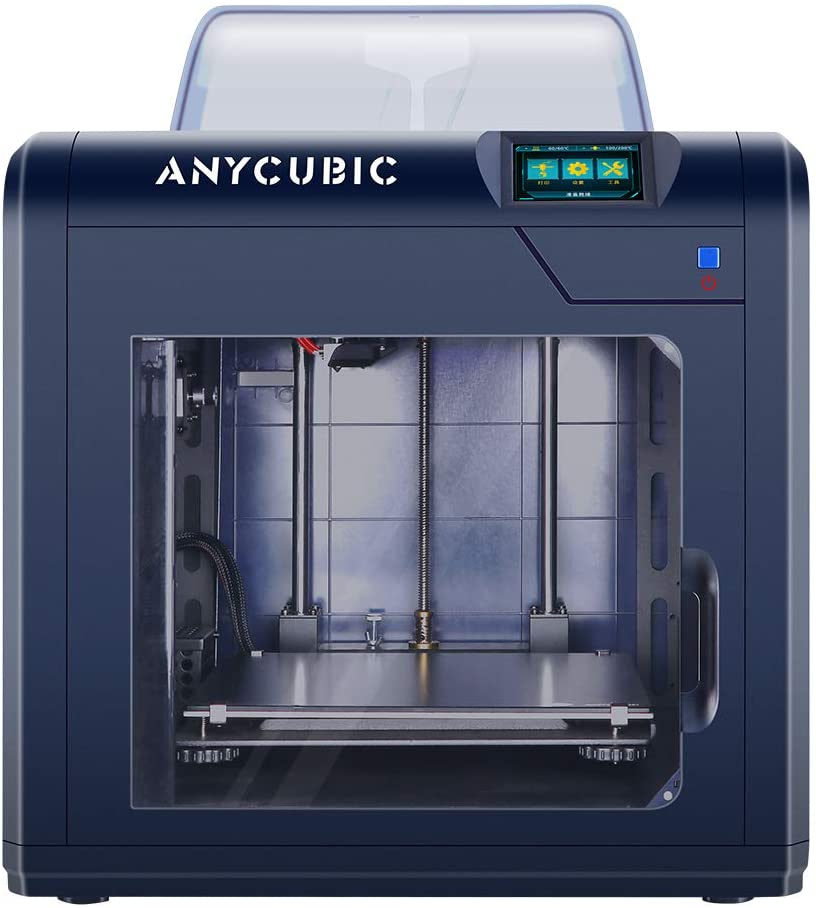


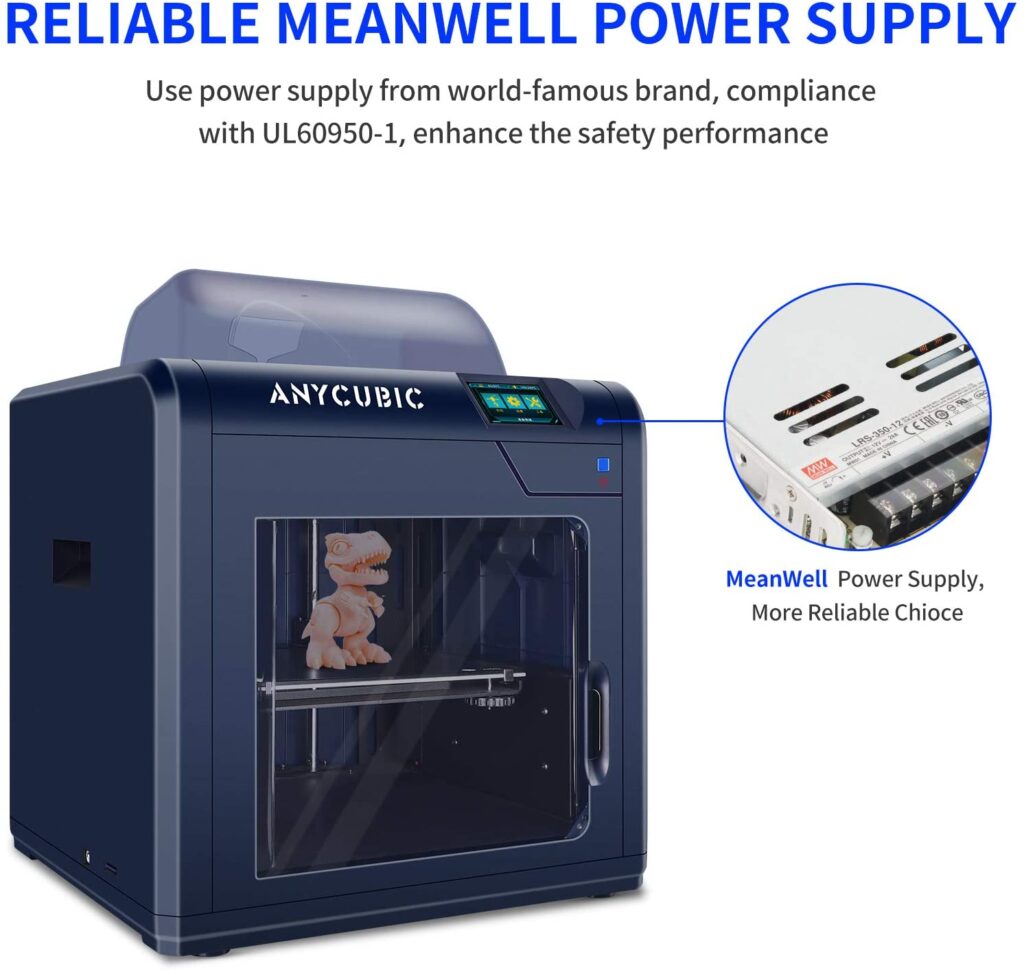
En el Top 4 tenemos a la Anycubic 4 Max Pro, considerada una de las mejores impresoras cerradas para todos los usuarios por su cantidad de características y ventajas. Tanto su diseño como su funcionalidad más bien educativa, silenciosa y segura la convierten en una Impresora 3D ideal para niños también y fácil de manipular, perfecta para colegios o cursos de iniciación en impresión 3D.
Ya que a día de hoy la robótica empieza a ganar fuerza a nivel escolar en muchos centros educativos, cada vez tendrá más y más protagonismo tanto en universidades como en colegios e institutos.
Cuenta con un solo extrusor y diseñada para imprimir filamentos o FDM con una medida de 1.75 mm. Con una temperatura de cama caliente de 100ºC y estructura cerrada, le permite una reducción del calor. La temperatura de la boquilla suele oscilar entre 250º/260ºC.
Cuenta con un volumen de impresión pese a ser una impresora de 270 mm x 205 mm x 205 mm, bastante buena para tratarse de una impresora cerrada. Con una buena velocidad de impresión de 20 a 80 mm por segundo (consejo: ajustarla a 50 mm/s).
Compatible con diversos programas software como: Repetier-host, Cura o Simplify 3D. Una pantalla táctil te facilitará las características de calibración y navegación de la impresora, así como, también te avisará cuando el filamento se vaya acabar como el sensor de detección de filamento y poder reanudarla donde la dejaste.
Los principales materiales para esta impresora serían: PLA, ABS, PETG, HIPS o el estilo LayWoo-D3 de madera.
Si lo que estás buscando es una maquina para tu asignatura de robótica o clases de iniciación en 3D, tanto como si eres un principiante/ niñ@, te recomendamos sin duda la Anycubic 4 Max Pro por su fácil manejo, manipulación y seguridad, sin olvidarnos de la calidad que es bastante aceptable.
CARÁCTERISTICAS TÉNICAS DE LA ANYCUBIC 4 MAX PRO 2.0
- Altura de la capa: 0.05-0.3 mm
- Volumen de impresión: 270 mm x 205 mm x 205
- Velocidad de impresión máxima: 20 ~ 80 mm / s (sugerido 50 mm / s)
- Materiales compatibles: PLA, ABS, PETG, HIPS o laywood
- Formato de archivo compatible: Repetier-host, Cura o Simplify 3D
- Peso de la impresora: 23kg
- Conectividad: USB, Tarjeta SD

- Fácil manejo
- Buena seguridad por su diseño cerrado
- Buena calidad precio
- Segura y silenciosa
- Detención de filamento con aviso y fácil reanudación
- Diversidad de materiales para su uso
- Lentitud de impresión
VIDEO RESEÑA Y COMPARATIVA DE ANYCUBIC 4 MAX PRO 2.0
Mejor Impresora 3D para niños – Flash Forge Finder


En el top 4, podemos hablar sin duda de la que sería la mejor impresora 3D para principiantes/niñ@s del momento, la FlashForge Finder. Si la anterior te pareció buena, esta te va a encantar, por su diseño, utilidad bastante fácil e intuitiva para todos los usuarios y silenciosa en el momento de impresión. La convierten en una de las mejores impresoras 3D ideales para los más pequeñ@s o escuelas donde den clases de impresión 3D o robótica.
Cuenta con un volumen de impresión bajo de 140 x 140 x 140 mm, pero para los niñ@s o principiantes está bastante bien. Con conectividad wifi, sin cables, ni necesidad de introducir una memoria USB externa. Facilitándote la impresión más fácil del mundo con una pantalla táctil de 3.5 “y 16 idiomas de configuración. Si a esto le sumamos que es bastante compacta con un diseño cuadrado con los bordes pulidos para mayor protección la convierten en una impresora 3D bastante segura.
La interfaz de impresión es muy intuitiva, incluso con una aplicación propia para poder enviar archivos directamente desde el móvil y ponerla a funcionar rápidamente (Plug and Play), algo que te facilitará la vida sin complicaciones de elección de archivos para los diseños ni nada. Coges el archivo y lo mandas a la impresora y listo.
CARÁCTERISTICAS TÉNICAS DE LA FLASH FORGE FINDER
- Altura de la capa: 0.1 mm
- Volumen de impresión: 140x140x140 mm
- Volumen de impresión máxima: 60 mm/s
- Materiales compatibles: Pla
- Formato de archivo compatible: STL, OBJ-> G
- Peso de la impresora: 11kg
- Conectividad: Wifi
- Segura y fiable
- Fácil de usar desde el pc o desde una app
- Ya viene montada
- Sólo compatible con material Pla
- Es grande como para moverla un niñ@
VIDEO RESEÑA Y COMPARATIVA DE LA FLASH FORGE FINDER
Mejor Impresora 3D de Gran Tamaño – Anycubic Chiron

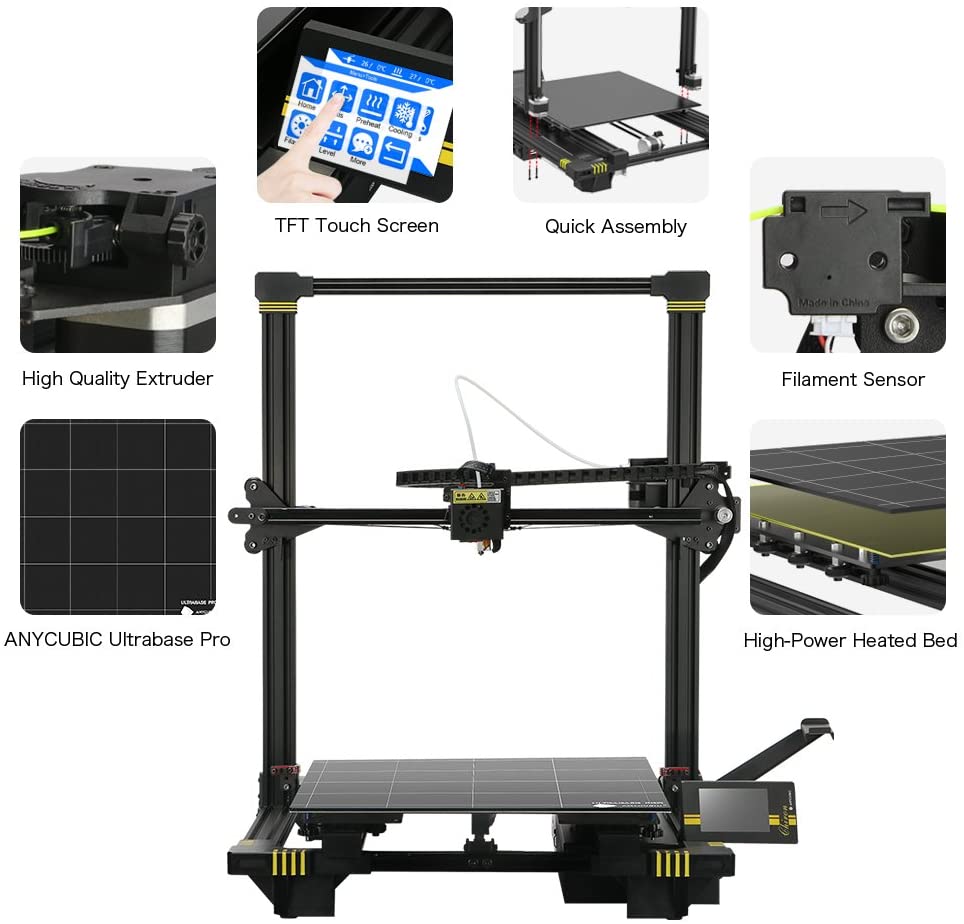


En el top 2 nos encontramos con la mejor impresora de gran tamaño Anycubic Chiron, considerada de las mejores por su excelente calidad de impresión y gran tamaño. La impresora Anycubic Chiron podrás imprimir cosas gigantes a muy buen precio y una calidad asombrosa. Existen impresoras más grandes y mejores obviamente, pero esta la supera en calidad/precio.
Presenta una composición bastante optima con una estructura robusta, sólida y estable, un dato muy importante para impresoras 3D de estás características. La convierte en una impresora 3D de fácil uso y con una buena durabilidad. 5 – 10 min. para ponerla en marcha una vez montada.
La Anycubic Chiron cuenta con un sistema de auto nivelación bastante preciso pero un poco lento. Tiene partes que tendrás que ajustar y calibrar tu mismo desde la pantalla táctil. Dispone de sistema de detención por falta de filamento, así como de reanudación bastante eficaz para poder continuarla donde la dejaste. (Dato importante por que te facilitará la vida, puesto que realiza impresiones grandes, que puedas pararla, reponer material, todo eso viene bastante bien)
Viene prácticamente pre ensamblada, lo que podrás terminar de montar tu mismo en unos 20-30 min. Sin olvidarnos de que incorpora un sistema de extrusor Bowden con suficiente fuerza de empuje, y esto, unido a que alcanza una temperatura del extrusor de 260 ºC permitiendo que se pueda imprimir material flexible del tipo TPU.
CARÁCTERISTICAS TÉNICAS DE ANYCUBIC CHIRON
- Altura de la capa: 0.1 mm
- Volumen de impresión máxima: 400 x 400 x 450 mm
- Materiales compatibles: ABS, PLA, PETG y TPU
- Formato de archivo compatible: Solo Software
- Peso de la impresora: 9.3 kg
- Conectividad: USB, Tarjeta Micro-SD
- Facil de manipular y calibrar
- Gran tamaño de impresión y buena calidad
- Autonivelación bastante precisa
- Imprime material TPU o flexible
- Bastante espaciosa y Ruidosa
- Lenta por su volumen de impresión
VIDEO RESEÑA Y COMPARATIVA DE LA ANYCUBIC CHIRON
La mejor impresora 3D 2022 – Ultimaker S5
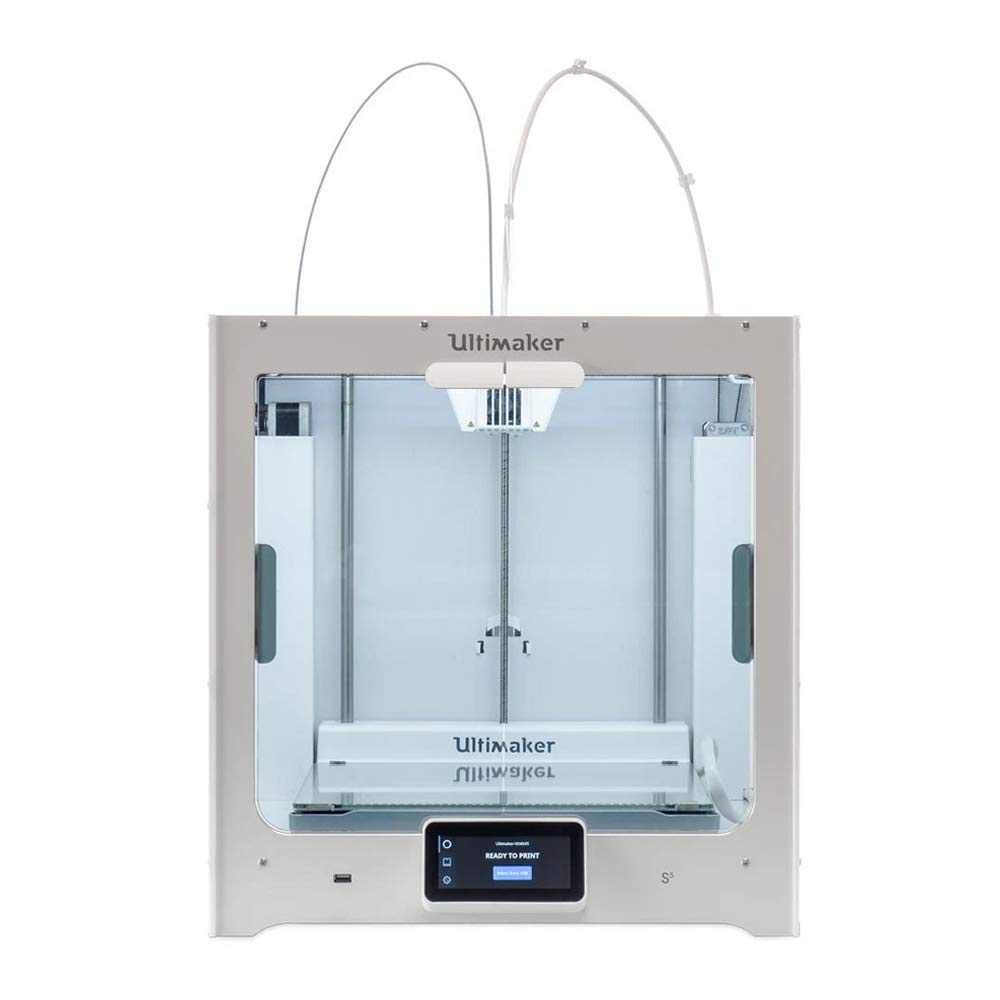


En el Top 1 no podría ser de otra manera, te presentamos la mejor de las mejores Impresoras 3D del mercado, la Ultimaker S5. Se considera una de las mejores impresoras porque representa una profesionalidad, buen ritmo de impresión, buena calidad precio, y en unas características inteligentes inigualables que, impresoras por el doble de precio, no le hacen sombra. Es una Impresora 3D profesional, su precio ronda entre los 3500 €.
Por eso y por más cosas también se convierte en la impresora 3D profesional más barata del mercado.
Principalmente, esta impresora esta dirigida para usuarios con altos conocimientos en impresión 3D. Cuenta con un sistema de detención de fallos inteligente fuera de serie, así como un alto nivel de calidad/detalle de impresión.
Se le considera también una de las mejores impresoras de filamentos, por tener una tecnología excelente con un sistema de auto nivelación propio, doble extrusor independiente, y un sistema de cambio de boquillas rápido de cambiar y manipular, para poder usar diferentes materiales sin problema. Aun así, para muchos es bastante cara.
Cuenta con un sistema de Plug and Play listo para su impresión inmediata, así como, la posibilidad de estar funcionando las 24 horas los 365 días del año. Conocida por la creación del programa muy conocido, Cura Ultimaker.
Si lo tuyo es la impresión de calidad, profesional, a buen ritmo, con una excelente calidad en los acabados de los diseños. Esta es tu impresora 3d profesional más barata y completa del mercado.
CARÁCTERISTICAS TÉNICAS DE ULTIMAKER S5
- Altura de la capa: 0.020 mm
- Volumen de impresión: 215 x 215 x 200 mm
- Volumen de impresión máxima: 120 mm/s
- Materiales compatibles: ABS, PLA, HIPS, PVA, PETG y Nylon
- Peso de la impresora: 10,6 kg
- Conectividad: USB, Wifi y Ethernet

- Extrusor doble de gran calidad
- Conexión Wifi con el laminador cura
- Mejor Impresora 3D inteligente
- Imprime material TPU o flexible
- Bastante cara
VIDEO RESEÑA Y COMPARATIVA DE LA ULTIMAKER S5
TABLA COMPARATIVA Y CARÁCTERISTICAS TÉCNICAS DEL TOP 7 MEJORES IMPRESORAS 3D 2022
*Nota para usuarios de móvil: puedes hacer scroll hacia los lados con el dedo.*
|
Volumen de impresión | Posibles materiales | Conectividad | Peso | Tamaño | Resolución de capa mínima | Velocidad Máxima de impresión | ||
| CREALITY ENDER 3 | 220 x 220 x 250 mm | PLA, ABS, TPU y PLA Flexible | USB, Tarjeta SD | 8,6 kg | 440 x 410 x 465 mm | 0,01 mm | 70 mm / h | |
|
CREALITY LD002R UV | 119 x 65 x 160 mm | SLA, resina | USB, Tarjeta SD | 7 kg | 54,7 x 29,6 x 29 centímetros | 0,01 mm | 20-30 mm / h | |
| GEEETECH A20M | 255 x 255 x 255 mm | ABS, PLA, PTG, TPU y otros | WIFI, Tarjeta SD, USB | 8,8kg | 442x447x480 mm | 0,1 mm | 80 mm / s | |
| ANYCUBIC 4 MAX PRO | 270 x 205 x 205 mm | PLAN, ABS, PETG, HIPS o laywood | USB, Tarjeta SD | 23 kg | 454 × 466 × 410 mm | 0,05-0,3 mm | 20 – 80 mm / s (sugerido 50 mm / s) | |
| FLASHFORGE FINDER | 140x140x140 mm | Pla | Wifi y Micro-USB | 11kg | 53,5 x 50,5 x 50 cm | 0,1 mm | 60 mm / s | |
| ANYCUBIC CHIRON | 400x400x450 mm | ABS, PLA, PETG y TPU | USB, Tarjeta Micro-SD | 9,3 kg | 74,42 x 66,29 x 26,42 cm | 0,1 mm | 80 mm/s | |
| ULTIMAKER S5 | 215 x 215 x 200 mm | ABS, PLA, HIPS, PVA, PETG, Nylon y otros | USB, Wifi y Ethernet | 10,6 kilogramos | 34,2 x 38,9 x 38 cm | 0,020 mm | 120 mm/s |