
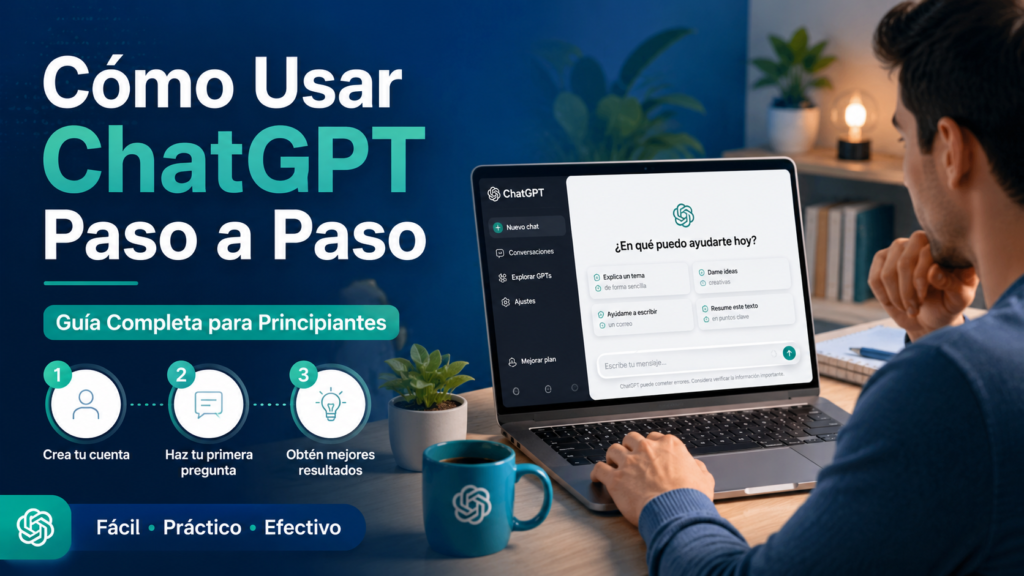
- Cómo Usar ChatGPT Paso a Paso
- ¿Qué es ChatGPT?
- ¿Para qué sirve ChatGPT?
- Cómo empezar a usar ChatGPT
- El secreto para usar bien ChatGPT: los prompts
- Regla básica para crear mejores prompts
- Fórmula sencilla para escribir prompts efectivos
- Cómo usar ChatGPT para estudiar
- Cómo usar ChatGPT para trabajar
- Cómo usar ChatGPT para crear contenido
- Cómo usar ChatGPT para aprender nuevas habilidades
- Cómo usar ChatGPT para programar
- Errores que debes evitar al usar ChatGPT
- Prompts avanzados para ChatGPT
- Cómo sacar el máximo partido a ChatGPT
- Conclusión
- Sigue aprendiendo sobre Inteligencia Artificial
- Preguntas frecuentes sobre cómo usar ChatGPT
Cómo Usar ChatGPT Paso a Paso
ChatGPT se ha convertido en una de las herramientas de inteligencia artificial más populares del mundo.
Millones de personas lo utilizan diariamente para estudiar, trabajar, programar, investigar, crear contenido o simplemente resolver dudas.
Sin embargo, muchas personas siguen cometiendo el mismo error:
Utilizar ChatGPT como si fuera Google.
Y eso limita enormemente los resultados que pueden obtener.
La verdadera potencia de ChatGPT no está en hacer preguntas simples.
Está en mantener conversaciones, proporcionar contexto y utilizar instrucciones adecuadas para obtener respuestas mucho más útiles.
En esta guía aprenderás:
- Qué es ChatGPT.
- Cómo empezar a utilizarlo.
- Cómo escribir mejores prompts.
- Cómo usar ChatGPT para estudiar.
- Cómo utilizar ChatGPT en el trabajo.
- Errores frecuentes que debes evitar.
- Consejos para obtener respuestas mucho mejores.
Aunque nunca hayas utilizado una inteligencia artificial, al terminar esta guía sabrás cómo aprovechar todo su potencial.
¿Qué es ChatGPT?
ChatGPT es una inteligencia artificial desarrollada por OpenAI capaz de comprender lenguaje natural y generar respuestas similares a las de una conversación humana.
A diferencia de los buscadores tradicionales, ChatGPT no se limita a mostrar enlaces.
Puede:
- Explicar conceptos.
- Resolver problemas.
- Redactar textos.
- Crear ideas.
- Programar.
- Traducir.
- Resumir información.
- Mantener conversaciones.
Por este motivo se ha convertido en una herramienta extremadamente útil para estudiantes, profesionales, empresas y creadores de contenido.
¿Para qué sirve ChatGPT?
Las aplicaciones de ChatGPT son prácticamente ilimitadas.
Actualmente puede utilizarse para:
Estudiar
- Resolver dudas.
- Crear resúmenes.
- Explicar conceptos difíciles.
- Preparar exámenes.
Trabajar
- Redactar correos electrónicos.
- Crear informes.
- Organizar proyectos.
- Generar documentación.
Crear contenido
- Artículos.
- Guiones.
- Publicaciones para redes sociales.
- Descripciones de productos.
Programar
- Generar código.
- Explicar errores.
- Aprender nuevos lenguajes.
- Revisar proyectos.
Mejorar la productividad
- Automatizar tareas.
- Crear listas.
- Organizar información.
- Planificar objetivos.
La clave está en saber comunicarse correctamente con la herramienta.
Cómo empezar a usar ChatGPT
Comenzar a utilizar ChatGPT es mucho más sencillo de lo que muchas personas imaginan.
Paso 1: Crear una cuenta
Accede a la plataforma oficial de ChatGPT y crea una cuenta gratuita.
El proceso apenas lleva unos minutos.
Paso 2: Familiarizarse con la interfaz
Una vez dentro encontrarás una ventana de conversación muy similar a una aplicación de mensajería.
Simplemente escribe una pregunta o instrucción y pulsa enviar.
Paso 3: Empezar con tareas sencillas
Antes de intentar tareas complejas, es recomendable experimentar con solicitudes simples.
Por ejemplo:
- Explícame qué es la inteligencia artificial.
- Resume este texto.
- Ayúdame a organizar mi semana.
- Dame ideas para un artículo.
Esto te permitirá comprender cómo responde el sistema.
El secreto para usar bien ChatGPT: los prompts
La diferencia entre obtener una respuesta mediocre o una respuesta extraordinaria suele depender del prompt.
Un prompt es simplemente la instrucción que escribes a la inteligencia artificial.
Y aquí es donde la mayoría de usuarios falla.
Ejemplo de prompt malo
"Háblame de marketing"La respuesta probablemente será demasiado genérica.
Ejemplo de prompt bueno
Actúa como un experto en marketing digital y explícame las 10 estrategias más efectivas para aumentar el tráfico orgánico de una web de tecnología en 2026.La diferencia en calidad suele ser enorme.
Regla básica para crear mejores prompts
Cuanto más contexto proporciones, mejores resultados obtendrás.
Intenta incluir siempre:
- Objetivo.
- Contexto.
- Audiencia.
- Formato deseado.
- Nivel de profundidad.
Esta simple mejora suele multiplicar la calidad de las respuestas.
Fórmula sencilla para escribir prompts efectivos
Utiliza esta estructura:
Actúa como [rol]

Ayúdame a [objetivo]

Ten en cuenta [contexto]

Entrega el resultado en formato [tabla, lista, guía, etc.]
Por ejemplo:
Actúa como un profesor de inglés.

Ayúdame a mejorar mi nivel de conversación.

Tengo un nivel intermedio.

Corrige mis errores y explícame las correcciones de forma sencilla.
Este tipo de instrucciones suele producir resultados mucho más útiles.
Cómo usar ChatGPT para estudiar
Uno de los usos más populares de ChatGPT es el ámbito educativo. Miles de estudiantes utilizan esta herramienta cada día para comprender conceptos difíciles, resumir información y mejorar su rendimiento académico.
Sin embargo, el verdadero potencial de esta inteligencia artificial para estudiantes no consiste en pedir directamente las respuestas de un examen, sino en utilizarla como un asistente de aprendizaje personalizado.
Por ejemplo, puedes pedirle que explique un tema adaptándose a tu nivel de conocimientos:
Explícame la fotosíntesis como si tuviera 12 años.
O incluso:
Explícame la fotosíntesis con nivel universitario incluyendo fórmulas y ejemplos.
Esta capacidad de adaptación convierte a ChatGPT en una herramienta educativa extremadamente potente.
Además, puede ayudarte a crear:
- Resúmenes de apuntes.
- Esquemas.
- Mapas conceptuales.
- Preguntas tipo test.
- Ejercicios prácticos.
- Planes de estudio.
Por ejemplo, si estás preparando una oposición o un examen universitario, puedes utilizar un prompt como:
Actúa como profesor universitario y crea un examen tipo test de 20 preguntas sobre la Revolución Industrial con sus respuestas explicadas.
De esta forma no sólo estudias teoría, sino que también practicas de forma activa.
Otro uso muy interesante consiste en utilizar ChatGPT para aprender idiomas.
Puedes mantener conversaciones en inglés, francés o cualquier otro idioma, solicitar correcciones y practicar situaciones reales de comunicación.
Esto convierte a la herramienta en una especie de profesor particular disponible las 24 horas del día.
Por este motivo, muchas personas consideran actualmente que ChatGPT es una de las mejores herramientas de IA para estudiantes.
Cómo usar ChatGPT para trabajar
Las aplicaciones profesionales de ChatGPT son prácticamente ilimitadas.
Tanto si trabajas por cuenta ajena como si eres autónomo o emprendedor, esta herramienta puede ayudarte a ahorrar una enorme cantidad de tiempo.
Uno de los errores más frecuentes consiste en pensar que ChatGPT sólo sirve para escribir textos.
La realidad es muy diferente.
Actualmente puede ayudarte a:
- Redactar correos electrónicos.
- Crear informes.
- Preparar reuniones.
- Analizar información.
- Generar ideas de negocio.
- Elaborar presentaciones.
- Organizar proyectos.
- Automatizar tareas repetitivas.
Por ejemplo, imagina que necesitas redactar un correo profesional.
En lugar de escribir:
Escribe un email.
podrías utilizar:
Actúa como director comercial.

Redacta un correo profesional para un cliente potencial interesado en servicios de marketing digital.

El tono debe ser cercano pero profesional.
La calidad del resultado será mucho mayor.
Otra aplicación especialmente útil consiste en utilizar ChatGPT como asistente para la toma de decisiones.
Puedes proporcionarle información sobre un proyecto, un producto o una estrategia y solicitar análisis, ventajas, inconvenientes o propuestas de mejora.
Esto no significa que debas aceptar automáticamente todo lo que responda la IA, pero sí puede ayudarte a identificar perspectivas que quizá no habías considerado.
Por este motivo cada vez más profesionales utilizan ChatGPT para trabajar, mejorar su productividad y optimizar procesos.
Cómo usar ChatGPT para crear contenido
La creación de contenido es probablemente una de las áreas donde ChatGPT ha tenido mayor impacto.
Actualmente millones de creadores utilizan esta herramienta para generar ideas, estructurar contenidos y acelerar procesos de redacción.
Sin embargo, existe una diferencia importante entre utilizar ChatGPT para crear contenido mediocre y utilizarlo para producir contenido realmente útil.
La clave está en proporcionar contexto.
Por ejemplo, en lugar de escribir:
Hazme un artículo sobre drones.
sería mucho más eficaz utilizar:
Actúa como experto en tecnología y SEO.

Escribe una guía completa sobre drones para principiantes.

Incluye ventajas, tipos de drones, consejos de compra y preguntas frecuentes.

La audiencia son usuarios sin conocimientos técnicos.
Cuanto más específica sea la instrucción, mejor será el resultado.
Además, ChatGPT puede ayudarte en tareas como:
- Investigación de temas.
- Generación de títulos.
- Ideas para YouTube.
- Publicaciones para redes sociales.
- Descripciones de productos.
- Estrategias de contenidos.
- Calendarios editoriales.
Por este motivo se ha convertido en una de las herramientas favoritas de bloggers, redactores, community managers y especialistas en marketing digital.
Lo importante es recordar que la IA debe actuar como apoyo al proceso creativo y no como sustituto completo del criterio humano.
Los mejores resultados suelen obtenerse combinando la velocidad de la inteligencia artificial con la experiencia y conocimientos del usuario.
Cómo usar ChatGPT para aprender nuevas habilidades
Una de las aplicaciones más interesantes de ChatGPT consiste en utilizarlo como mentor de aprendizaje.
Tradicionalmente, aprender una nueva habilidad requería buscar información en múltiples fuentes, organizar recursos y diseñar un plan de estudio.
Hoy en día puedes utilizar la inteligencia artificial para acelerar enormemente ese proceso.
Por ejemplo, si quieres aprender:
- Programación.
- Marketing digital.
- Diseño gráfico.
- SEO.
- Fotografía.
- Inglés.
- Inversiones.
Puedes pedir a ChatGPT que actúe como profesor especializado.
Un ejemplo de prompt sería:
Actúa como profesor experto en SEO.

Diseña un plan de aprendizaje de 30 días para una persona sin conocimientos previos.

Divide el contenido por semanas e incluye ejercicios prácticos.
La respuesta será mucho más útil que una simple búsqueda en Google.
Además, puedes solicitar:
- Ejercicios prácticos.
- Casos reales.
- Evaluaciones.
- Resúmenes.
- Simulaciones.
Esto convierte a ChatGPT en una herramienta extremadamente poderosa para el aprendizaje autodidacta.
No sustituye a una formación especializada ni a la experiencia práctica, pero sí puede acelerar enormemente el proceso de adquisición de conocimientos.
Cómo usar ChatGPT para programar
La programación es una de las áreas donde más valor aporta actualmente la inteligencia artificial.
De hecho, muchos desarrolladores utilizan ChatGPT diariamente como asistente técnico.
Sin embargo, es importante entender que ChatGPT no sustituye a un programador.
Lo que hace es ayudar a trabajar más rápido.
Por ejemplo, puede:
- Generar código.
- Explicar funciones.
- Detectar errores.
- Corregir bugs.
- Optimizar scripts.
- Explicar conceptos complejos.
- Traducir código entre lenguajes.
Supongamos que estás aprendiendo Python.
En lugar de buscar durante horas una explicación técnica, puedes escribir:
Explícame qué son los diccionarios en Python con ejemplos sencillos para principiantes.
O incluso:
Corrige este código y explícame detalladamente los errores encontrados.
Esta capacidad convierte a ChatGPT en una de las mejores herramientas para aprender programación.
Además, puede ayudarte con tecnologías como:
- Python.
- JavaScript.
- HTML.
- CSS.
- PHP.
- SQL.
- Java.
- C++.
Y prácticamente cualquier lenguaje moderno.
Aun así, siempre es recomendable revisar el código generado antes de utilizarlo en proyectos reales.
Errores que debes evitar al usar ChatGPT
Aunque ChatGPT es una herramienta extremadamente potente, muchos usuarios no obtienen buenos resultados porque cometen errores muy comunes.
Evitar estos fallos puede marcar una enorme diferencia.
Hacer preguntas demasiado genéricas
Este es probablemente el error más frecuente.
Por ejemplo:
Háblame de SEO.
La respuesta será demasiado amplia.
En cambio:
Explícame las 10 estrategias SEO más efectivas para una web de tecnología que empieza desde cero.
producirá resultados mucho más útiles.
No proporcionar contexto
Cuanta más información reciba ChatGPT, mejores serán sus respuestas.
Siempre que sea posible indica:
- Objetivo.
- Audiencia.
- Nivel de experiencia.
- Formato deseado.
Aceptar todas las respuestas como si fueran correctas
Aunque ChatGPT es muy avanzado, puede equivocarse.
Por este motivo siempre debes verificar:
- Datos importantes.
- Información médica.
- Información legal.
- Datos financieros.
- Estadísticas.
La IA debe ayudarte a trabajar más rápido, pero no sustituir el pensamiento crítico.
No aprovechar las conversaciones
Muchos usuarios escriben una única pregunta y comienzan una conversación nueva inmediatamente.
Esto es un error.
Una de las grandes ventajas de ChatGPT es que puede mantener contexto.
Puedes pedir:
- Más detalles.
- Nuevos ejemplos.
- Correcciones.
- Reformulaciones.
- Explicaciones más sencillas.
Las mejores respuestas suelen surgir después de varias interacciones.
Prompts avanzados para ChatGPT
Una vez que comprendes cómo funciona la herramienta, puedes utilizar prompts más sofisticados para obtener resultados profesionales.
Aquí tienes algunos ejemplos listos para copiar y adaptar.
Prompt para estudiar
Actúa como profesor universitario.

Explícame [tema].

Después crea un resumen, un esquema y un examen tipo test con respuestas explicadas.
Prompt para crear contenido SEO
Actúa como consultor SEO experto.

Crea una estructura completa para un artículo sobre [tema].

Incluye H1, H2, H3, preguntas frecuentes, palabras clave secundarias y oportunidades de enlazado interno.
Prompt para productividad
Actúa como asesor de productividad.

Analiza mi situación actual y propón un plan semanal para mejorar mi organización y gestión del tiempo.
Prompt para marketing digital
Actúa como especialista en marketing digital.

Diseña una estrategia completa para captar clientes en el sector [sector].

Incluye SEO, redes sociales, email marketing y publicidad.
Prompt para generación de ideas
Actúa como experto en innovación.

Genera 50 ideas de negocio relacionadas con [tema].

Ordénalas según dificultad, inversión inicial y potencial de crecimiento.
Cómo sacar el máximo partido a ChatGPT
Si hubiera que resumir esta guía en una única recomendación sería la siguiente:
Trata ChatGPT como un colaborador inteligente y no como un buscador tradicional.
Cuanto mejor expliques lo que necesitas, más útil será la respuesta.
Las personas que obtienen mejores resultados suelen:
- Proporcionar contexto.
- Utilizar prompts detallados.
- Mantener conversaciones largas.
- Refinar las respuestas.
- Verificar la información importante.
De esta forma la inteligencia artificial se convierte en una herramienta capaz de ahorrar tiempo, mejorar la productividad y acelerar el aprendizaje.
Y precisamente por eso ChatGPT se ha convertido en una de las aplicaciones de inteligencia artificial más utilizadas del mundo.
Conclusión
Aprender cómo usar ChatGPT correctamente puede marcar una enorme diferencia en tu productividad, aprendizaje y capacidad para resolver problemas.
La mayoría de usuarios sólo aprovecha una pequeña parte de lo que esta herramienta puede ofrecer.
Sin embargo, cuando aprendes a proporcionar contexto, escribir mejores prompts y mantener conversaciones más elaboradas, los resultados mejoran de forma espectacular.
Ya sea para estudiar, trabajar, programar, crear contenido o aprender nuevas habilidades, ChatGPT se ha convertido en una de las herramientas de inteligencia artificial más útiles disponibles actualmente.
Y lo más interesante es que sus capacidades continúan evolucionando constantemente.
Por ello, cuanto antes aprendas a utilizarlo correctamente, antes podrás beneficiarte de todas las ventajas que ofrece esta tecnología.
Sigue aprendiendo sobre Inteligencia Artificial
La inteligencia artificial ofrece muchas más posibilidades además de ChatGPT. Si quieres seguir ampliando tus conocimientos, te recomendamos las siguientes guías relacionadas:
👉 Todo lo que necesitas saber sobre Inteligencia Artificial
👉 Qué es la Inteligencia Artificial y cómo funciona
👉 Tipos de Inteligencia Artificial
👉 Aplicaciones de la Inteligencia Artificial
👉 Mejores herramientas de IA
👉 ChatGPT vs Gemini vs Claude
👉 IA para estudiantes
👉 IA para empresas
👉 Automatización con IA
Estas guías te ayudarán a comprender mejor el ecosistema de la inteligencia artificial y descubrir nuevas herramientas para mejorar tu productividad y aprendizaje.
Preguntas frecuentes sobre cómo usar ChatGPT
Para empezar a utilizar ChatGPT, simplemente necesitas crear una cuenta y acceder a la plataforma. Una vez dentro, podrás escribir preguntas o instrucciones en lenguaje natural y recibir respuestas en cuestión de segundos.
Lo recomendable es comenzar con tareas sencillas para familiarizarte con su funcionamiento antes de utilizar prompts más avanzados.
ChatGPT dispone de una versión gratuita que permite acceder a muchas de sus funciones principales.
Para la mayoría de usuarios principiantes, esta versión es más que suficiente para:
Estudiar.
Resolver dudas.
Crear contenido.
Organizar tareas.
Aprender nuevas habilidades.
Las versiones de pago ofrecen funciones adicionales, pero no son imprescindibles para empezar.
La calidad de las respuestas depende en gran medida de la calidad de las instrucciones.
Para obtener mejores resultados intenta indicar:
Qué necesitas exactamente.
Para quién es la respuesta.
El nivel de profundidad deseado.
El formato de salida.
Cuanto más contexto proporciones, mejores serán las respuestas.
Los prompts son las instrucciones que escribimos a la inteligencia artificial.
Pueden ser tan simples como una pregunta o tan complejos como una descripción detallada de una tarea.
Aprender a escribir buenos prompts es una de las habilidades más importantes para aprovechar ChatGPT al máximo.
Sí.
Actualmente millones de estudiantes utilizan ChatGPT para:
Crear resúmenes.
Resolver dudas.
Preparar exámenes.
Aprender idiomas.
Comprender conceptos difíciles.
Utilizado correctamente, puede convertirse en una herramienta educativa extremadamente útil.
Por supuesto.
Muchos profesionales utilizan ChatGPT diariamente para:
Redactar correos.
Crear informes.
Analizar información.
Organizar proyectos.
Generar ideas.
Automatizar tareas.
Su capacidad para ahorrar tiempo lo convierte en un gran aliado para mejorar la productividad.
Sí.
Es una de las aplicaciones más populares.
Puede ayudarte a generar:
Artículos.
Publicaciones para redes sociales.
Emails.
Guiones.
Descripciones de productos.
Estrategias de contenido.
Aunque siempre es recomendable revisar y personalizar los resultados antes de publicarlos.
Sí.
Aunque es una herramienta muy avanzada, puede cometer errores o generar información incorrecta.
Por este motivo es importante verificar cualquier dato relevante antes de utilizarlo en contextos profesionales, académicos o financieros.
No.
Una de las grandes ventajas de ChatGPT es que puede utilizarse mediante lenguaje natural.
Cualquier persona puede interactuar con la herramienta sin conocimientos técnicos.
Dependerá de tus necesidades.
Si utilizas ChatGPT ocasionalmente, la versión gratuita suele ser suficiente.
Sin embargo, estudiantes avanzados, creadores de contenido, profesionales y empresas pueden beneficiarse de las funciones adicionales incluidas en los planes de pago.
No existe una única respuesta.
Algunos usuarios lo utilizan para estudiar, otros para trabajar y otros para crear contenido.
Lo importante es entender que ChatGPT es una herramienta extremadamente versátil que puede adaptarse a multitud de necesidades.