
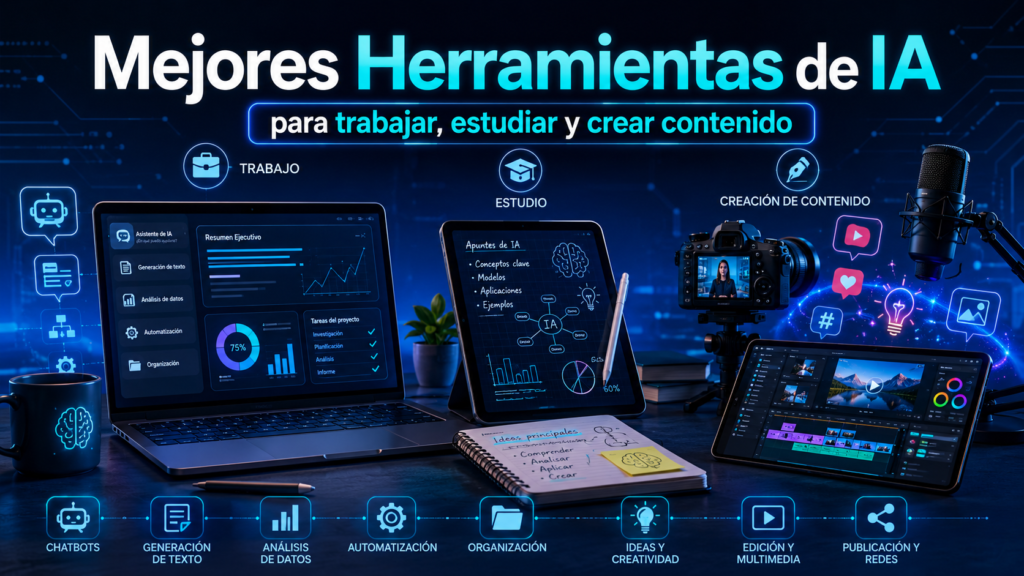
- Mejores Herramientas de IA
- Comparativa rápida de las mejores herramientas de IA
- Cómo hemos seleccionado estas herramientas de IA
- ChatGPT: la herramienta de IA más popular
- Gemini: la apuesta de Google
- Claude: una de las mejores IA para analizar información
- Perplexity: la mejor IA para investigar información
- Microsoft Copilot: productividad integrada con Office
- MidJourney: la mejor IA para generar imágenes
- DALL-E: creación de imágenes con OpenAI
- Notion AI: productividad y organización inteligente
- Canva AI: diseño gráfico para cualquier usuario
- n8n: la mejor herramienta de automatización con IA
- ¿Qué herramienta de IA elegir según cada necesidad?
- Tabla resumen: mejores herramientas de IA según el uso
- Conclusión
- Sigue aprendiendo sobre Inteligencia Artificial
- Preguntas frecuentes sobre herramientas de IA
Mejores Herramientas de IA
La Inteligencia Artificial ha dejado de ser una tecnología reservada para expertos.
Actualmente existen cientos de herramientas de IA capaces de ayudarnos a trabajar más rápido, estudiar de forma más eficiente, crear contenido profesional o automatizar tareas repetitivas.
Sin embargo, con tantas opciones disponibles surge una pregunta inevitable:
¿Cuáles son realmente las mejores herramientas de IA?
La respuesta depende en gran medida de lo que necesites.
No existe una única inteligencia artificial perfecta para todo.
Algunas destacan por su capacidad para generar texto.
Otras son excelentes creando imágenes.
Y otras están diseñadas específicamente para productividad, programación o automatización.
En esta guía analizaremos las herramientas más potentes y populares del momento para ayudarte a elegir la más adecuada según tus necesidades.
Comparativa rápida de las mejores herramientas de IA
| Herramienta | Mejor para | Nivel | Versión gratuita |
|---|---|---|---|
| ChatGPT | Texto, productividad y aprendizaje | ⭐⭐⭐⭐⭐ | ✅ Sí |
| Gemini | Investigación y ecosistema Google | ⭐⭐⭐⭐⭐ | ✅ Sí |
| Claude | Análisis de documentos y razonamiento | ⭐⭐⭐⭐⭐ | ✅ Sí |
| Perplexity | Búsqueda e investigación | ⭐⭐⭐⭐ | ✅ Sí |
| Microsoft Copilot | Productividad y Office | ⭐⭐⭐⭐ | ✅ Sí |
| MidJourney | Generación de imágenes | ⭐⭐⭐⭐⭐ | ❌ No |
| DALL-E | Creación de imágenes | ⭐⭐⭐⭐ | ✅ Integrado |
| Notion AI | Organización y productividad | ⭐⭐⭐⭐ | ✅ Limitada |
| Canva AI | Diseño gráfico | ⭐⭐⭐⭐ | ✅ Sí |
| n8n | Automatización avanzada | ⭐⭐⭐⭐⭐ | ✅ Sí |
Conclusión rápida: si sólo vas a utilizar una herramienta, ChatGPT sigue siendo una de las opciones más versátiles para la mayoría de usuarios. Sin embargo, dependiendo del uso concreto, existen alternativas que pueden ofrecer mejores resultados.
Cómo hemos seleccionado estas herramientas de IA
Para elaborar esta comparativa hemos tenido en cuenta varios factores:
- Facilidad de uso.
- Calidad de resultados.
- Popularidad.
- Funciones disponibles.
- Relación calidad-precio.
- Disponibilidad gratuita.
- Actualizaciones y evolución.
Nuestro objetivo no es simplemente mostrar las herramientas más conocidas, sino aquellas que realmente aportan valor a estudiantes, profesionales, creadores de contenido y empresas.
ChatGPT: la herramienta de IA más popular
Cuando alguien piensa en inteligencia artificial, normalmente piensa en ChatGPT.
Y no es casualidad.
La herramienta desarrollada por OpenAI ha sido responsable de popularizar la IA entre millones de usuarios.
Actualmente puede utilizarse para:
- Redacción de textos.
- Resúmenes.
- Investigación.
- Programación.
- Traducción.
- Brainstorming.
- Productividad personal.
¿Para quién es ideal ChatGPT?
ChatGPT es especialmente recomendable para:
- Estudiantes.
- Creadores de contenido.
- Profesionales.
- Emprendedores.
- Programadores.
Su enorme versatilidad lo convierte en una de las mejores puertas de entrada al mundo de la inteligencia artificial.
Lo mejor de ChatGPT
- Fácil de usar.
- Muy versátil.
- Gran comunidad.
- Mejora constante.
- Disponible en versión gratuita.
Lo menos positivo
- Algunas funciones avanzadas requieren suscripción.
- Puede generar información incorrecta ocasionalmente.
Gemini: la apuesta de Google
Gemini es la inteligencia artificial desarrollada por Google.
Su principal ventaja es la integración con el ecosistema Google.
Esto permite trabajar de forma muy cómoda con:
- Gmail.
- Google Docs.
- Google Drive.
- Google Workspace.
Además, suele destacar en tareas relacionadas con:
- Investigación.
- Búsquedas.
- Productividad.
- Análisis de información.
¿Para quién es ideal Gemini?
Especialmente interesante para usuarios que ya utilizan habitualmente herramientas de Google.
Ventajas de Gemini
- Integración nativa con Google.
- Muy buena investigación.
- Información actualizada.
- Excelente productividad.
Inconvenientes
Ecosistema más cerrado.
Algunas respuestas pueden resultar menos creativas que en ChatGPT.
Claude: una de las mejores IA para analizar información
Claude es la inteligencia artificial desarrollada por Anthropic y se ha convertido en una de las principales alternativas a ChatGPT.
Aunque no es tan popular entre el público general, muchos profesionales la consideran una de las herramientas más avanzadas actualmente.
Su punto fuerte es el razonamiento y la capacidad para trabajar con documentos extensos.
Mientras que otras IA pueden perder contexto en textos largos, Claude suele destacar precisamente en este tipo de tareas.
¿Para qué sirve Claude?
Entre sus usos más habituales encontramos:
- Análisis de documentos PDF.
- Resúmenes complejos.
- Investigación.
- Creación de contenido.
- Programación.
- Gestión de grandes volúmenes de texto.
¿Para quién es ideal Claude?
Claude resulta especialmente interesante para:
- Investigadores.
- Estudiantes universitarios.
- Profesionales.
- Empresas.
- Creadores de contenido avanzados.
Ventajas de Claude
- Excelente capacidad de razonamiento.
- Muy buena comprensión contextual.
- Ideal para documentos largos.
- Respuestas detalladas y estructuradas.
Inconvenientes
- Menos conocido que ChatGPT.
- Algunas funciones dependen del plan de pago.
- Menor integración con herramientas externas.
Perplexity: la mejor IA para investigar información
Perplexity ha ganado una enorme popularidad durante los últimos meses.
Su principal diferencia respecto a ChatGPT o Claude es que combina inteligencia artificial con búsqueda web.
Esto significa que suele mostrar:
- Fuentes.
- Referencias.
- Enlaces.
- Información actualizada.
Por este motivo muchos usuarios la consideran una de las mejores herramientas de IA para investigar.
¿Para qué sirve Perplexity?
Es ideal para:
- Investigación.
- Verificación de información.
- Búsqueda de datos recientes.
- Comparativas.
- Consultas técnicas.
¿Para quién es ideal?
Especialmente útil para:
- Estudiantes.
- Periodistas.
- Investigadores.
- Creadores de contenido.
- Profesionales que necesitan información actualizada.
Ventajas de Perplexity
- Incluye fuentes.
- Excelente para investigar.
- Información actualizada.
- Muy fácil de utilizar.
Inconvenientes
- Menos potente para creatividad.
- Menor capacidad de generación de contenido extenso.
Microsoft Copilot: productividad integrada con Office
Microsoft ha apostado muy fuerte por la inteligencia artificial mediante Copilot.
Su gran ventaja es la integración dentro del ecosistema Microsoft.
Actualmente puede trabajar junto a:
- Word.
- Excel.
- PowerPoint.
- Outlook.
- Teams.
Esto permite automatizar muchas tareas empresariales y profesionales.
¿Para qué sirve Copilot?
Algunas aplicaciones habituales son:
- Redacción de documentos.
- Creación de presentaciones.
- Análisis de datos.
- Gestión de correos electrónicos.
- Automatización de procesos.
¿Para quién es ideal?
- Empresas.
- Autónomos.
- Profesionales de oficina.
- Usuarios de Microsoft 365.
Ventajas de Copilot
- Integración excelente con Office.
- Ahorro de tiempo.
- Productividad empresarial.
- Automatización de tareas.
Inconvenientes
- Menos flexible que ChatGPT.
- Algunas funciones avanzadas requieren suscripción.
MidJourney: la mejor IA para generar imágenes
Si hablamos de generación de imágenes mediante inteligencia artificial, MidJourney sigue siendo una de las referencias del sector.
Sus resultados destacan por:
- Calidad visual.
- Nivel artístico.
- Realismo.
- Creatividad.
Es una herramienta muy utilizada por diseñadores, creadores de contenido y profesionales del marketing.
¿Qué puede hacer MidJourney?
Permite generar:
- Ilustraciones.
- Arte conceptual.
- Imágenes realistas.
- Diseños publicitarios.
- Portadas.
- Conceptos creativos.
Todo ello a partir de simples descripciones de texto.
¿Para quién es ideal?
- Diseñadores.
- Artistas digitales.
- Creadores de contenido.
- Agencias de marketing.
Ventajas de MidJourney
- Calidad espectacular.
- Resultados profesionales.
- Gran creatividad.
- Evolución constante.
Inconvenientes
- No dispone de plan gratuito permanente.
- Curva de aprendizaje algo superior a otras alternativas.
DALL-E: creación de imágenes con OpenAI
DALL-E es la solución de generación de imágenes desarrollada por OpenAI.
Actualmente se encuentra integrada dentro del ecosistema ChatGPT.
Su principal ventaja es la facilidad de uso.
Simplemente describes lo que quieres crear y la IA genera la imagen.
¿Qué puede hacer DALL-E?
- Crear ilustraciones.
- Generar fotografías realistas.
- Diseñar logotipos.
- Crear imágenes para blogs.
- Generar recursos para redes sociales.
¿Para quién es ideal?
- Bloggers.
- Creadores de contenido.
- Community Managers.
- Diseñadores principiantes.
Ventajas de DALL-E
- Muy fácil de usar.
- Integrado con ChatGPT.
- Resultados rápidos.
- Buena calidad visual.
Inconvenientes
- Menor control artístico que MidJourney.
- Algunas generaciones pueden requerir ajustes.
Notion AI: productividad y organización inteligente
Notion ya era una de las mejores herramientas de organización antes de incorporar inteligencia artificial.
Con Notion AI se ha convertido en una solución muy potente para:
- Gestión de proyectos.
- Organización personal.
- Creación de documentación.
- Toma de notas.
- Planificación de tareas.
¿Para quién es ideal?
- Estudiantes.
- Equipos de trabajo.
- Autónomos.
- Creadores de contenido.
Ventajas
- Excelente organización.
- Integración con espacios de trabajo.
- Automatización de notas y documentos.
Inconvenientes
- Menos potente como IA conversacional.
- Algunas funciones requieren suscripción.
Canva AI: diseño gráfico para cualquier usuario
Canva ha integrado múltiples herramientas de inteligencia artificial que facilitan enormemente el diseño gráfico.
Actualmente permite:
- Crear imágenes.
- Generar textos.
- Diseñar presentaciones.
- Editar fotografías.
- Crear publicaciones para redes sociales.
Todo ello sin necesidad de conocimientos avanzados de diseño.
¿Para quién es ideal?
- Emprendedores.
- Community Managers.
- Bloggers.
- Pequeñas empresas.
Ventajas
- Muy fácil de utilizar.
- Gran cantidad de plantillas.
- Funciones IA integradas.
Inconvenientes
- Menor personalización que software profesional.
- Algunas herramientas están limitadas en el plan gratuito.
n8n: la mejor herramienta de automatización con IA
Cuando hablamos de automatización avanzada, n8n se ha convertido en una de las plataformas más interesantes.
Permite conectar aplicaciones, crear flujos de trabajo y automatizar procesos complejos.
Además, actualmente puede integrarse con:
- ChatGPT.
- Gemini.
- Claude.
- Gmail.
- Google Sheets.
- WordPress.
- Shopify.
- Miles de herramientas más.
¿Para quién es ideal?
- Empresas.
- Autónomos.
- Profesionales digitales.
- Especialistas en automatización.
Ventajas
- Muy potente.
- Código abierto.
- Gran flexibilidad.
- Integraciones avanzadas.
Inconvenientes
- Requiere cierto aprendizaje inicial.
- Más compleja que herramientas básicas.
¿Qué herramienta de IA elegir según cada necesidad?
Después de analizar las principales herramientas de inteligencia artificial del mercado, es normal que surja una duda:
¿Cuál debería elegir?
La realidad es que no existe una única respuesta correcta.
Cada plataforma está diseñada para resolver necesidades diferentes.
Por ello, la mejor opción dependerá de tus objetivos.
Mejor IA para principiantes
🥇 ChatGPT
Si estás empezando en el mundo de la inteligencia artificial, ChatGPT sigue siendo la mejor puerta de entrada.
Su interfaz es sencilla, ofrece una versión gratuita muy completa y permite realizar una enorme variedad de tareas.
Ideal para:
- Aprender IA.
- Resolver dudas.
- Crear contenido.
- Estudiar.
- Productividad general.
Mejor IA para investigación
🥇 Perplexity
Si necesitas información actualizada y verificable, Perplexity es probablemente la mejor opción.
Su sistema basado en fuentes y referencias facilita enormemente la investigación.
Ideal para:
- Estudiantes.
- Investigadores.
- Periodistas.
- Creadores de contenido.
Mejor IA para documentos largos
🥇 Claude
Claude destaca especialmente cuando trabajamos con grandes cantidades de texto.
Su capacidad para comprender documentos extensos es una de las mejores del mercado.
Ideal para:
- Empresas.
- Universitarios.
- Consultores.
- Analistas.
Mejor IA para productividad
🥇 Microsoft Copilot
Especialmente recomendable para usuarios que trabajan habitualmente con Microsoft Office.
Ideal para:
- Empresas.
- Autónomos.
- Profesionales de oficina.
Mejor IA para diseño gráfico
🥇 Canva AI
La mejor alternativa para usuarios sin conocimientos técnicos de diseño.
Ideal para:
- Redes sociales.
- Marketing.
- Presentaciones.
- Contenido visual.
Mejor IA para generar imágenes
🥇 MidJourney
Actualmente sigue siendo una de las referencias en calidad visual.
Ideal para:
- Diseñadores.
- Artistas digitales.
- Marketing.
- Creadores de contenido.
Mejor IA para automatización
🥇 n8n
Si buscas automatizar procesos complejos y conectar múltiples herramientas, n8n es una de las mejores opciones disponibles.
Ideal para:
- Empresas.
- Ecommerce.
- Marketing digital.
- Productividad avanzada.
Tabla resumen: mejores herramientas de IA según el uso
| Necesidad | Herramienta recomendada |
|---|---|
| Mejor IA general | ChatGPT |
| Mejor IA para investigar | Perplexity |
| Mejor IA para documentos | Claude |
| Mejor IA para productividad | Microsoft Copilot |
| Mejor IA para diseño gráfico | Canva AI |
| Mejor IA para generar imágenes | MidJourney |
| Mejor IA para automatización | n8n |
| Mejor IA para estudiantes | ChatGPT |
| Mejor IA para empresas | Claude |
| Mejor IA gratuita | ChatGPT |
| Mejor alternativa a ChatGPT | Claude |
Conclusión
Las mejores herramientas de IA actuales ofrecen posibilidades que hace apenas unos años parecían impensables.
Desde asistentes conversacionales como ChatGPT, Gemini o Claude, hasta plataformas especializadas en imágenes como MidJourney o soluciones de automatización como n8n, el ecosistema de inteligencia artificial continúa creciendo a gran velocidad.
La elección de una herramienta u otra dependerá de tus necesidades concretas.
Si buscas una solución generalista, ChatGPT sigue siendo una de las mejores opciones.
Si necesitas investigar, Perplexity puede ser más adecuada.
Y si trabajas con automatizaciones o procesos empresariales, herramientas como n8n o Copilot ofrecen un enorme potencial.
Lo importante es comprender que la inteligencia artificial ya no es una tecnología del futuro.
Es una herramienta disponible hoy mismo para mejorar la productividad, el aprendizaje, la creatividad y los resultados profesionales.
Sigue aprendiendo sobre Inteligencia Artificial
La inteligencia artificial evoluciona constantemente y cada vez aparecen nuevas herramientas y aplicaciones. Si quieres seguir ampliando tus conocimientos, te recomendamos las siguientes guías relacionadas:
👉 Todo lo que necesitas saber sobre Inteligencia Artificial
👉 Qué es la Inteligencia Artificial y cómo funciona
👉 Tipos de Inteligencia Artificial
👉 Aplicaciones de la Inteligencia Artificial
👉 ChatGPT vs Gemini vs Claude
👉 Cómo usar ChatGPT paso a paso
👉 IA para estudiantes
👉 IA para empresas
👉 Automatización con IA
Con el tiempo iremos ampliando esta sección para convertir Bright Technology en una referencia sobre inteligencia artificial, productividad y automatización.
Preguntas frecuentes sobre herramientas de IA
Actualmente no existe una única herramienta que sea la mejor para todo.
Sin embargo, ChatGPT sigue siendo una de las opciones más completas y versátiles para la mayoría de usuarios.
Entre las herramientas gratuitas más recomendables destacan:
ChatGPT.
Gemini.
Claude.
Perplexity.
Todas ofrecen versiones gratuitas muy capaces.
ChatGPT suele ser la opción más recomendable gracias a su facilidad de uso y capacidad para explicar conceptos complejos.
También Perplexity resulta muy útil para investigar y encontrar fuentes.
Dependerá de las necesidades concretas.
Claude, Microsoft Copilot y n8n son actualmente algunas de las opciones más interesantes para entornos profesionales.
Actualmente Claude y Gemini son los principales competidores.
Cada uno tiene fortalezas específicas según el tipo de trabajo.
MidJourney continúa siendo una de las referencias del sector por calidad visual y creatividad.
Google desarrolla Gemini, una de las inteligencias artificiales más avanzadas del mercado.
Microsoft apuesta principalmente por Copilot, integrado dentro de Microsoft 365 y Windows.
Para usuarios ocasionales, las versiones gratuitas suelen ser suficientes.
Sin embargo, profesionales y empresas pueden beneficiarse enormemente de las funciones avanzadas disponibles en los planes de pago.
ChatGPT sigue siendo la mejor opción para comenzar.
Es sencilla, potente y permite aprender rápidamente cómo funcionan las herramientas de inteligencia artificial.