
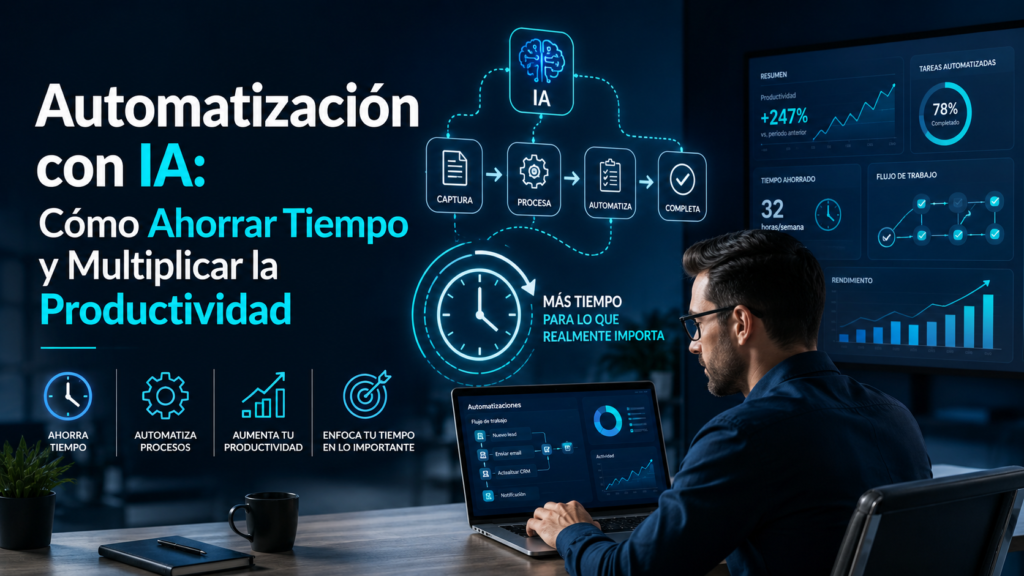
- Automatización con IA
- ¿Qué es la automatización con IA?
- Beneficios de automatizar tareas con Inteligencia Artificial
- Qué tareas puedes automatizar con IA
- Por qué la automatización con IA será una habilidad clave durante la próxima década
- Las mejores herramientas de automatización con IA
- n8n: la herramienta de automatización más potente para IA
- Make: automatización visual para empresas
- Zapier: la opción más sencilla para empezar
- ChatGPT como motor de automatización
- n8n vs Make vs Zapier: ¿Cuál elegir?
- Ejemplos reales de automatización con IA
- Automatización con IA para autónomos y pequeñas empresas
- Cómo empezar a automatizar procesos con IA paso a paso
- Errores comunes al automatizar tareas con IA
- El futuro de la automatización con Inteligencia Artificial
- Conclusión
- Sigue aprendiendo sobre Inteligencia Artificial
- Preguntas frecuentes sobre automatización con IA
Automatización con IA
La automatización con IA se ha convertido en una de las aplicaciones más rentables y transformadoras de la inteligencia artificial.
Mientras muchas personas utilizan herramientas como ChatGPT únicamente para responder preguntas o generar textos, las empresas más avanzadas están utilizando la IA para automatizar procesos completos y ahorrar cientos de horas de trabajo cada mes.
Y lo mejor es que ya no se trata de una tecnología reservada para grandes corporaciones.
Actualmente cualquier autónomo, pyme o creador digital puede utilizar herramientas de automatización con inteligencia artificial para optimizar tareas repetitivas, reducir errores y mejorar su productividad.
La pregunta ya no es si deberías utilizar automatización.
La pregunta es:
¿Qué tareas sigues haciendo manualmente que podrían realizarse de forma automática?
En esta guía descubrirás cómo funciona la automatización con IA, qué herramientas son las más recomendables y cuáles son los procesos que más tiempo pueden ahorrarte.
¿Qué es la automatización con IA?
La automatización con inteligencia artificial consiste en utilizar sistemas capaces de ejecutar tareas de forma automática tomando decisiones basadas en datos, reglas o instrucciones previamente definidas.
A diferencia de la automatización tradicional, la IA puede interpretar información, generar contenido, analizar situaciones y adaptarse a diferentes escenarios.
Por ejemplo:
Una automatización tradicional podría enviar un correo cada vez que se recibe un formulario.
Una automatización con IA podría:
- Analizar el mensaje.
- Clasificar el tipo de cliente.
- Generar una respuesta personalizada.
- Registrar la información en un CRM.
- Avisar al departamento correspondiente.
Todo ello sin intervención humana.
Esta capacidad está transformando completamente la forma en que trabajamos.
Beneficios de automatizar tareas con Inteligencia Artificial
Las ventajas son enormes tanto para profesionales como para empresas.
Ahorro masivo de tiempo
El principal motivo por el que las organizaciones adoptan automatización es muy simple:
Ahorrar tiempo.
Tareas que antes requerían horas pueden ejecutarse en segundos.
Por ejemplo:
- Clasificar correos.
- Crear informes.
- Responder consultas.
- Generar documentación.
- Actualizar bases de datos.
Mayor productividad
La IA para productividad permite que las personas se centren en actividades de mayor valor.
Menos tiempo dedicado a tareas repetitivas significa más tiempo para:
- Estrategia.
- Creatividad.
- Ventas.
- Atención personalizada.
Reducción de errores
Los procesos manuales suelen generar errores humanos.
La automatización ayuda a mantener consistencia y precisión.
Escalabilidad
Una empresa puede gestionar más clientes y más operaciones sin aumentar proporcionalmente su carga de trabajo.
Disponibilidad continua
Las automatizaciones funcionan las 24 horas del día.
Esto resulta especialmente útil en:
- Atención al cliente.
- Captación de leads.
- Ecommerce.
- Marketing digital.
Qué tareas puedes automatizar con IA
Uno de los mayores errores es pensar que la automatización sólo sirve para grandes empresas.
La realidad es que prácticamente cualquier profesional puede automatizar tareas diarias.
Gestión de correos electrónicos
La IA puede:
- Clasificar correos.
- Resumir mensajes.
- Generar respuestas.
- Priorizar conversaciones.
Creación de contenido
Puedes automatizar:
- Ideas para artículos.
- Publicaciones en redes sociales.
- Emails.
- Descripciones de productos.
- Informes.
Atención al cliente
Los asistentes inteligentes permiten:
- Resolver dudas frecuentes.
- Filtrar incidencias.
- Captar información de clientes.
- Atender consultas básicas.
Gestión administrativa
La automatización puede encargarse de:
- Introducción de datos.
- Creación de documentos.
- Generación de reportes.
- Actualización de registros.
Marketing digital
La IA puede automatizar:
- Secuencias de emails.
- Publicaciones sociales.
- Análisis de campañas.
- Generación de contenido SEO.
Por qué la automatización con IA será una habilidad clave durante la próxima década
La inteligencia artificial está cambiando la forma de trabajar a una velocidad extraordinaria.
Las personas que aprendan a combinar:
- Inteligencia Artificial.
- Automatización.
- Productividad.
tendrán una ventaja competitiva enorme frente a quienes continúen realizando tareas repetitivas manualmente.
Y esto aplica tanto a estudiantes como a autónomos, empresas y creadores de contenido.
La automatización ya no es una tendencia.
Se está convirtiendo en una habilidad fundamental para cualquier profesional digital.
Las mejores herramientas de automatización con IA
Si quieres empezar a trabajar con automatización con IA, elegir las herramientas adecuadas marcará una gran diferencia.
Actualmente existen decenas de plataformas, pero la mayoría de profesionales y empresas suelen concentrarse en unas pocas soluciones que ofrecen un equilibrio excelente entre potencia, facilidad de uso y posibilidades de integración.
La buena noticia es que muchas de ellas disponen de planes gratuitos o muy asequibles para comenzar.
n8n: la herramienta de automatización más potente para IA
Durante los últimos años, n8n se ha convertido en una de las plataformas favoritas de quienes trabajan con automatización avanzada.
Su principal ventaja es la flexibilidad.
Permite conectar cientos de aplicaciones y crear flujos de trabajo extremadamente complejos.
Por ejemplo:
- ChatGPT.
- Gmail.
- Google Sheets.
- WordPress.
- Shopify.
- Slack.
- Notion.
- CRM empresariales.
Todo puede integrarse dentro de una misma automatización.
¿Qué puedes hacer con n8n?
Algunos ejemplos reales:
- Crear artículos automáticamente desde una lista de palabras clave.
- Responder formularios web mediante IA.
- Generar informes automáticos.
- Clasificar correos electrónicos.
- Actualizar bases de datos.
- Crear asistentes internos para empleados.
Por este motivo muchas empresas consideran que n8n es actualmente una de las mejores herramientas de automatización empresarial con IA.
Make: automatización visual para empresas
Make (anteriormente Integromat) es otra de las plataformas más populares del mercado.
Su principal atractivo es que permite diseñar automatizaciones mediante una interfaz visual muy intuitiva.
Esto facilita enormemente la creación de flujos complejos sin necesidad de conocimientos técnicos avanzados.
Casos de uso habituales
- Automatización de marketing.
- Gestión de clientes potenciales.
- Sincronización de aplicaciones.
- Automatización de ecommerce.
- Generación de contenido.
Para muchas pequeñas empresas representa una excelente puerta de entrada al mundo de la automatización.
Zapier: la opción más sencilla para empezar
Si buscas simplicidad, Zapier sigue siendo una de las mejores alternativas.
Su filosofía es muy clara:
Conectar aplicaciones mediante automatizaciones simples y rápidas.
Por ejemplo:
- Cuando alguien rellena un formulario → enviar email.
- Cuando llega un nuevo lead → crear tarea.
- Cuando se publica un artículo → compartir en redes sociales.
Aunque ofrece menos flexibilidad que n8n, resulta ideal para:
- Autónomos.
- Pymes.
- Equipos pequeños.
- Usuarios principiantes.
ChatGPT como motor de automatización
Muchas personas no saben que ChatGPT puede convertirse en el cerebro de una automatización.
No sólo genera texto.
También puede:
- Analizar información.
- Clasificar datos.
- Resumir documentos.
- Crear respuestas personalizadas.
- Generar contenido dinámico.
Cuando se integra con herramientas como n8n o Make, las posibilidades son enormes.
Por ejemplo:
Automatización de atención al cliente
- Llega una consulta.
- ChatGPT analiza el mensaje.
- Genera una respuesta personalizada.
- Se envía automáticamente.
Automatización de contenidos
- Se detecta una nueva keyword.
- ChatGPT crea una estructura.
- Genera borradores.
- Se envían para revisión.
Este tipo de procesos puede ahorrar decenas de horas cada mes.
n8n vs Make vs Zapier: ¿Cuál elegir?
Una de las preguntas más frecuentes es cuál de estas plataformas resulta más recomendable.
La respuesta depende del nivel de experiencia y de las necesidades concretas.
| Característica | n8n | Make | Zapier |
|---|---|---|---|
| Facilidad de uso | ⭐⭐⭐ | ⭐⭐⭐⭐ | ⭐⭐⭐⭐⭐ |
| Potencia | ⭐⭐⭐⭐⭐ | ⭐⭐⭐⭐ | ⭐⭐⭐ |
| Integraciones | ⭐⭐⭐⭐⭐ | ⭐⭐⭐⭐ | ⭐⭐⭐⭐⭐ |
| Personalización | ⭐⭐⭐⭐⭐ | ⭐⭐⭐⭐ | ⭐⭐⭐ |
| Ideal para empresas | ✅ | ✅ | ⚠️ |
| Ideal para principiantes | ⚠️ | ✅ | ✅ |
Nuestra recomendación
- Zapier → para empezar rápidamente.
- Make → equilibrio entre facilidad y potencia.
- n8n → para automatizaciones avanzadas y crecimiento a largo plazo.
Ejemplos reales de automatización con IA
Una de las mejores formas de entender el potencial de estas herramientas es ver aplicaciones reales.
Automatización de captación de clientes
Cuando un usuario completa un formulario:
- Se guarda en el CRM.
- Se clasifica automáticamente.
- ChatGPT genera un resumen.
- El equipo comercial recibe una alerta.
Todo ocurre en segundos.
Automatización de contenido SEO
Proceso típico:
- Detectar nuevas palabras clave.
- Generar estructura SEO.
- Crear borrador.
- Revisar contenido.
- Publicar en WordPress.
Esto permite acelerar enormemente la producción de contenidos.
Automatización de atención al cliente
Los sistemas inteligentes pueden:
- Resolver preguntas frecuentes.
- Filtrar incidencias.
- Crear tickets.
- Escalar casos complejos.
Mejorando la experiencia del usuario y reduciendo costes operativos.
Automatización de ecommerce
Algunas tareas automatizables son:
- Seguimiento de pedidos.
- Correos de recuperación de carrito.
- Recomendaciones de productos.
- Actualización de inventario.
Estas automatizaciones suelen tener un impacto directo sobre las ventas.
Automatización con IA para autónomos y pequeñas empresas
Uno de los mayores mitos sobre la automatización es pensar que sólo está disponible para grandes compañías.
Actualmente cualquier autónomo puede automatizar:
- Gestión de clientes.
- Redes sociales.
- Facturación.
- Correos electrónicos.
- Organización de tareas.
- Generación de contenido.
Y muchas veces utilizando herramientas gratuitas o de bajo coste.
Por este motivo las búsquedas relacionadas con automatización para pequeñas empresas, automatizar tareas con IA y cómo ahorrar tiempo con inteligencia artificial están creciendo de forma constante.
La barrera de entrada nunca había sido tan baja.
Y la ventaja competitiva nunca había sido tan grande.
Cómo empezar a automatizar procesos con IA paso a paso
Muchas personas creen que la automatización con IA es algo complejo reservado para programadores o grandes empresas.
Sin embargo, la realidad actual es muy diferente.
Hoy en día cualquier profesional puede comenzar a automatizar procesos utilizando herramientas visuales y asistentes de inteligencia artificial sin necesidad de conocimientos técnicos avanzados.
La clave está en empezar de forma sencilla.
Paso 1: Identifica tareas repetitivas
La mejor automatización es aquella que elimina tareas que realizas constantemente.
Hazte esta pregunta:
¿Qué tareas repito todos los días o todas las semanas?
Por ejemplo:
- Responder correos similares.
- Crear informes.
- Copiar datos entre aplicaciones.
- Gestionar formularios.
- Publicar contenido.
- Organizar documentos.
Estas actividades suelen ser candidatas perfectas para la automatización.
Paso 2: Calcula el tiempo invertido
Muchas personas no son conscientes de cuánto tiempo pierden en tareas repetitivas.
Si una tarea te consume:
- 20 minutos al día.
- 5 días a la semana.
Estás dedicando más de 80 horas al año.
Por eso la automatización tiene un impacto tan importante sobre la productividad.
Paso 3: Empieza con una única automatización
Uno de los errores más frecuentes consiste en intentar automatizar toda la empresa desde el primer día.
Es mucho más efectivo comenzar con un proceso sencillo.
Por ejemplo:
- Automatizar correos.
- Clasificar formularios.
- Crear tareas automáticamente.
- Generar resúmenes mediante IA.
Una vez dominado ese flujo, puedes ir ampliando el sistema progresivamente.
Paso 4: Añade Inteligencia Artificial
Aquí es donde aparece la verdadera diferencia entre una automatización clásica y una automatización inteligente con IA.
Por ejemplo, ChatGPT puede:
- Analizar mensajes.
- Detectar intenciones.
- Generar respuestas.
- Resumir información.
- Clasificar clientes.
Esto permite crear procesos mucho más avanzados y útiles.
Paso 5: Mide resultados
Toda automatización debe responder a una pregunta sencilla:
¿Cuánto tiempo o dinero estoy ahorrando?
Algunos indicadores útiles son:
- Horas ahorradas.
- Costes reducidos.
- Velocidad de respuesta.
- Productividad.
- Conversión de clientes.
Cuanto más claros sean los resultados, más fácil será seguir ampliando la automatización.
Errores comunes al automatizar tareas con IA
La automatización puede generar enormes beneficios, pero también errores si se implementa sin planificación.
Automatizar procesos deficientes
La IA no arregla procesos mal diseñados.
Si un procedimiento ya es ineficiente, automatizarlo simplemente hará que los errores ocurran más rápido.
Antes de automatizar, conviene optimizar.
No supervisar los resultados
Muchas personas creen que una vez creada la automatización ya no es necesario revisarla.
Error.
Toda automatización necesita:
- Seguimiento.
- Ajustes.
- Mejoras continuas.
Especialmente cuando intervienen modelos de inteligencia artificial.
Utilizar demasiadas herramientas
Uno de los errores más habituales es crear un ecosistema excesivamente complejo.
En la mayoría de casos:
- ChatGPT.
- n8n.
- Google Sheets.
- Gmail.
son más que suficientes para construir procesos muy avanzados.
No documentar los procesos
A medida que aumentan las automatizaciones, resulta fundamental documentar:
- Qué hace cada flujo.
- Qué herramientas utiliza.
- Qué ocurre si aparece un error.
Esto facilita enormemente el mantenimiento futuro.
Obsesionarse con la automatización total
No todo debe automatizarse.
Las tareas que implican:
- Estrategia.
- Creatividad.
- Negociación.
- Relaciones humanas.
siguen beneficiándose enormemente de la intervención humana.
La automatización debe eliminar trabajo repetitivo, no eliminar criterio.
El futuro de la automatización con Inteligencia Artificial
La combinación entre IA, automatización y productividad está transformando completamente el mercado laboral.
Durante los próximos años veremos sistemas capaces de:
- Gestionar procesos completos.
- Coordinar equipos.
- Analizar datos en tiempo real.
- Crear contenido personalizado.
- Optimizar operaciones empresariales.
Las organizaciones que aprendan a integrar estas tecnologías tendrán ventajas competitivas cada vez mayores.
Y lo mismo ocurrirá con profesionales independientes, autónomos y creadores digitales.
Por este motivo aprender automatización con inteligencia artificial se está convirtiendo en una de las habilidades más valiosas de la próxima década.
Conclusión
La automatización con IA representa una de las aplicaciones más prácticas y rentables de la inteligencia artificial.
Permite ahorrar tiempo, reducir errores, mejorar la productividad y escalar procesos sin necesidad de aumentar proporcionalmente los recursos.
Herramientas como ChatGPT, n8n, Make y Zapier han democratizado el acceso a tecnologías que hace apenas unos años estaban reservadas para grandes empresas.
Lo más importante es entender que no se trata de automatizar por automatizar.
Se trata de eliminar trabajo repetitivo para dedicar más tiempo a tareas estratégicas, creativas y de alto valor.
Las personas y organizaciones que aprendan a combinar inteligencia artificial y automatización estarán mejor preparadas para competir en un entorno cada vez más digital.
Y la mejor noticia es que nunca ha sido tan fácil empezar.
Sigue aprendiendo sobre Inteligencia Artificial
Si quieres seguir profundizando en el uso profesional de la IA, te recomendamos las siguientes guías relacionadas:
👉 Todo lo que necesitas saber sobre Inteligencia Artificial
👉 Qué es la Inteligencia Artificial y cómo funciona
👉 Tipos de Inteligencia Artificial
👉 Aplicaciones de la Inteligencia Artificial
👉 Mejores herramientas de IA
👉 ChatGPT vs Gemini vs Claude
👉 Cómo usar ChatGPT paso a paso
👉 IA para estudiantes
👉 IA para empresas
Estas guías forman parte del ecosistema de contenidos sobre Inteligencia Artificial de Bright Technology y te ayudarán a sacar el máximo partido a esta tecnología.
Preguntas frecuentes sobre automatización con IA
La automatización con IA consiste en utilizar inteligencia artificial para ejecutar tareas automáticamente, analizar información y tomar decisiones dentro de procesos previamente definidos.
Actualmente puedes automatizar:
Correos electrónicos.
Atención al cliente.
Creación de contenido.
Gestión de formularios.
Informes.
Procesos administrativos.
Marketing digital.
Seguimiento comercial.
Dependerá de tus necesidades.
n8n para automatizaciones avanzadas.
Make para flujos visuales.
Zapier para usuarios principiantes.
ChatGPT como motor de inteligencia artificial.
Sí.
La mayoría de herramientas modernas permiten crear automatizaciones mediante interfaces visuales sin necesidad de escribir código.
Absolutamente.
De hecho, las pequeñas empresas suelen beneficiarse enormemente porque pueden ahorrar tiempo y recursos con inversiones muy reducidas.
ChatGPT puede utilizarse para:
Responder consultas.
Clasificar información.
Crear contenido.
Analizar datos.
Generar documentación.
Especialmente cuando se integra con herramientas como n8n o Make.
La automatización tradicional sigue reglas fijas.
La automatización con IA puede interpretar información, generar contenido y adaptarse a diferentes situaciones.
Dependerá del negocio y de las tareas automatizadas.
Sin embargo, muchas empresas consiguen ahorrar decenas o incluso cientos de horas de trabajo al año.
Sí, siempre que se utilicen herramientas fiables y se implementen buenas prácticas de seguridad y supervisión.
Sin ninguna duda.
La automatización será una de las competencias digitales más demandadas durante los próximos años.