
- Mejores Impresoras 3D para Principiantes
- Comparativa rápida de las mejores impresoras 3D para principiantes en este 2026
- Cómo hemos elegido estas impresoras 3D para principiantes
- ¿Qué debe tener una impresora 3D para principiantes?
- Las 8 Mejores Impresoras 3D para Principiantes de 2026
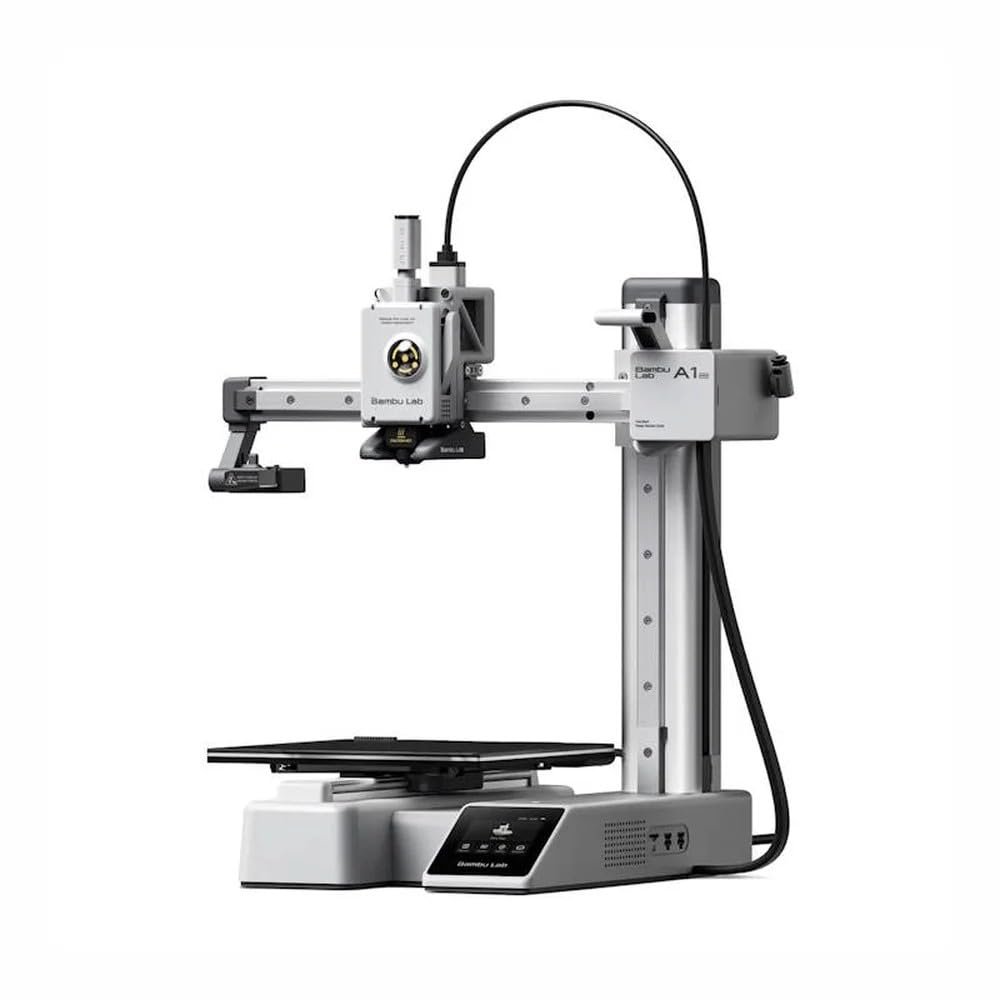
- 1. Bambu Lab A1 Mini – La mejor impresora 3D para principiantes de 2026
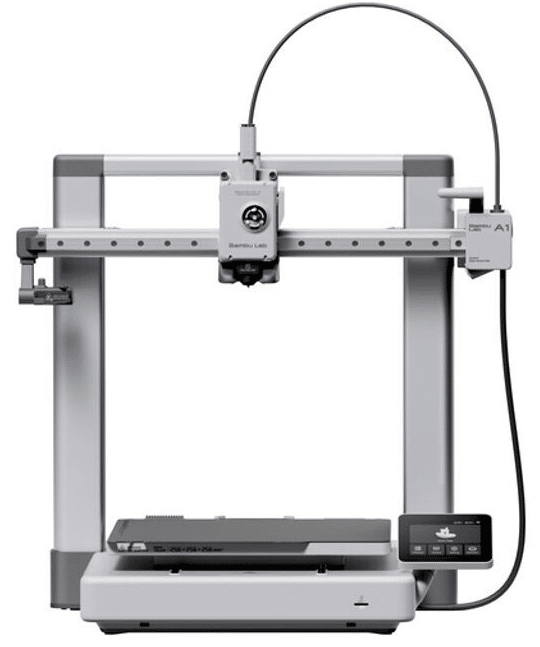
- 2. Bambu Lab A1 – La mejor impresora 3D calidad-precio para principiantes
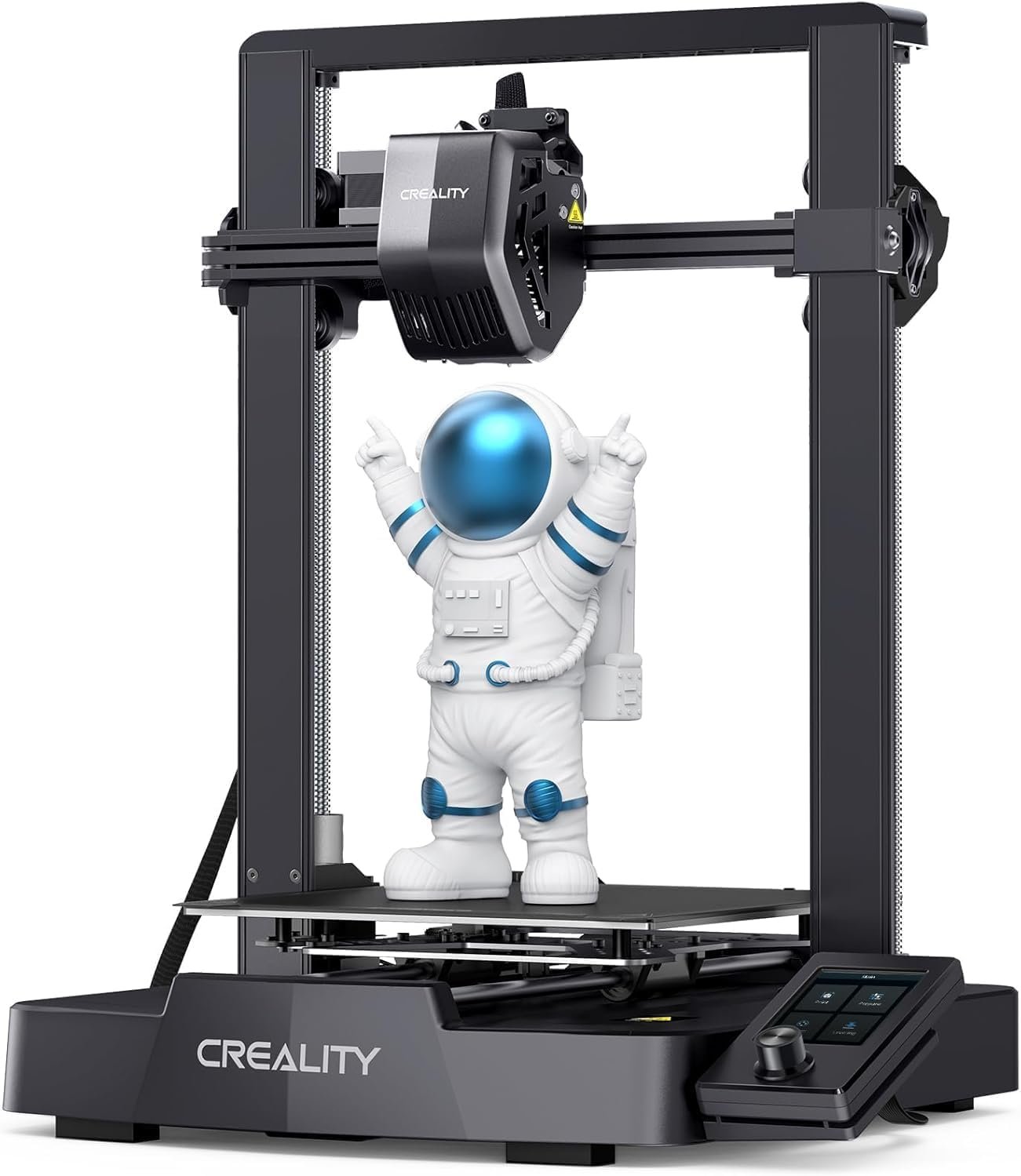
- 3. Creality Ender 3 V3 SE – La mejor impresora 3D barata para principiantes
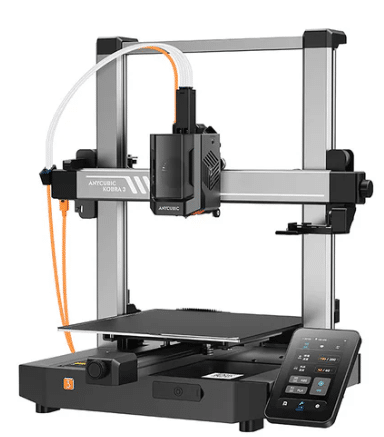
- 4. Anycubic Kobra 3 – La mejor impresora 3D para principiantes que quieren crecer rápido
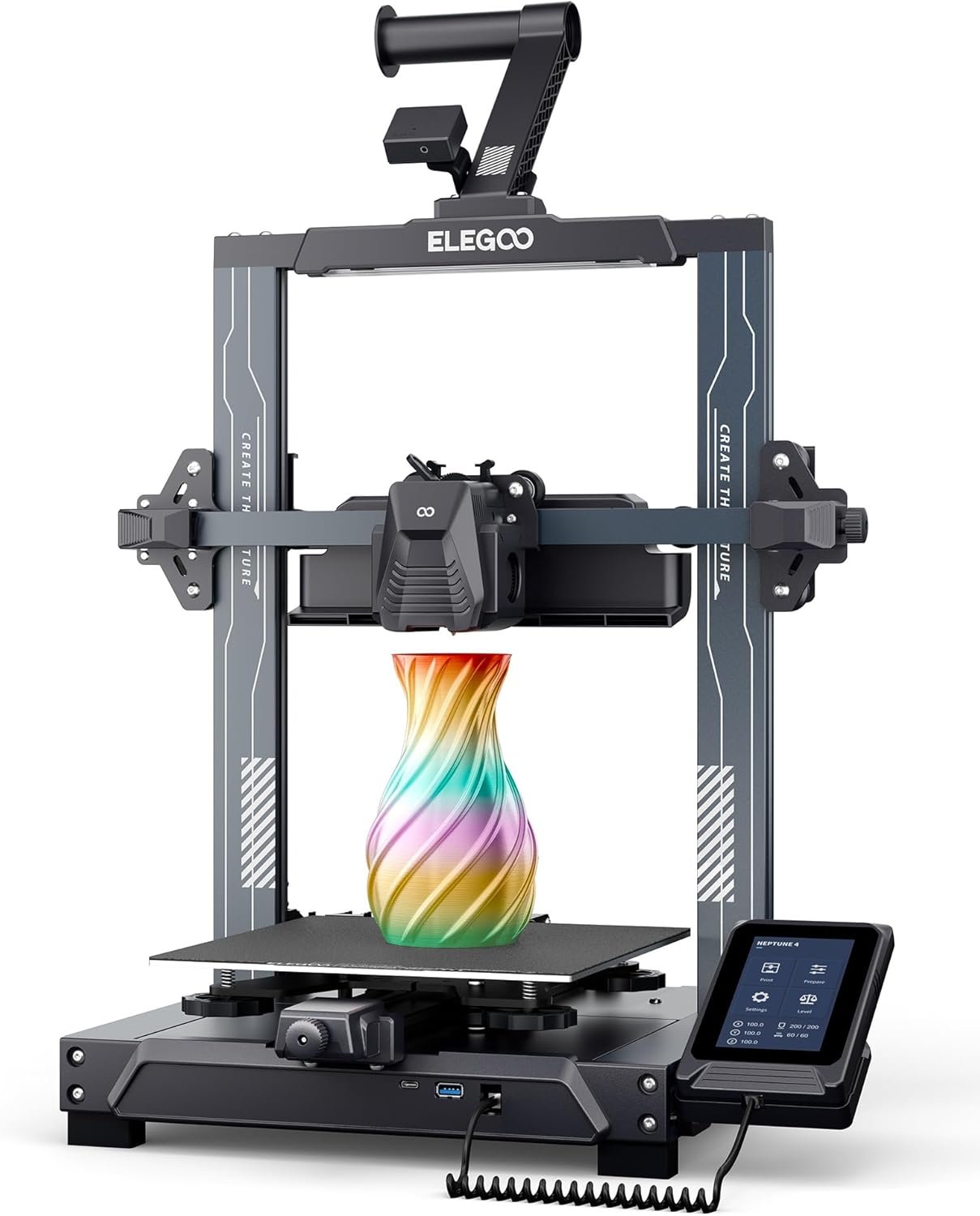
- 5. Elegoo Neptune 4 – La mejor impresora 3D para principiantes que buscan velocidad
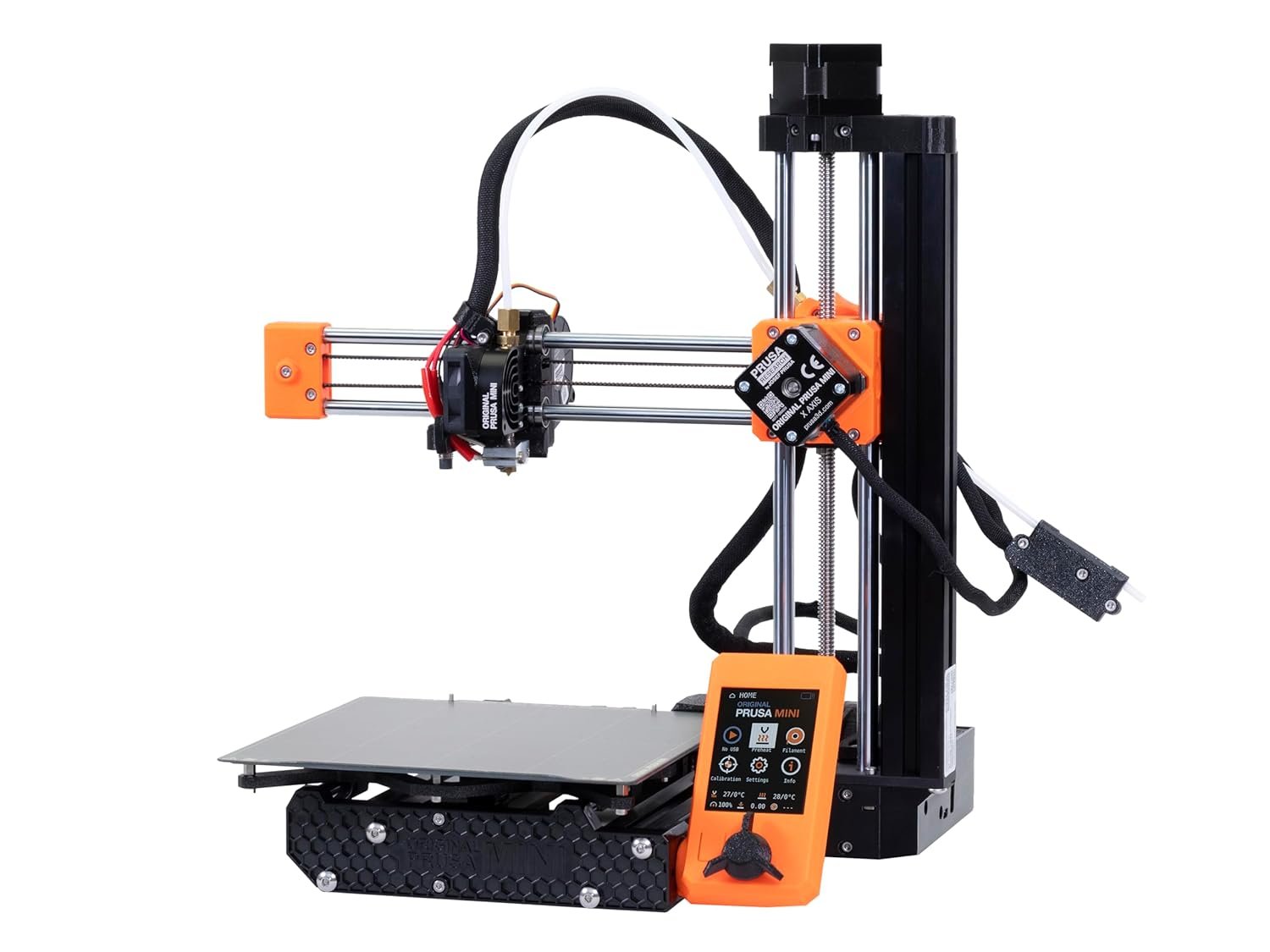
- 6. Prusa Mini+ – La impresora 3D más fiable para principiantes
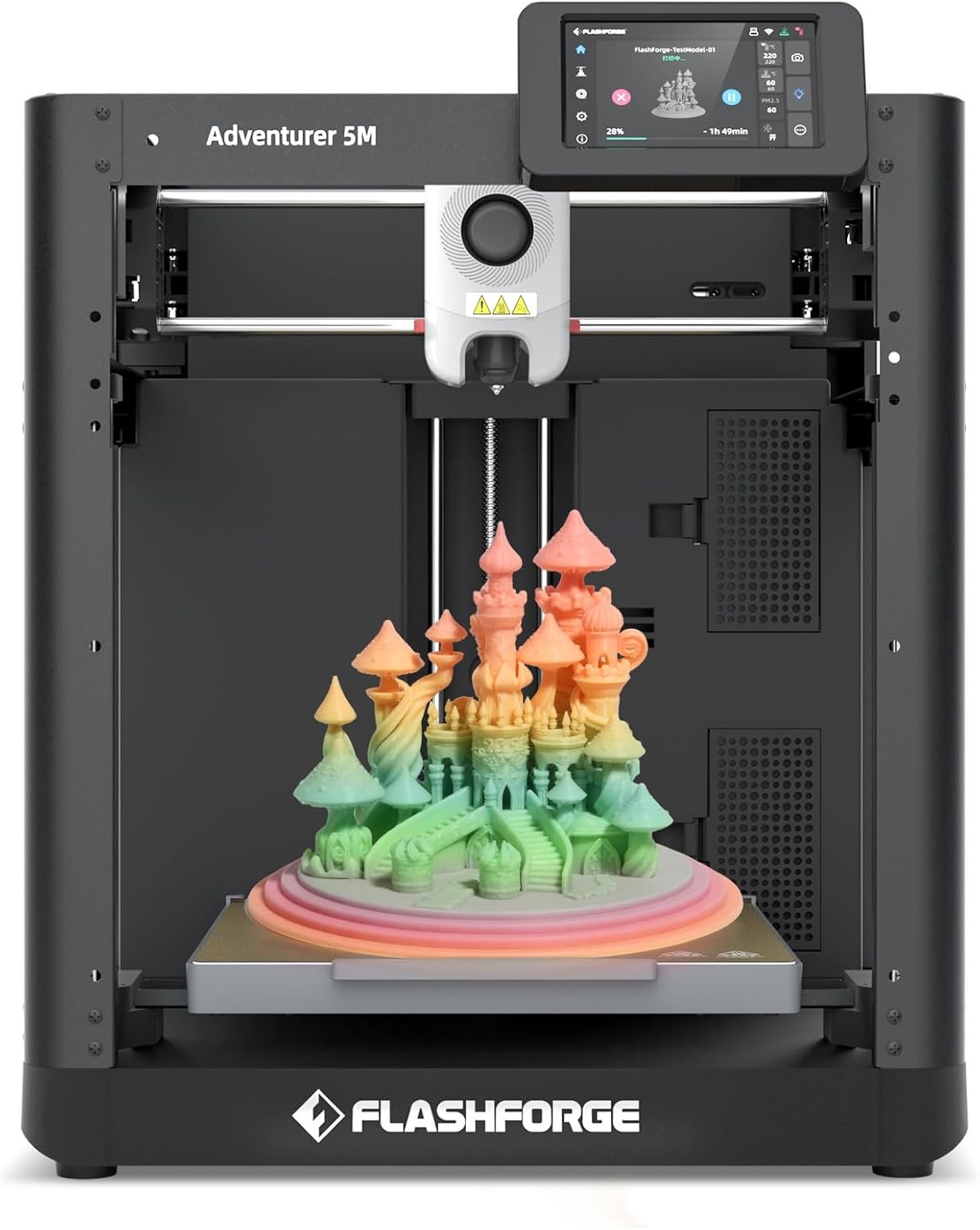
- 7. Flashforge Adventurer 5M – La impresora 3D más fácil de usar para principiantes
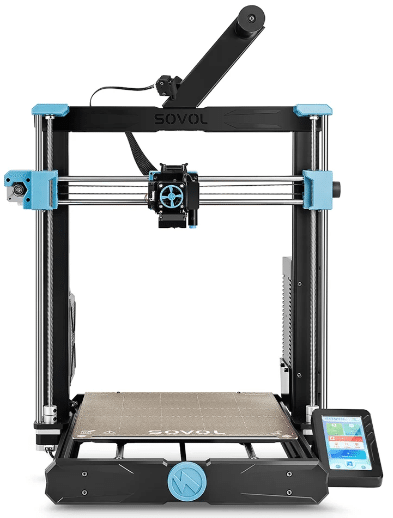
- 8. Sovol SV06 Plus – La mejor impresora 3D para principiantes que buscan gran volumen de impresión
- ¿Qué impresora 3D para principiantes comprar según cada necesidad?
- Conclusión: ¿Cuál es la mejor impresora 3D para principiantes?
Mejores Impresoras 3D para Principiantes
La impresión 3D ha dejado de ser una tecnología reservada para ingenieros, empresas o usuarios avanzados. Actualmente existen impresoras 3D para principiantes que permiten empezar a imprimir prácticamente desde el primer día, sin necesidad de conocimientos técnicos ni experiencia previa.
Si has llegado hasta aquí probablemente te estés preguntando:
- ¿Cuál es la mejor impresora 3D para empezar?
- ¿Qué impresora 3D comprar siendo principiante?
- ¿Es mejor una impresora 3D de filamento o de resina?
- ¿Cuánto dinero necesito invertir para comenzar?
- ¿Qué impresora es más fácil de utilizar?
La buena noticia es que el mercado ha evolucionado enormemente durante los últimos años.
Las nuevas generaciones de impresoras incorporan sistemas de autonivelación, calibración automática, detección de errores, recuperación tras cortes de corriente y aplicaciones móviles que facilitan enormemente el proceso de impresión.
Esto significa que hoy es posible comprar una impresora 3D fácil de usar y obtener resultados sorprendentes sin tener que dedicar semanas a configuraciones complejas.
En esta guía hemos analizado las mejores impresoras 3D para principiantes de 2026, seleccionando únicamente modelos fiables, fáciles de configurar y con una excelente relación calidad-precio.
Nuestro objetivo es ayudarte a evitar errores habituales y elegir una máquina que realmente te permita disfrutar de la impresión 3D desde e
Comparativa rápida de las mejores impresoras 3D para principiantes en este 2026
| Modelo | Mejor para | Tecnología | Volumen de impresión | Punto fuerte | Punto débil |
|---|---|---|---|---|---|
| Bambu Lab A1 Mini | Principiantes absolutos | FDM | 180 × 180 × 180 mm | Facilidad de uso | Volumen reducido |
| Bambu Lab A1 | Calidad-precio | FDM | 256 × 256 × 256 mm | Automatización | Precio superior |
| Creality Ender 3 V3 SE | Presupuesto ajustado | FDM | 220 × 220 × 250 mm | Muy económica | Menos funciones |
| Anycubic Kobra 3 | Usuarios intermedios | FDM | 250 × 250 × 260 mm | Velocidad | Más compleja |
| Elegoo Neptune 4 | Velocidad y rendimiento | FDM | 225 × 225 × 265 mm | Impresión rápida | Más ruidosa |
| Prusa Mini+ | Fiabilidad | FDM | 180 × 180 × 180 mm | Soporte técnico | Precio |
| Flashforge Adventurer 5M | Plug & Play | FDM | 220 × 220 × 220 mm | Lista para usar | Ecosistema cerrado |
| Sovol SV06 Plus | Gran volumen | FDM | 300 × 300 × 340 mm | Tamaño | Requiere espacio |
Nuestra recomendación
Si buscas una única recomendación para la mayoría de usuarios, nuestra elección sería la Bambu Lab A1.
Actualmente ofrece uno de los mejores equilibrios entre:
- Facilidad de uso.
- Calidad de impresión.
- Velocidad.
- Automatización.
- Comunidad.
- Relación calidad-precio.
Sin embargo, si buscas gastar menos dinero o simplemente quieres iniciarte en la impresión 3D sin realizar una gran inversión inicial, la Creality Ender 3 V3 SE sigue siendo una de las opciones más interesantes del mercado.
Por otro lado, para quienes quieren la máxima simplicidad posible, la Bambu Lab A1 Mini es probablemente la mejor impresora 3D para principiantes disponible actualmente.
Cómo hemos elegido estas impresoras 3D para principiantes
Una de las cosas que más nos preocupa en Bright Technology es recomendar productos que realmente aporten valor.
Por ello, no hemos seleccionado estas impresoras únicamente por popularidad o marketing.
Para elaborar esta comparativa hemos analizado los siguientes criterios.
Facilidad de uso
Una impresora para principiantes debe ser sencilla.
Hemos priorizado modelos que incorporan:
- Autonivelación automática.
- Interfaces intuitivas.
- Configuración rápida.
- Asistentes de calibración.
Calidad de impresión
Aunque seas principiante, nadie quiere obtener resultados mediocres.
Todas las impresoras seleccionadas ofrecen una calidad de impresión excelente para su rango de precio.
Fiabilidad
Uno de los motivos por los que muchas personas abandonan la impresión 3D es la frustración.
Por eso hemos descartado modelos que requieren demasiados ajustes o mantenimiento.
Comunidad y soporte
La existencia de tutoriales, perfiles de impresión y soporte técnico puede marcar una enorme diferencia cuando empiezas.
Por ello hemos priorizado fabricantes con comunidades activas y consolidadas.
Relación calidad-precio
No siempre la impresora más cara es la mejor.
Hemos buscado equipos capaces de ofrecer una excelente experiencia sin disparar el presupuesto.
Disponibilidad en 2026
Un error habitual de muchas comparativas es recomendar modelos descatalogados o difíciles de conseguir.
Todos los modelos seleccionados continúan siendo relevantes y tienen disponibilidad real en el mercado.
¿Qué debe tener una impresora 3D para principiantes?
Antes de comprar una impresora conviene conocer qué características son realmente importantes.
Muchos principiantes se centran únicamente en el precio y terminan comprando una máquina que les genera más problemas que satisfacciones.
Autonivelación automática
Actualmente consideramos imprescindible que una impresora incorpore algún sistema de autonivelación.
Esto reduce enormemente la curva de aprendizaje y evita muchos errores durante las primeras impresiones.
Buena comunidad
Una impresora popular suele tener:
- Más tutoriales.
- Más perfiles de impresión.
- Más repuestos.
- Más soporte técnico.
Por ello marcas como Bambu Lab, Creality, Prusa, Anycubic o Elegoo suelen ser apuestas seguras.
Compatibilidad con PLA
El filamento PLA sigue siendo el material más recomendado para principiantes.
Es fácil de imprimir, económico y ofrece muy buenos resultados.
Montaje sencillo
Hoy en día no tiene sentido recomendar impresoras que requieran horas de montaje y calibración.
Los mejores modelos actuales pueden estar funcionando en menos de 30 minutos.
Sensores inteligentes
Funciones como:
- Detector de fin de filamento.
- Recuperación tras cortes eléctricos.
- Monitorización remota.
- Detección de errores.
aportan una experiencia mucho más agradable.
Errores que cometen los principiantes al comprar una impresora 3D
Uno de los mayores errores es pensar que una impresora más barata siempre es la mejor opción.
Muchas veces ocurre justamente lo contrario.
Comprar una máquina demasiado básica puede provocar:
- Problemas constantes.
- Mala calidad de impresión.
- Frustración.
- Abandono del hobby.
Otro error frecuente es obsesionarse con el tamaño de impresión.
Para aprender, suele ser mucho más importante disponer de una máquina fiable que de un enorme volumen de construcción.
También es habitual ignorar aspectos como:
- Comunidad.
- Disponibilidad de repuestos.
- Software.
- Soporte técnico.
Todos estos factores pueden ser determinantes durante los primeros meses de uso.
Las 8 Mejores Impresoras 3D para Principiantes de 2026
La siguiente selección incluye únicamente modelos que destacan por su facilidad de uso, fiabilidad y excelente experiencia para usuarios que quieren iniciarse en la impresión 3D.
1. Bambu Lab A1 Mini – La mejor impresora 3D para principiantes de 2026
Si tuviera que recomendar una única impresora 3D para principiantes a una persona que nunca ha utilizado una impresora 3D, probablemente elegiría la Bambu Lab A1 Mini.
Y no lo digo únicamente por sus especificaciones técnicas.
Lo digo porque Bambu Lab ha conseguido algo que durante muchos años parecía imposible: hacer que la impresión 3D sea realmente sencilla para cualquier usuario.
Durante mucho tiempo, iniciarse en la impresión 3D significaba aprender conceptos complejos relacionados con la nivelación de la cama, ajustes del extrusor, configuración del firmware, calibración manual o resolución de problemas mecánicos.
La A1 Mini cambia completamente esa experiencia.
Desde el primer momento transmite una sensación muy similar a la de comprar un electrodoméstico moderno.
La instalación es rápida, intuitiva y está pensada para usuarios sin experiencia previa.
Uno de sus mayores puntos fuertes es la automatización.
La impresora incorpora múltiples sistemas inteligentes que ayudan a minimizar errores y simplificar el proceso de impresión.
Esto permite que incluso usuarios que jamás han utilizado una impresora 3D fácil de usar puedan obtener resultados sorprendentes desde las primeras impresiones.
Otro aspecto especialmente interesante es la calidad de impresión.
A pesar de tratarse de una máquina orientada a principiantes, ofrece resultados que hace apenas unos años sólo encontrábamos en impresoras mucho más caras.
Las capas son uniformes, la precisión es excelente y el nivel de detalle resulta más que suficiente para la mayoría de aplicaciones domésticas y educativas.
Por ello es una excelente opción para:
- Decoración.
- Proyectos escolares.
- Makers.
- Robótica.
- Prototipos sencillos.
- Piezas funcionales.
- Accesorios personalizados.
Además, Bambu Lab ha desarrollado uno de los ecosistemas más interesantes del mercado.
Su software es intuitivo, recibe actualizaciones constantes y dispone de una comunidad que crece a gran velocidad.
Todo ello convierte a la A1 Mini en una de las mejores opciones para quienes buscan una impresora 3D para empezar, una impresora 3D para casa o una impresora 3D para aprender sin complicaciones.
Otro aspecto que suele sorprender a muchos usuarios es la velocidad.
Aunque se trata de una impresora compacta, es capaz de imprimir significativamente más rápido que muchos modelos tradicionales de entrada.
Esto significa menos tiempo esperando y más tiempo disfrutando de tus proyectos.
También debemos mencionar el sistema AMS Lite (opcional), que permite imprimir con múltiples colores de forma sencilla.
Esta característica resulta especialmente atractiva para usuarios creativos que buscan diseños más vistosos.
En definitiva, si tu prioridad es encontrar una impresora fiable, moderna y extremadamente sencilla de utilizar, la Bambu Lab A1 Mini es probablemente la mejor compra que puedes hacer actualmente.
Características técnicas de Bambu Lab A1 Mini
- Volumen de impresión: 180 × 180 × 180 mm
- Tecnología: FDM
- Velocidad máxima de impresión: hasta 500 mm/s
- Nº de extrusores: 1
- Materiales compatibles: PLA, PETG, TPU y otros
- Pantalla táctil: Sí
- Autonivelación automática: Sí
- Conectividad: WiFi, App y nube
- Detección de fin de filamento: Sí
- Recuperación tras cortes de energía: Sí
- Peso aproximado: 8 kg
Ventajas e inconvenientes de Bambu Lab A1 Mini
- Posiblemente la impresora 3D más fácil de utilizar actualmente
- Autonivelación y calibración completamente automáticas
- Excelente calidad de impresión desde el primer momento
- Muy rápida para su tamaño
- Compatible con impresión multicolor mediante AMS Lite
- Ideal para usuarios sin experiencia previa
- Ecosistema y software sobresalientes
- Volumen de impresión inferior al de otros modelos
- Precio superior al de algunas impresoras básicas
- No está pensada para piezas de gran tamaño
- Algunos accesorios aumentan significativamente el coste final
Video reseña y comparativa de Bambu Lab A1 Mini
2. Bambu Lab A1 – La mejor impresora 3D calidad-precio para principiantes
Si la A1 Mini es la mejor opción para quienes buscan simplicidad absoluta, la Bambu Lab A1 representa el siguiente paso lógico.
De hecho, para muchos usuarios es actualmente la mejor impresora 3D calidad-precio para principiantes disponible en el mercado.
La razón es sencilla.
Mantiene prácticamente todas las ventajas de la A1 Mini, pero añade un volumen de impresión considerablemente superior.
Esto permite fabricar piezas más grandes y ampliar enormemente las posibilidades creativas.
Para muchos usuarios principiantes este detalle termina siendo decisivo.
Al principio solemos pensar que imprimiremos objetos pequeños.
Sin embargo, conforme adquirimos experiencia empezamos a crear piezas más complejas y voluminosas.
Con la A1 ese crecimiento resulta mucho más natural.
Uno de los aspectos más impresionantes de esta impresora es la enorme cantidad de automatizaciones que incorpora.
Bambu Lab ha conseguido eliminar gran parte de las tareas que tradicionalmente generaban problemas a los usuarios novatos.
Entre ellas:
- Calibración automática.
- Ajuste de flujo.
- Compensación de vibraciones.
- Monitorización inteligente.
- Detección de errores.
Esto reduce enormemente la curva de aprendizaje.
Otro punto muy importante es la velocidad.
Gracias a su arquitectura moderna, la A1 puede imprimir mucho más rápido que la mayoría de impresoras tradicionales de gama de entrada.
Esto se traduce en una experiencia más satisfactoria y productiva.
También debemos destacar la calidad de impresión.
Los resultados son excelentes incluso utilizando configuraciones básicas.
Por este motivo se ha convertido en una de las impresoras favoritas para:
- Makers.
- Estudiantes.
- Ingeniería doméstica.
- Robótica.
- Diseño de producto.
- Creadores de contenido.
Si buscas una máquina que te acompañe durante varios años sin quedarse pequeña demasiado rápido, la Bambu Lab A1 es probablemente una de las mejores inversiones que puedes realizar.
Características técnicas de Bambu Lab A1
- Volumen de impresión: 256 × 256 × 256 mm
- Tecnología: FDM
- Velocidad máxima: hasta 500 mm/s
- Nº de extrusores: 1
- Materiales compatibles: PLA, PETG, TPU y otros
- Pantalla táctil: Sí
- Autonivelación automática: Sí
- Conectividad: WiFi y App
- Detección de fin de filamento: Sí
- Recuperación tras cortes eléctricos: Sí
- Compatible con AMS Lite
Ventajas e inconvenientes de Bambu Lab A1
- Excelente relación calidad-precio
- Gran volumen de impresión para principiantes
- Autocalibración muy avanzada
- Muy rápida y precisa
- Compatible con impresión multicolor
- Ideal para aprender y evolucionar en impresión 3D
- Software y ecosistema sobresalientes
- Más cara que algunas alternativas económicas
- Ocupa más espacio que la A1 Mini
- El sistema AMS Lite supone un coste adicional
- Puede ser excesiva para usuarios muy ocasionales
Video reseña y comparativa de Bambu Lab A1 Mini
3. Creality Ender 3 V3 SE – La mejor impresora 3D barata para principiantes
Hablar de impresión 3D para principiantes sin mencionar la serie Ender sería prácticamente imposible.
Durante años, la familia Ender de Creality ha sido la puerta de entrada al mundo de la impresión 3D para miles de usuarios en todo el mundo.
Sin embargo, las primeras generaciones requerían cierta paciencia.
Era habitual tener que realizar ajustes manuales, mejorar componentes o invertir tiempo en calibraciones para obtener resultados óptimos.
La llegada de la Creality Ender 3 V3 SE ha cambiado completamente esta situación.
Creality ha escuchado a la comunidad y ha desarrollado una impresora pensada específicamente para quienes buscan una impresora 3D para empezar sin complicaciones.
Su principal ventaja es que consigue ofrecer características modernas manteniendo un precio muy competitivo.
Por eso sigue siendo una de las mejores opciones para quienes buscan una impresora 3D barata para principiantes.
Una de las mejoras más importantes respecto a generaciones anteriores es la incorporación de sistemas automáticos de nivelación.
Este aspecto, que antiguamente generaba muchos problemas a los usuarios novatos, ahora se realiza prácticamente de forma automática.
La experiencia general es mucho más agradable.
Además, mantiene una excelente compatibilidad con materiales populares como:
- PLA
- PETG
- TPU
- Filamentos especiales para proyectos creativos
Esto permite experimentar con diferentes tipos de impresión sin necesidad de cambiar de máquina.
Otro de sus puntos fuertes es la enorme comunidad que existe alrededor de la serie Ender.
Cuando compras una Ender 3 V3 SE accedes automáticamente a:
- Miles de tutoriales.
- Foros especializados.
- Perfiles de impresión optimizados.
- Vídeos de mantenimiento.
- Repuestos económicos.
Para un principiante esto tiene muchísimo valor.
Porque tarde o temprano surgirán dudas y siempre habrá alguien que ya haya pasado por el mismo problema.
También debemos destacar que su volumen de impresión es más que suficiente para la mayoría de proyectos domésticos.
Desde soportes personalizados hasta piezas funcionales, decoración o proyectos educativos.
La calidad obtenida es sorprendentemente buena para el rango de precio en el que compite.
Por todo ello, si buscas una impresora 3D calidad-precio para principiantes, con gran comunidad y un coste de entrada reducido, la Ender 3 V3 SE sigue siendo una de las apuestas más seguras del mercado.
Características técnicas de Creality Ender 3 V3 SE
- Volumen de impresión: 220 × 220 × 250 mm
- Tecnología: FDM
- Velocidad máxima de impresión: 250 mm/s
- Nº de extrusores: 1
- Materiales compatibles: PLA, PETG, TPU y derivados
- Pantalla: LCD intuitiva
- Autonivelación automática: Sí
- Conectividad: Tarjeta SD y USB
- Detección de fin de filamento: Sí
- Recuperación tras cortes eléctricos: Sí
- Peso aproximado: 7,1 kg
Ventajas e inconvenientes de Creality Ender 3 V3 SE
- Excelente relación calidad-precio
- Autonivelación automática muy eficaz
- Gran comunidad de usuarios y soporte online
- Muy fácil de actualizar y encontrar repuestos
- Compatible con los materiales más utilizados
- Ideal para aprender impresión 3D desde cero
- Precio muy competitivo
- Menos automatizada que las Bambu Lab
- Velocidad inferior a los modelos más modernos
- Acabados algo menos refinados que opciones premium
- La experiencia de usuario no es tan avanzada como en gamas superiores
Video reseña y comparativa de Creality Ender 3 V3 SE
4. Anycubic Kobra 3 – La mejor impresora 3D para principiantes que quieren crecer rápido
La Anycubic Kobra 3 es una de esas impresoras que resultan especialmente interesantes para usuarios que empiezan, pero que ya tienen claro que la impresión 3D va a convertirse en una afición seria o incluso en una herramienta de trabajo.
Mientras que otros modelos están claramente orientados a principiantes absolutos, la Kobra 3 ocupa un punto intermedio muy atractivo.
Es suficientemente sencilla para comenzar, pero también suficientemente potente para seguir siendo útil cuando adquieras experiencia.
Y eso es precisamente lo que la convierte en una de las mejores impresoras 3D para casa y para usuarios que quieren evolucionar rápidamente.
Uno de los aspectos que más llama la atención es la velocidad.
Anycubic ha realizado un enorme esfuerzo para modernizar sus impresoras durante los últimos años y la Kobra 3 es un excelente ejemplo de ello.
Comparada con muchas impresoras clásicas de entrada, puede completar trabajos en mucho menos tiempo.
Esto resulta especialmente interesante para quienes imprimen con frecuencia.
Otra característica muy valorada es la calidad de impresión.
La Kobra 3 ofrece resultados muy consistentes incluso utilizando configuraciones relativamente básicas.
Esto ayuda a los principiantes a obtener buenas impresiones desde el principio, algo fundamental para evitar frustraciones.
Además, incorpora sistemas automáticos que facilitan enormemente el proceso de impresión:
- Nivelación automática.
- Gestión inteligente de parámetros.
- Sensores de seguridad.
- Recuperación ante errores.
Su volumen de impresión también es bastante generoso.
Esto permite fabricar piezas más grandes o imprimir varios objetos simultáneamente.
Para muchos usuarios esta característica termina siendo mucho más importante de lo que parece inicialmente.
La compatibilidad con materiales es otro punto fuerte.
Podrás trabajar con:
- PLA
- PETG
- TPU
- Materiales técnicos básicos
Esto convierte a la Kobra 3 en una excelente plataforma de aprendizaje.
Además, Anycubic cuenta con una comunidad enorme y una gran disponibilidad de repuestos y accesorios.
Por ello es una impresora que puede acompañarte durante muchos años.
Si buscas una máquina moderna, rápida y preparada para acompañarte más allá de los primeros meses, la Anycubic Kobra 3 es una de las mejores elecciones que puedes realizar.
Características técnicas de Anycubic Kobra 3
- Volumen de impresión: 250 × 250 × 260 mm
- Tecnología: FDM
- Velocidad máxima de impresión: hasta 600 mm/s
- Nº de extrusores: 1
- Materiales compatibles: PLA, PETG, TPU y otros
- Pantalla táctil: Sí
- Autonivelación automática: Sí
- Conectividad: WiFi y App
- Detector de fin de filamento: Sí
- Recuperación tras apagado: Sí
- Compatible con impresión multicolor
Ventajas e inconvenientes de Anycubic Kobra 3
- Muy rápida para su rango de precio
- Excelente volumen de impresión
- Buena calidad desde configuraciones básicas
- Preparada para usuarios que quieren evolucionar
- Compatible con impresión multicolor
- Gran comunidad y disponibilidad de repuestos
- Muy buena relación calidad-precio
- Algo más compleja que una Bambu Lab A1 Mini
- Requiere aprender más configuraciones avanzadas
- Puede resultar excesiva para usuarios muy ocasionales
- Ocupa más espacio que otros modelos compactos
Video reseña y comparativa de Anycubic Kobra 3
5. Elegoo Neptune 4 – La mejor impresora 3D para principiantes que buscan velocidad
Durante años, Elegoo fue una marca conocida principalmente por sus impresoras 3D de resina, especialmente gracias al enorme éxito de la serie Mars y Saturn.
Sin embargo, con la llegada de la familia Neptune, la compañía ha conseguido posicionarse también como uno de los fabricantes más interesantes dentro del mundo de las impresoras 3D de filamento.
La Elegoo Neptune 4 es un excelente ejemplo de ello.
Esta impresora está orientada a usuarios que quieren iniciarse en la impresión 3D pero buscan algo más moderno, rápido y potente que las típicas impresoras de entrada tradicionales.
Y precisamente ahí es donde destaca.
Su principal atractivo es la velocidad.
Mientras que muchas impresoras básicas siguen funcionando a velocidades relativamente conservadoras, la Neptune 4 ha sido diseñada para aprovechar las ventajas de las nuevas generaciones de impresión rápida.
Esto significa menos tiempo esperando y más tiempo imprimiendo.
Para quienes realizan múltiples proyectos o quieren fabricar piezas con frecuencia, esta diferencia puede resultar enorme.
Otro aspecto muy interesante es la calidad de impresión.
Elegoo ha conseguido desarrollar una máquina que ofrece resultados muy consistentes incluso utilizando configuraciones sencillas.
Esto resulta especialmente importante para usuarios principiantes.
Porque una buena primera experiencia suele marcar la diferencia entre continuar aprendiendo o abandonar el hobby.
Además, la Neptune 4 incorpora múltiples características avanzadas que antiguamente sólo encontrábamos en modelos mucho más caros:
- Autonivelación automática.
- Extrusor de accionamiento directo.
- Pantalla táctil.
- Compatibilidad con múltiples materiales.
- Sistema de refrigeración optimizado.
Todo ello contribuye a mejorar significativamente la experiencia de uso.
También debemos destacar su compatibilidad con materiales.
Aunque la mayoría de principiantes comenzarán utilizando PLA, la Neptune 4 permite trabajar cómodamente con:
- PETG
- TPU
- Materiales técnicos básicos
- Filamentos especiales
Esto la convierte en una impresora muy interesante para usuarios que quieren aprender y evolucionar sin necesidad de cambiar rápidamente de equipo.
Otro factor importante es su relación calidad-precio.
Elegoo ha conseguido posicionar este modelo en un rango muy competitivo frente a fabricantes como Creality o Anycubic.
Por ello suele aparecer frecuentemente entre las mejores impresoras 3D calidad-precio para principiantes.
Si buscas una máquina moderna, rápida y preparada para acompañarte durante varios años, la Neptune 4 es una candidata muy seria.
Características técnicas de Elegoo Neptune 4
- Volumen de impresión: 225 × 225 × 265 mm
- Tecnología: FDM
- Velocidad máxima de impresión: hasta 500 mm/s
- Nº de extrusores: 1
- Materiales compatibles: PLA, PETG, TPU y otros
- Pantalla táctil: Sí
- Autonivelación automática: Sí
- Extrusor Direct Drive
- Detector de fin de filamento: Sí
- Recuperación tras cortes eléctricos: Sí
- Firmware Klipper optimizado
Ventajas e inconvenientes de Elegoo Neptune 4
- Muy rápida para su rango de precio
- Excelente relación calidad-precio
- Autonivelación automática eficaz
- Compatible con PLA, PETG y TPU
- Extrusor Direct Drive de gran rendimiento
- Perfecta para aprender y evolucionar
- Firmware moderno basado en Klipper
- Más ruidosa que algunas alternativas premium
- La configuración avanzada puede requerir aprendizaje
- No es tan Plug & Play como una Bambu Lab
- Puede resultar excesiva para usuarios muy ocasionales
Video reseña y comparativa de Elegoo Neptune 4
6. Prusa Mini+ – La impresora 3D más fiable para principiantes
Si existe una marca que se ha ganado una reputación excepcional dentro del mundo de la impresión 3D, esa es Prusa Research.
Durante años, las impresoras Prusa han sido consideradas una referencia en términos de calidad, fiabilidad y soporte técnico.
La Prusa Mini+ mantiene exactamente esa filosofía.
No intenta ser la más rápida.
No intenta ser la más barata.
Su objetivo es mucho más simple:
Ser una impresora que funcione bien durante años.
Y lo consigue.
Por este motivo sigue siendo una de las impresoras favoritas de:
- Centros educativos.
- Academias de formación.
- Makers.
- Universidades.
- Usuarios domésticos.
La experiencia de uso está muy cuidada.
Desde el montaje inicial hasta el mantenimiento cotidiano, todo transmite sensación de producto bien diseñado.
Uno de los aspectos más valorados por los usuarios es la estabilidad.
Mientras que otras impresoras pueden requerir ajustes frecuentes, la Mini+ destaca por ofrecer resultados consistentes durante largos periodos de tiempo.
Esto resulta especialmente interesante para principiantes.
Porque reduce enormemente la frustración asociada a errores inesperados.
Otro de los puntos fuertes de Prusa es su ecosistema.
La empresa dispone de:
- Documentación excelente.
- Actualizaciones frecuentes.
- Comunidad enorme.
- Software propio muy optimizado.
Su conocido laminador PrusaSlicer es considerado por muchos usuarios uno de los mejores programas de impresión 3D disponibles actualmente.
Además, la calidad de impresión sigue siendo sobresaliente.
Aunque existen impresoras más rápidas, pocas consiguen combinar fiabilidad, precisión y facilidad de uso al nivel de la Mini+.
Su tamaño compacto también la convierte en una opción ideal para hogares, oficinas o espacios reducidos.
Para quienes buscan una impresora 3D para aprender sin dolores de cabeza, la Prusa Mini+ continúa siendo una de las mejores compras posibles.
Características técnicas de Prusa Mini+
- Volumen de impresión: 180 × 180 × 180 mm
- Tecnología: FDM
- Velocidad máxima de impresión: 200 mm/s
- Nº de extrusores: 1
- Materiales compatibles: PLA, PETG, TPU, ASA y otros
- Pantalla LCD a color
- Autonivelación automática
- Conectividad USB y red
- Compatible con PrusaSlicer
- Sensor de filamento
- Recuperación ante cortes eléctricos
Ventajas e inconvenientes de Prusa Mini+
- Fiabilidad extraordinaria
- Excelente soporte técnico y documentación
- Comunidad enorme de usuarios
- Compatible con numerosos materiales
- Muy buena calidad de impresión
- Ideal para educación y aprendizaje
- PrusaSlicer es uno de los mejores slicers del mercado
- Precio superior a algunas alternativas asiáticas
- Volumen de impresión algo limitado
- Menor velocidad que impresoras modernas basadas en Klipper
- Diseño más conservador que otros modelos recientes
Video reseña y comparativa de Prusa Mini+
7. Flashforge Adventurer 5M – La impresora 3D más fácil de usar para principiantes
Si hay una impresora que merece aparecer en cualquier lista de las mejores impresoras 3D para principiantes, esa es la Flashforge Adventurer 5M.
Flashforge lleva años apostando por un enfoque diferente al de muchos fabricantes tradicionales.
Mientras otras marcas buscan atraer a usuarios que disfrutan modificando y ajustando sus impresoras, Flashforge se ha centrado en crear equipos fáciles de utilizar desde el primer momento.
Y precisamente por eso la Adventurer 5M se ha convertido en una de las opciones favoritas para:
- Usuarios domésticos.
- Familias.
- Centros educativos.
- Profesores.
- Estudiantes.
- Personas sin experiencia técnica.
Uno de sus principales puntos fuertes es que prácticamente elimina la complejidad habitual asociada a la impresión 3D.
La impresora llega prácticamente lista para funcionar.
No requiere largas sesiones de montaje ni conocimientos avanzados.
Esto la convierte en una de las mejores opciones para quienes buscan una auténtica impresora 3D Plug & Play.
Otro aspecto muy interesante es la seguridad.
Muchos usuarios principiantes suelen preocuparse por cuestiones relacionadas con temperaturas elevadas o componentes expuestos.
La Adventurer 5M incorpora una estructura más protegida que muchas impresoras abiertas tradicionales.
Esto aporta tranquilidad, especialmente en entornos educativos o familiares.
La velocidad también ha mejorado enormemente respecto a generaciones anteriores.
Flashforge ha modernizado completamente esta gama y actualmente es capaz de competir con modelos mucho más recientes.
Además, dispone de una interfaz muy intuitiva que facilita enormemente las primeras impresiones.
Para quienes buscan una impresora 3D para casa, una impresora 3D para aprender o una máquina sencilla para iniciarse en este apasionante mundo, la Adventurer 5M es una de las alternativas más interesantes del mercado actual.
Características técnicas de Flashforge Adventurer 5M
- Volumen de impresión: 220 × 220 × 220 mm
- Tecnología: FDM
- Velocidad máxima de impresión: hasta 600 mm/s
- Nº de extrusores: 1
- Materiales compatibles: PLA, PETG, TPU
- Pantalla táctil
- Autonivelación automática
- Conectividad WiFi y red
- Sistema de cambio rápido de boquillas
- Detector de filamento
- Recuperación tras cortes eléctricos
Ventajas e inconvenientes de Flashforge Adventurer 5M
- Extremadamente fácil de utilizar
- Ideal para principiantes absolutos
- Muy rápida para su categoría
- Autonivelación automática
- Cambio rápido de boquillas
- Excelente opción para entornos educativos
- Gran experiencia Plug & Play
- Ecosistema más cerrado que otras marcas
- Menor capacidad de personalización
- Comunidad más pequeña que Creality o Bambu Lab
- Algunos accesorios son más caros
Video reseña y comparativa de Flashforge Adventurer 5M
8. Sovol SV06 Plus – La mejor impresora 3D para principiantes que buscan gran volumen de impresión
La mayoría de usuarios principiantes empiezan imprimiendo piezas pequeñas.
Sin embargo, hay quienes desde el principio tienen claro que quieren fabricar objetos de gran tamaño.
Para ellos, la Sovol SV06 Plus es una de las alternativas más interesantes disponibles actualmente.
Su principal atractivo es evidente.
El enorme volumen de impresión.
Mientras muchas impresoras de entrada se sitúan alrededor de los 220 mm de construcción, la SV06 Plus permite fabricar piezas considerablemente más grandes.
Esto resulta especialmente útil para:
- Cosplay.
- Decoración.
- Prototipos grandes.
- Piezas funcionales.
- Robótica.
- Proyectos DIY.
Pero el tamaño no es su única virtud.
Sovol ha conseguido desarrollar una máquina bastante equilibrada que combina:
- Buen volumen.
- Buena calidad.
- Precio competitivo.
- Compatibilidad con numerosos materiales.
Además, incorpora características modernas que facilitan enormemente la experiencia de uso.
Aunque no alcanza el nivel de automatización de las Bambu Lab, sigue siendo una opción muy válida para usuarios principiantes que buscan espacio de impresión sin gastar una fortuna.
Por ello se ha convertido en una de las mejores impresoras 3D para casa cuando el tamaño es una prioridad.
Características técnicas de Sovol SV06 Plus
- Volumen de impresión: 300 × 300 × 340 mm
- Tecnología: FDM
- Velocidad máxima: 250 mm/s
- Nº de extrusores: 1
- Materiales compatibles: PLA, PETG, TPU, ABS
- Pantalla LCD
- Autonivelación automática
- Extrusor Direct Drive
- Detector de filamento
- Recuperación ante apagones
- Compatible con múltiples slicers
Ventajas e inconvenientes de Sovol SV06 Plus
- Gran volumen de impresión
- Excelente para cosplay y proyectos grandes
- Muy buena relación calidad-precio
- Compatible con numerosos materiales
- Extrusor Direct Drive eficiente
- Autonivelación automática
- Ideal para usuarios creativos
- Ocupa bastante espacio
- Más lenta que impresoras modernas de alta velocidad
- Montaje algo más laborioso
- No tan refinada como modelos premium
Video reseña y comparativa de Sovol SV06 Plus
¿Qué impresora 3D para principiantes comprar según cada necesidad?
Elegir la mejor impresora 3D para principiantes dependerá de tu presupuesto, espacio disponible y objetivos.
No existe una única impresora perfecta para todos los usuarios.
Por eso hemos preparado esta guía rápida.
Mejor impresora 3D para principiantes en general
🥇 Bambu Lab A1 Mini
La opción más sencilla para empezar.
Ideal para usuarios sin experiencia que quieren imprimir desde el primer día.
Mejor impresora 3D calidad-precio
🥇 Bambu Lab A1
Probablemente la compra más equilibrada de toda la comparativa.
Combina facilidad de uso, velocidad, calidad y volumen de impresión.
Mejor impresora 3D barata para empezar
🥇 Creality Ender 3 V3 SE
La mejor opción para quienes quieren gastar poco dinero sin renunciar a una buena experiencia.
Mejor impresora 3D para aprender y evolucionar
🥇 Anycubic Kobra 3
Perfecta para usuarios que quieren iniciarse pero también crecer rápidamente dentro del mundo de la impresión 3D.
Mejor impresora 3D por fiabilidad
🥇 Prusa Mini+
Una apuesta segura para quienes priorizan estabilidad, soporte técnico y durabilidad.
Mejor impresora 3D para espacios pequeños
🥇 Flashforge Adventurer 5M
Compacta, segura y extremadamente fácil de utilizar.
Mejor impresora 3D para piezas grandes
🥇 Sovol SV06 Plus
La mejor alternativa cuando el volumen de impresión es una prioridad.
Conclusión: ¿Cuál es la mejor impresora 3D para principiantes?
Después de analizar los modelos más recomendables del mercado, podemos afirmar que nunca ha sido tan fácil empezar en el mundo de la impresión 3D.
Las nuevas generaciones de impresoras incorporan sistemas de calibración automática, sensores inteligentes y software avanzado que eliminan gran parte de las dificultades que existían hace unos años.
Si buscas la mejor opción para la mayoría de usuarios, la Bambu Lab A1 Mini destaca por su facilidad de uso, calidad de impresión y excelente ecosistema.
Para quienes desean una máquina con más recorrido y mejor relación calidad-precio, la Bambu Lab A1 es probablemente la compra más inteligente de toda esta comparativa.
Por otro lado, si tu presupuesto es más ajustado, la Creality Ender 3 V3 SE continúa siendo una de las mejores impresoras 3D para empezar sin realizar una gran inversión.
La decisión final dependerá de tus necesidades, presupuesto y objetivos.
Sin embargo, cualquiera de las impresoras de esta guía te permitirá iniciarte en la impresión 3D con garantías y disfrutar de una experiencia muy superior a la que ofrecían los modelos de generaciones anteriores.
Sigue aprendiendo sobre impresión 3D
Si quieres profundizar más en este apasionante mundo, te recomendamos visitar nuestras siguientes guías:
👉 Todo lo que necesitas saber sobre impresión 3D
👉 Materiales para impresión 3D
👉 Cómo calibrar una impresora 3D
👉 Mejores impresoras 3D profesionales
👉 Mejores páginas para descargar STL
En ellas encontrarás comparativas, tutoriales, materiales, software y consejos para seguir avanzando en la impresión 3D.
Preguntas frecuentes sobre impresoras 3D para principiantes
Actualmente, la Bambu Lab A1 Mini es probablemente la mejor opción para la mayoría de usuarios que empiezan desde cero..Su combinación de facilidad de uso, calidad de impresión, automatización y ecosistema la convierten en una de las impresoras más recomendables para iniciarse en la impresión 3D.
Si tu presupuesto lo permite, recomendamos la Bambu Lab A1.
Si buscas gastar menos dinero, la Creality Ender 3 V3 SE sigue siendo una de las mejores opciones calidad-precio del mercado.
Para la mayoría de usuarios principiantes recomendamos una impresora 3D de filamento (FDM).
Son más fáciles de utilizar, requieren menos mantenimiento y los materiales suelen ser más económicos.
Las impresoras 3D de resina ofrecen mayor calidad de detalle, pero exigen procesos adicionales de lavado, curado y manipulación de resinas.
Si quieres conocer sus diferencias, consulta nuestra guía sobre impresoras 3D de resina.
Actualmente puedes encontrar buenas impresoras para empezar entre los 200 € y los 500 €.
Sin embargo, invertir un poco más suele traducirse en:
Menos problemas.
Mayor calidad de impresión.
Más automatización.
Mejor experiencia de usuario.
El material más recomendado es el PLA.
Se trata de un filamento económico, fácil de imprimir y compatible con prácticamente cualquier impresora 3D para principiantes.
Además, ofrece muy buenos acabados y genera pocos problemas durante la impresión.
No.
Hace unos años la curva de aprendizaje era mucho más compleja.
Sin embargo, las impresoras actuales incorporan sistemas inteligentes que simplifican enormemente el proceso.
Con una máquina moderna como la Bambu Lab A1 Mini o la Flashforge Adventurer 5M, es posible empezar a imprimir en muy poco tiempo.
Los programas más populares actualmente son:
Bambu Studio
OrcaSlicer
PrusaSlicer
Cura
Creality Print
Estos programas convierten los modelos 3D en instrucciones que la impresora puede interpretar.
Las posibilidades son prácticamente infinitas.
Algunos ejemplos son:
Decoración.
Organizadores.
Soportes para móviles.
Accesorios gaming.
Piezas de reparación.
Herramientas.
Proyectos educativos.
Robótica.
Prototipos.
No necesariamente.
Existen miles de modelos gratuitos disponibles en plataformas como:
Thingiverse.
Printables.
MakerWorld.
Cults3D.
Puedes descargar diseños ya preparados y comenzar a imprimir inmediatamente.
Depende del tamaño y complejidad de la pieza.
Una impresión sencilla puede completarse en menos de una hora.
Los proyectos grandes pueden requerir varias horas o incluso días.
Las nuevas impresoras de alta velocidad han reducido considerablemente estos tiempos.
El mantenimiento básico suele incluir:
Limpieza de la cama.
Revisión de correas.
Sustitución ocasional de boquillas.
Lubricación de componentes mecánicos.
Las impresoras modernas requieren mucho menos mantenimiento que hace unos años.
Sí.
La tecnología ha madurado enormemente.
Actualmente existen impresoras muy fiables, rápidas y fáciles de utilizar que permiten disfrutar de la impresión 3D sin los problemas que eran habituales en generaciones anteriores.